8 Troubleshooting
SAM4S ER-380M/F SERIES 8-5
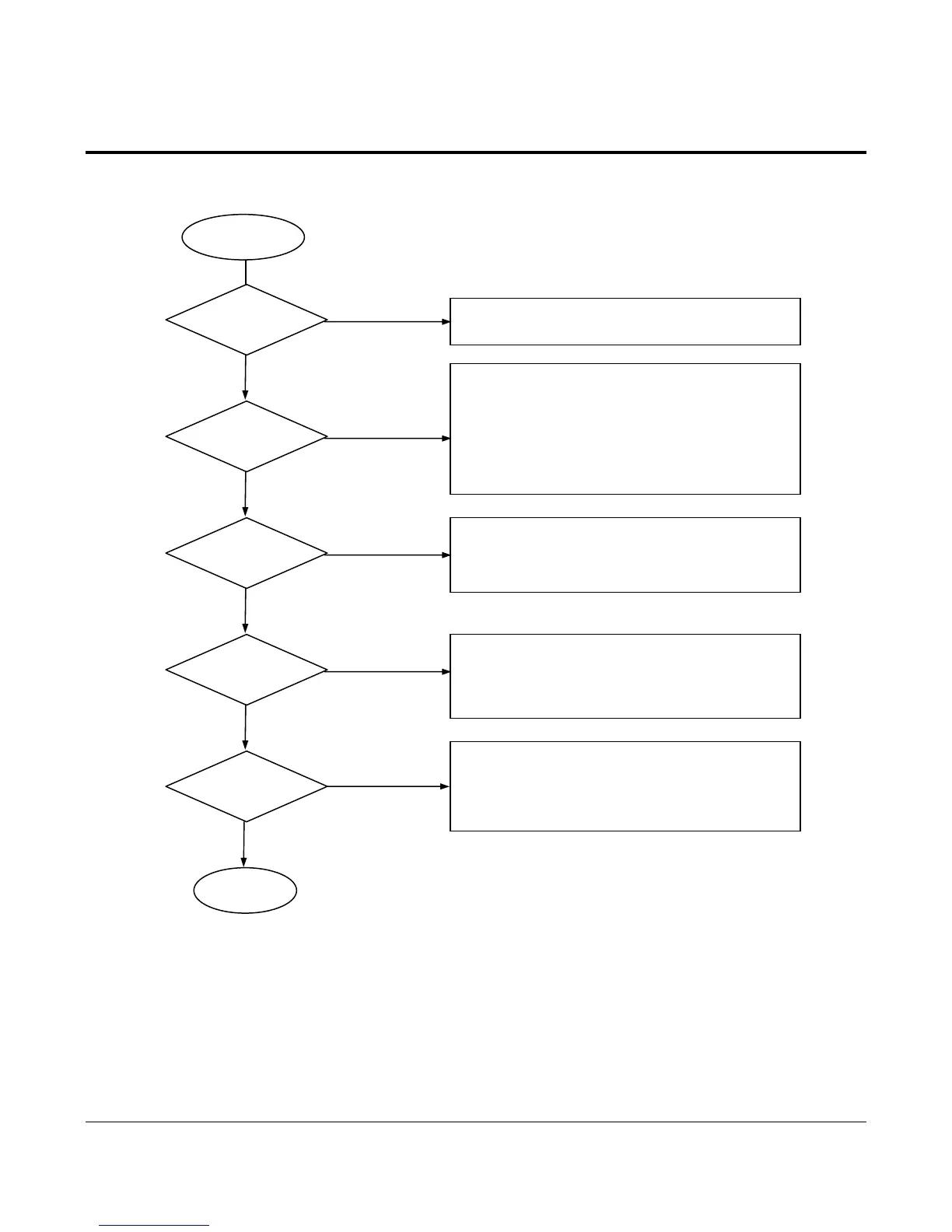
8-4 Thermal Printer Problem
End
Thermal Printer
Print
Ok?
Y
N
1. Check the Control Signal on CPU
(Data/CLK/Latch/Strobe1,2,3,4)
2. Check the Harness.
3. Check the related Circuit and Pattern.
Power Vcc
V
PH Ok?
Y
1. Refer to the Power Problem.
2. Check the Harness.
N
Sensor
OK?
1. Check the related Circuit and Pattern of 74HC14 (U9).
2. Check the Harness.
3. Check the Print Connection PBA and Sensor PBA.
Y
Line Feed
OK?
N
1. Check the Phase Signal (CPU P7.4,P7.5)
2. Check the Driver LB1838 (U6) Enable Signal.
3. Check the related Circuit and Pattern(IC LB1838).
4. Check the Harness.
5. Check the Feed Step Motor .
Y
N
Thermistor
OK?
1. Check the ADC Port P10.0, of CPU.
2. Check the related Circuit and Pattern.
3. Check the Harness.
4. Check the Thermiste
of TPH.



 To Next Page