9 Exploded Views and Parts List
9-10 SAM4S ER-380M/F SERIES
9-2 Printer (STM-210)
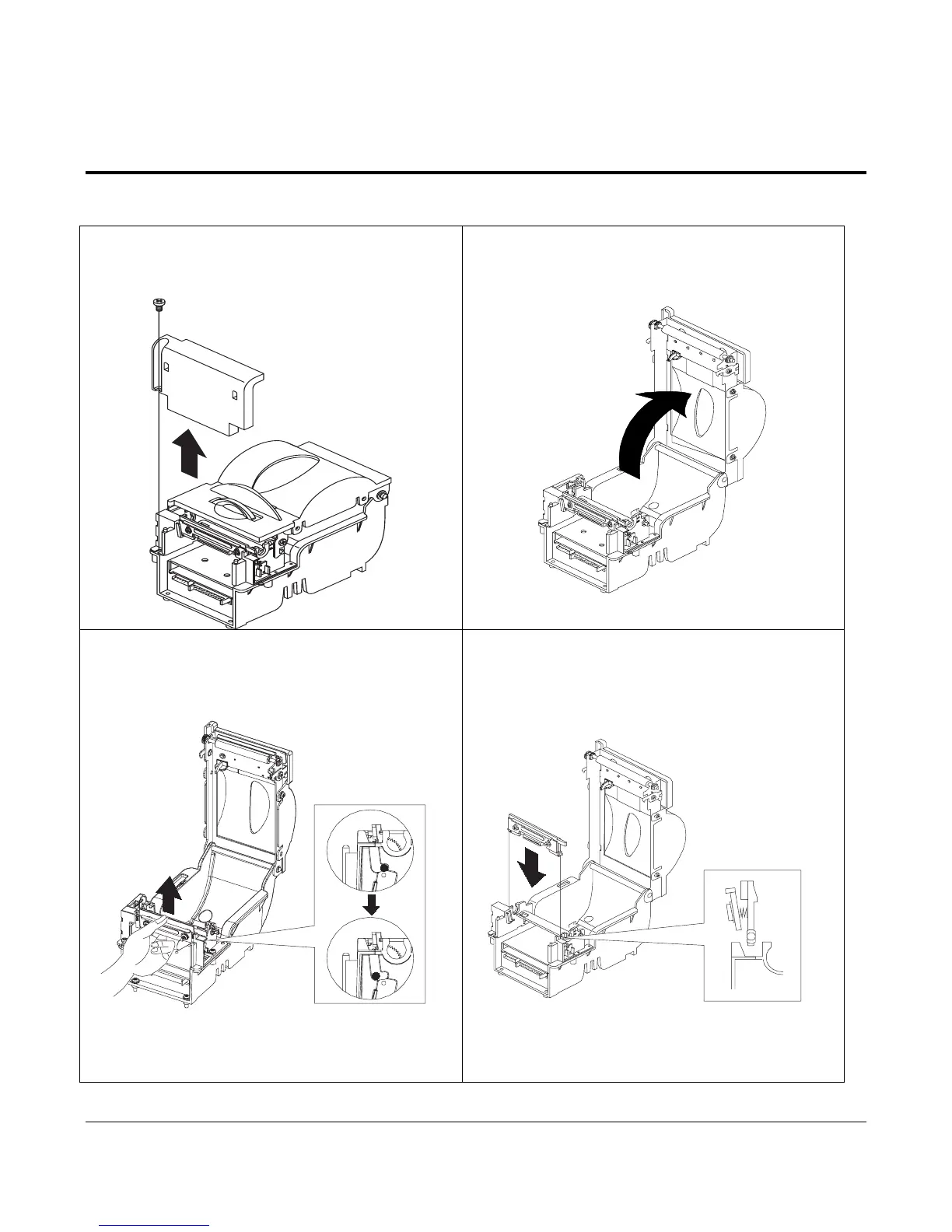
9-2-3 Thermal Printer Head assembly replacement
1.Unscrew the bolt of COVER FRONT and
disassemble it from the PRINTER.
2. Open the COVER TOP.
3. Disassemble the TPH assembly by pulling the
lower part of TPH assembly and lift it up.
4. Assemble the TPH assembly in reverse order and
close the COVER TOP.



 To Next Page