EB 3018 EN 7-3
Operation
7.2 Adjusting the ow rate
7.2.1 DN15 to 50
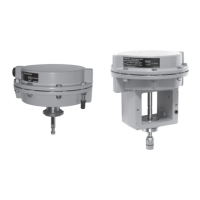
Type5827 Electric Actuator
1)
Î Adjustment without actuator · See
Fig.7-1
1. Loosen the locking screw (2.6) and turn
the set point adjuster (2.3) clockwise ()
as far as it will go to close the restriction
(2.7).
2. Determine the turns required to achieve
the desired ow rate from the adjustment
diagrams (see Table 7-1).
3. Based on a closed restriction, turn the set
point adjuster counterclockwise () to
adjust the ow rate set point.
4. Check the ow rate at the heat meter and
correct it, if necessary.
5. Once the ow rate is set as required,
lock the setting with the locking screw
(2.6).
6. Close a possibly open bypass valve
again.
7. Lead-seal the setting, if necessary.
8. For a tension-free installation, place the
actuator with retracted stem on the re-
striction connection and fasten using the
coupling nut (see 'Tightening torques' in
Annex).
Î Adjustment with actuator · See Fig.7-1
More details on the electric actuator
1)
in
uEB5827-1 and uEB5827-2.
With Type5827 Electric Actuator
1)
1. Retract the actuator stem (1.1) by turning
the manual adjuster (1.4) counterclock-
wise () or by applying a corresponding
control signal from the control device.
2. Loosen the locking screw (2.6) and turn
the set point adjuster (2.3) clockwise ()
as far as it will go to close the restriction
(2.7).
3. Determine the turns required to achieve
the desired ow rate from the adjustment
diagrams (see Table 7-1).
4. Based on a closed restriction, turn the set
point adjuster counterclockwise () to
adjust the ow rate set point.
5. Check the ow rate at the heat meter and
correct it, if necessary.
6. Once the ow rate is set as required,
lock the setting with the locking screw
(2.6).
7. Close a possibly open bypass valve
again.
8. Lead-seal the setting, if necessary.
1)
Alternatively: Type5824 or Type5825 uEB5824-1
· uEB5824-2



 To Next Page