102
Screen Adjustment
4
4 Screen Adjustment
4.5 Color Temp.
Adjust the color temperature (Red/Green/Blue). (Range: 5000K–15000K)
This function is available when Dynamic Contrast and Color Tone are set to Off as long as Mode is not
set to Advertisement.
(Refer to page 94, page 99 and page 112 for details about Mode, Color Tone and Dynamic Contrast.)
4.5.1 Configuring the Color Temp. Settings
This product can only be controlled by using the remote control.
1 Press MENU on the remote control.
2 Press / to move to Picture and press [ ].
3 Press / to move to Color Temp. and press [ ].
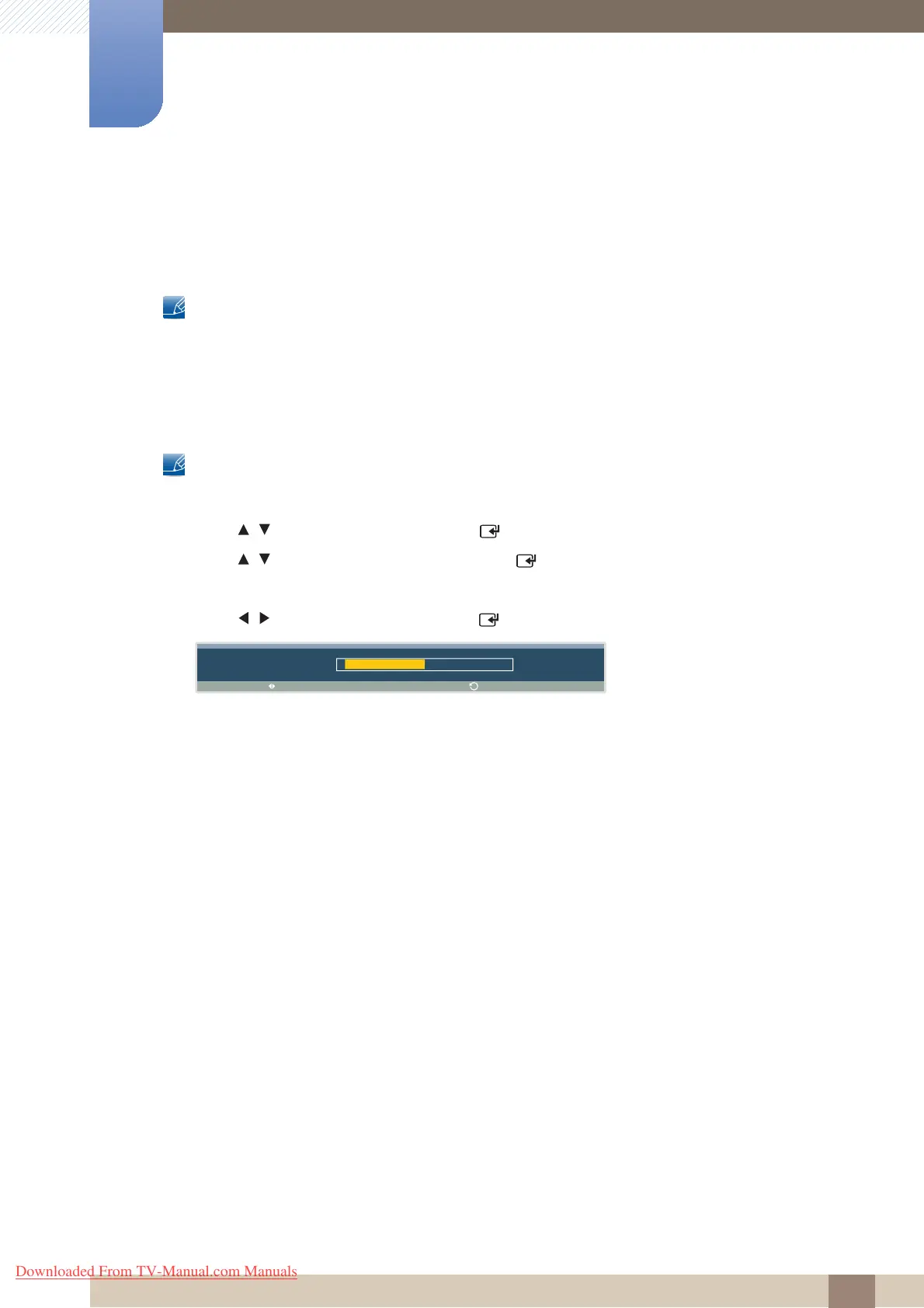
The following screen will appear.
4 Press / to adjust the value and press [ ]. The change will be applied.
A d j u s t
C o l o r T e m p .
1 0 0 0 0 K
R e t u r n
Downloaded From TV-Manual.com Manuals



 To Next Page