50
Connecting and Using a Source Device
2
2 Connecting and Using a Source Device
2.2 Connecting and Using a PC
2.2.1 Connecting to a PC
z A PC can be connected to the product in a variety of ways.
Select a connection method suitable for your PC.
Connecting parts may differ in different products.
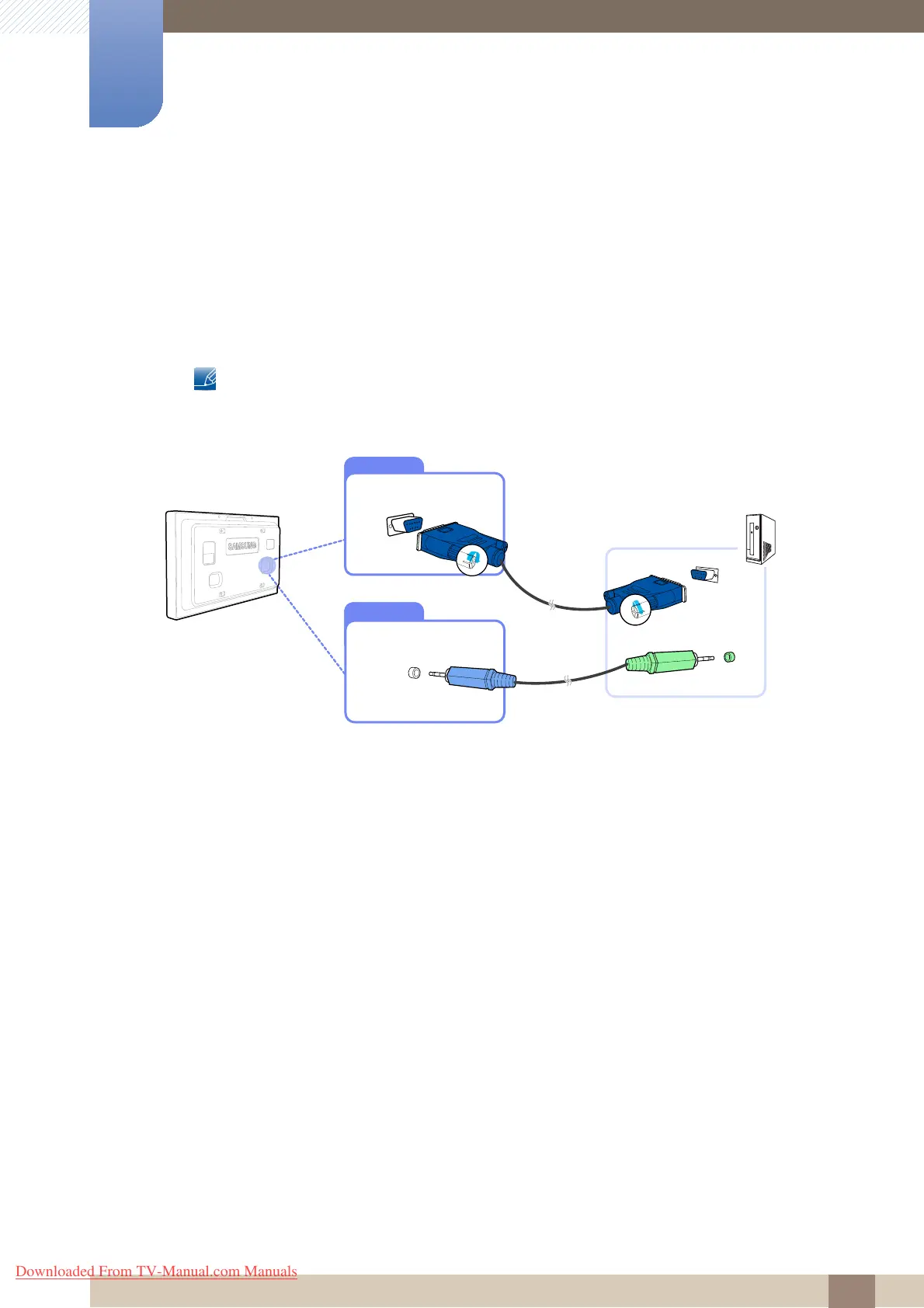
Connection using the D-SUB cable (analogue type)
1 Connect the D-SUB cable to the [RGB/COMPONENT IN] port on the product and the D-SUB port
on the PC.
2 Connect a sound output cable to the [AUDIO IN] port on the product and the sound output port on
the PC.
3 Connect the power cord to the product and power socket, and power on the PC.
AUDIO IN
Downloaded From TV-Manual.com Manuals







 To Next Page