23
Preparations
1
1 Preparations
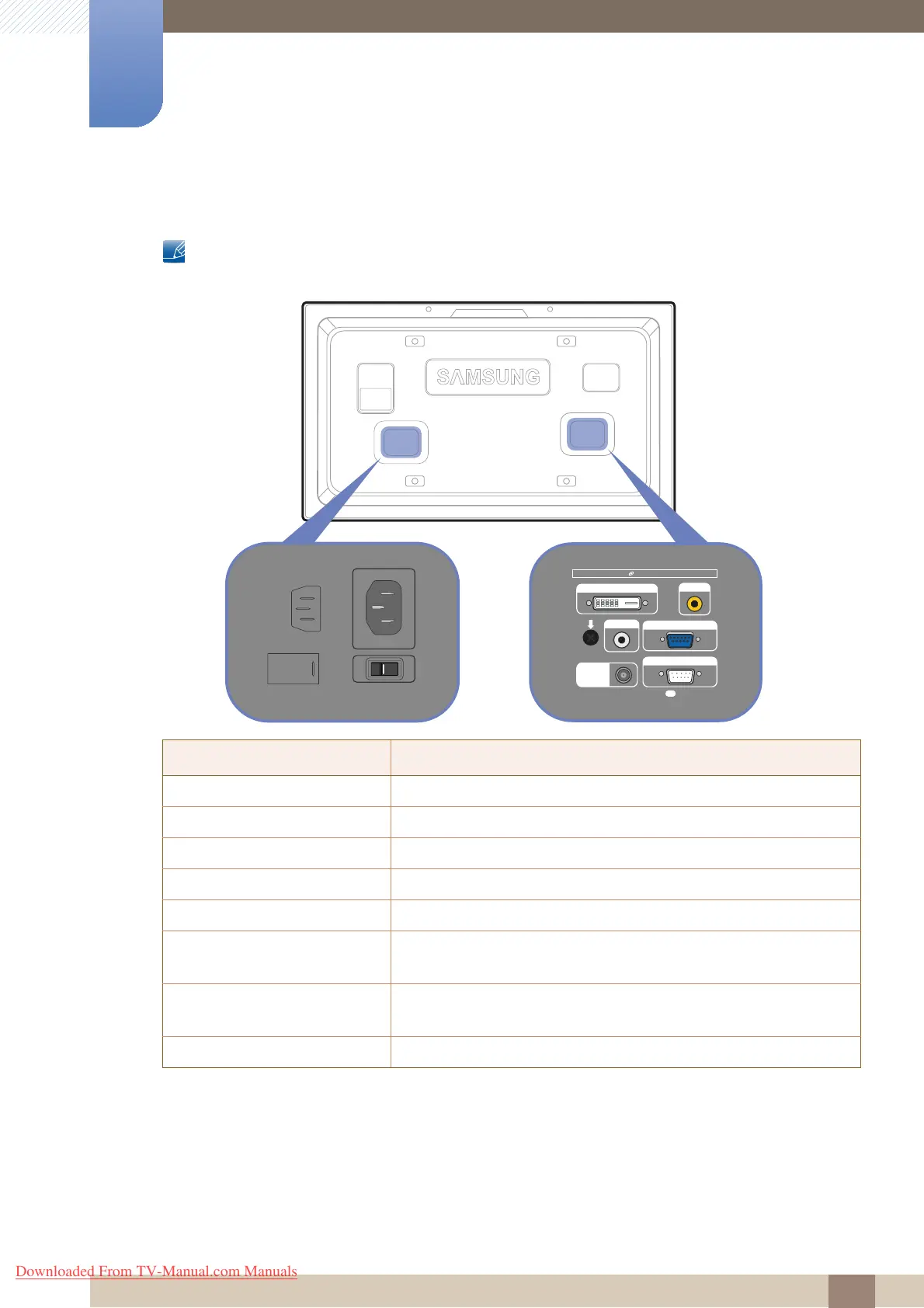
1.2.2 Reverse Side
The color and shape of parts may differ from what is shown. Specifications are subject to change
without notice to improve quality.
Port Description
[POWER S/W] ON [ I ] / OFF Power switch
[POWER
IN] Connects to the power cord
[DVI IN
] Connects to a source device using a DVI cable or HDMI-DVI cable
[AV IN] Connects to a source device using the AV cable
[AUDIO IN] Connects to the audio of a source device
[RGB/COMPONENT IN] Connects to a source device using the D-SUB or RGB-component
cable
[DC OUT (5V/1.5A)] Be sure to connect the [DC OUT] port to a TV tuner box specified by
Samsung. Otherwise, the product performance may be affected.
[RS232C IN] Connects to an MDC using the RS232C cable
DVI IN
RGB/COMPONENT IN
DC OUT
(5V/1.5A)
RS232C IN
AUDIO IN
AV IN
TruSurround XT, SRS and symbol are thademarks of SRS Labs, Inc.
PS
BN64-01674A-00
POWER IN POWER S/W
Downloaded From TV-Manual.com Manuals







 To Next Page