70
Using MDC
3
3 Using MDC
3.4.2 Configuring Settings for Main Functions
System
Click "System" to configure preferences.
- The System screen is the same as the main screen.
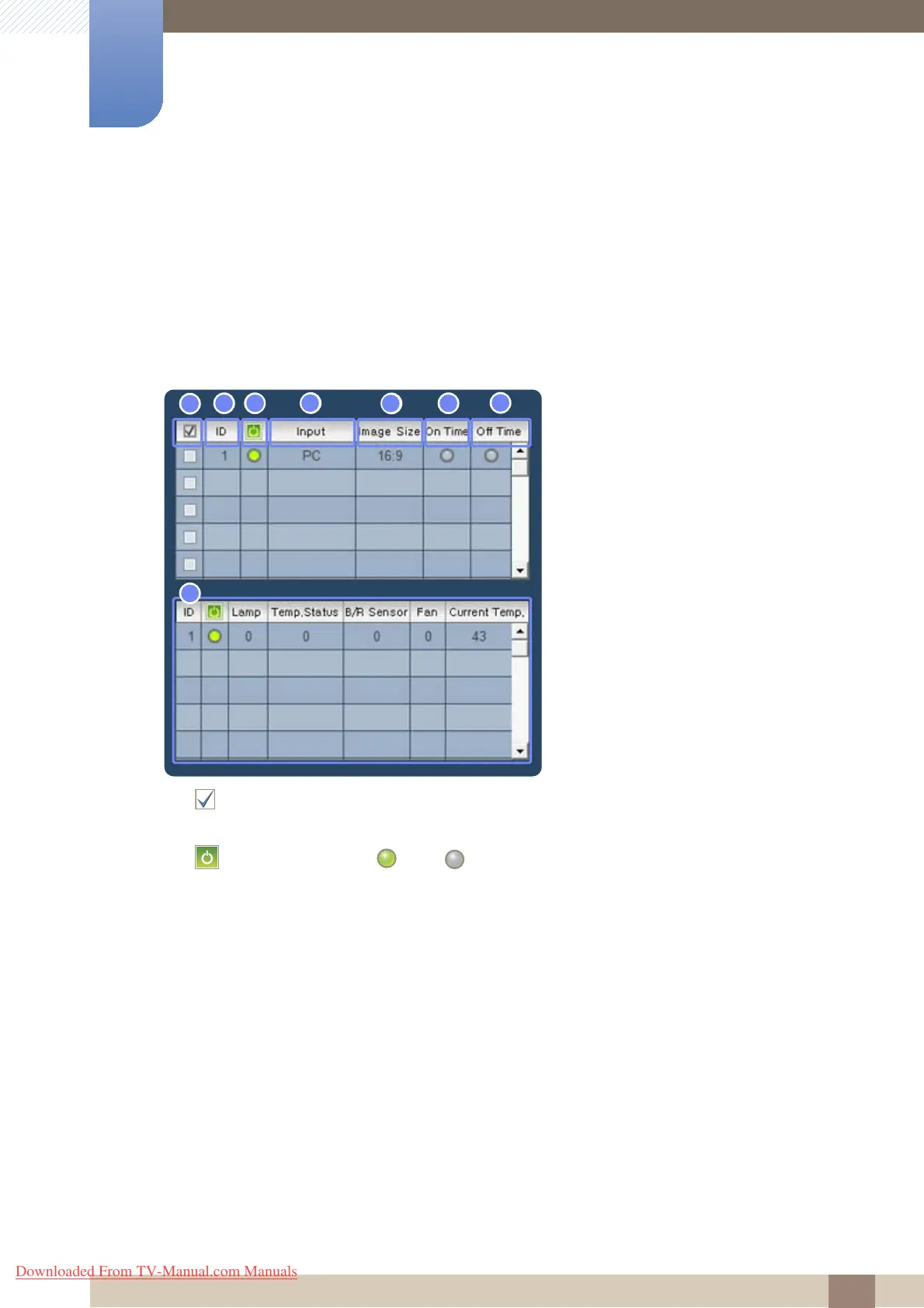
Displaying the information about connected displays
1 : Check a checkbox to select a display.
2 ID : View the ID assigned to a connected display.
3 : View the power (ON ( )/OFF ( )) status of a connected display.
4 Input : View the input source of a connected display.
5 Image Size : View the image size set for a display.
6 On Time : View whether On Time is enabled for a display.
7 Off Time : View whether Off Time is disabled for a display.
8 Display details : View detailed information about the display selected in step 1.
Downloaded From TV-Manual.com Manuals







 To Next Page