71
Using MDC
3
3 Using MDC
Configuring preferences for a connected display device
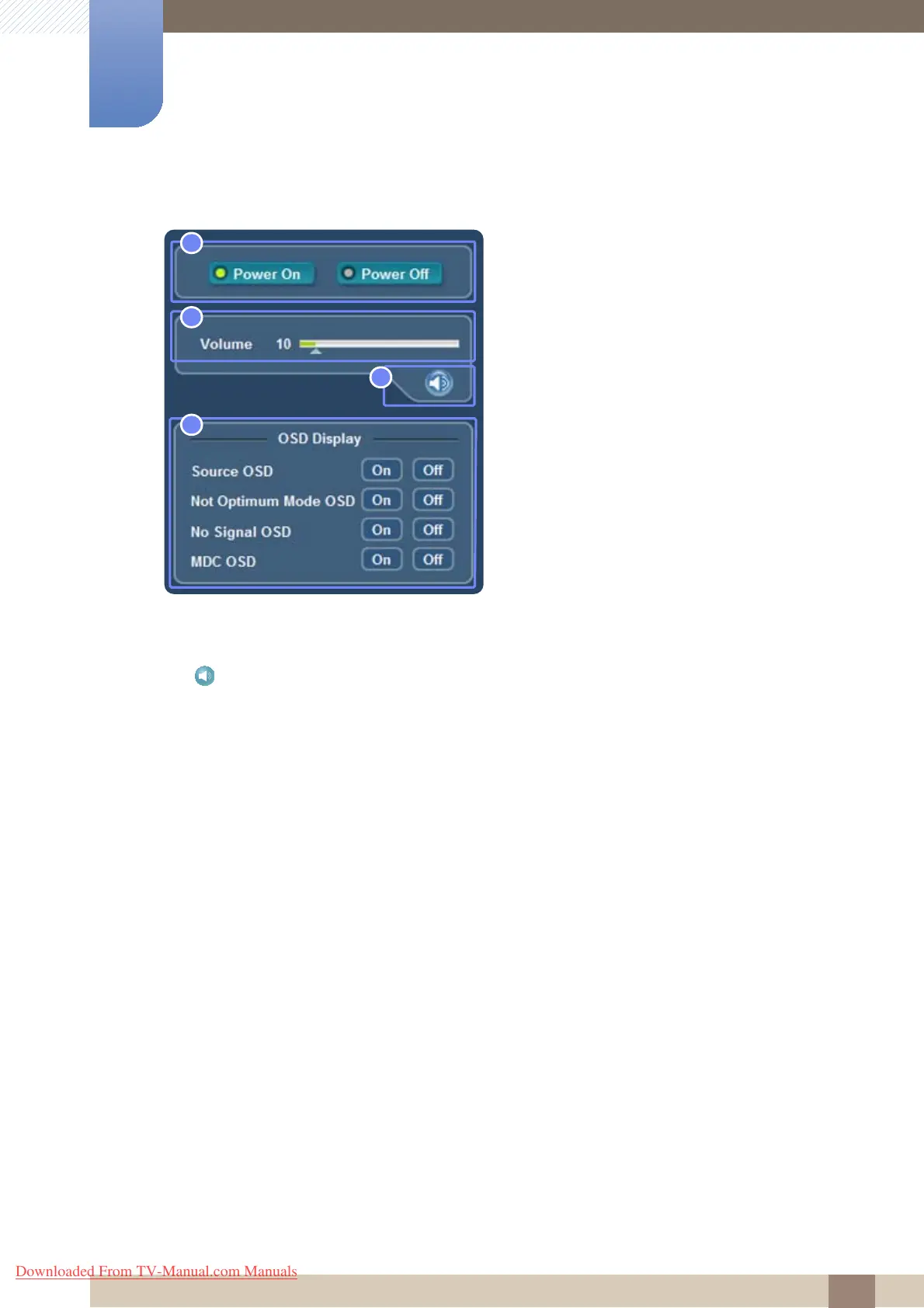
1 Power On, Power Off : Power on or off a display.
2 Volume : Control the volume using the volume bar.
3 : Mute or unmute the sound.
4 OSD Display
z Source OSD : Select whether to display an indicator window when the input source changes.
z Not Optimum Mode OSD : Select whether to display an indicator window for an unsupported
mode.
z No Signal OSD : Select whether to display an indicator window when no signal is received.
z MDC OSD : Select whether to display an indicator window when settings are changed through
MDC.
Downloaded From TV-Manual.com Manuals







 To Next Page