130
Settings
6
6 Settings
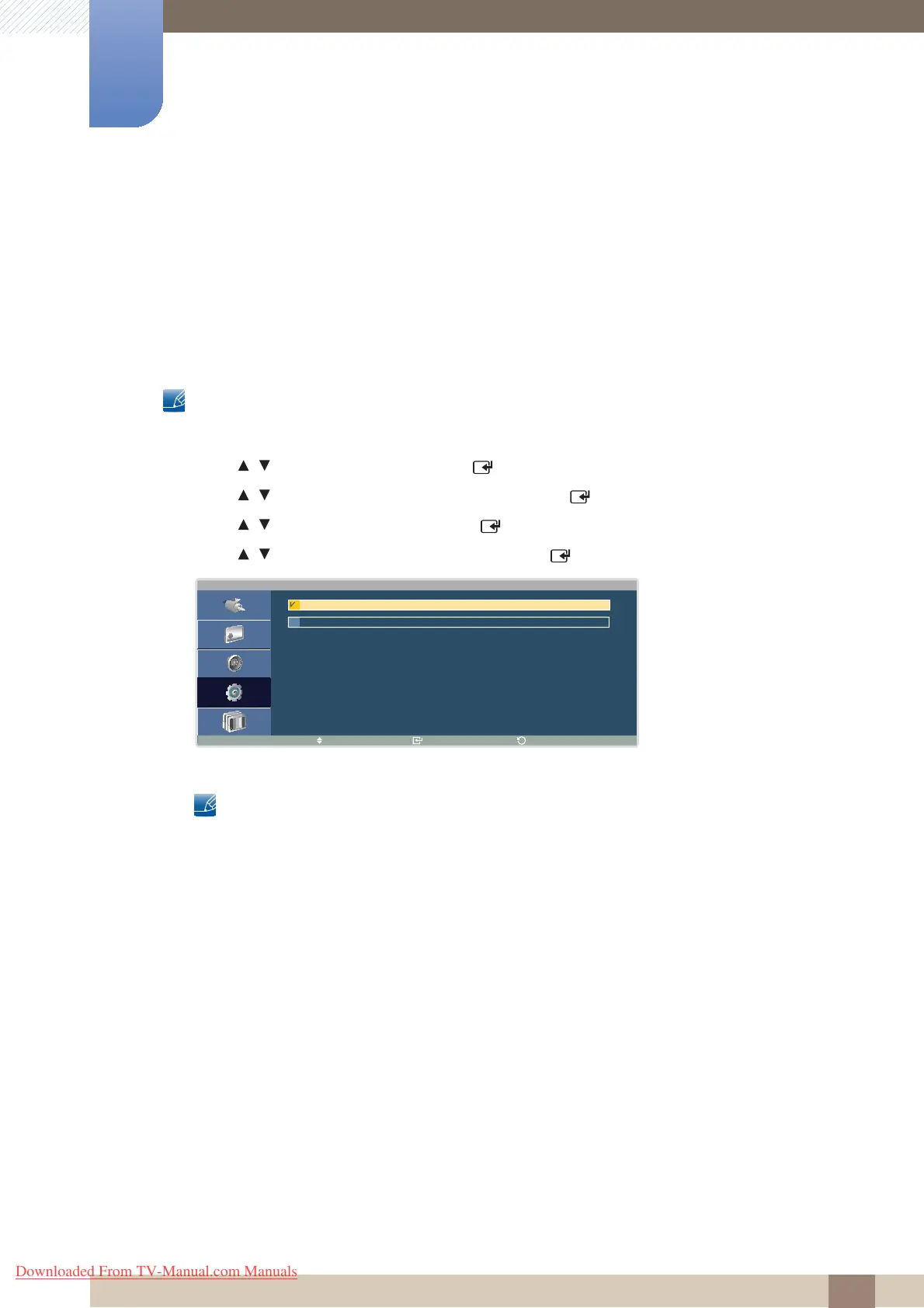
6.6.2 Format
Select a format to display images on multiple displays.
z Full : Display images in full screen.
z Natural : Display images at the original resolution without enlarging or reducing.
Changing Format
This product can only be controlled by using the remote control.
1 Press MENU on the remote control.
2 Press / to move to Setup and press [ ].
3 Press / to move to On under Video Wall and press [ ].
4 Press / to move to Format and press [ ].
5 Press / to select the option you want and press [ ].
6 The selected option will be applied.
The Screen Position option is only enabled when Video Wall is set to On.
F o r m a t
M o v e E n t e r
R e t u r n
F u l l
N a t u r a l
Downloaded From TV-Manual.com Manuals



 To Next Page