88
Using MDC
3
3 Using MDC
Scroll
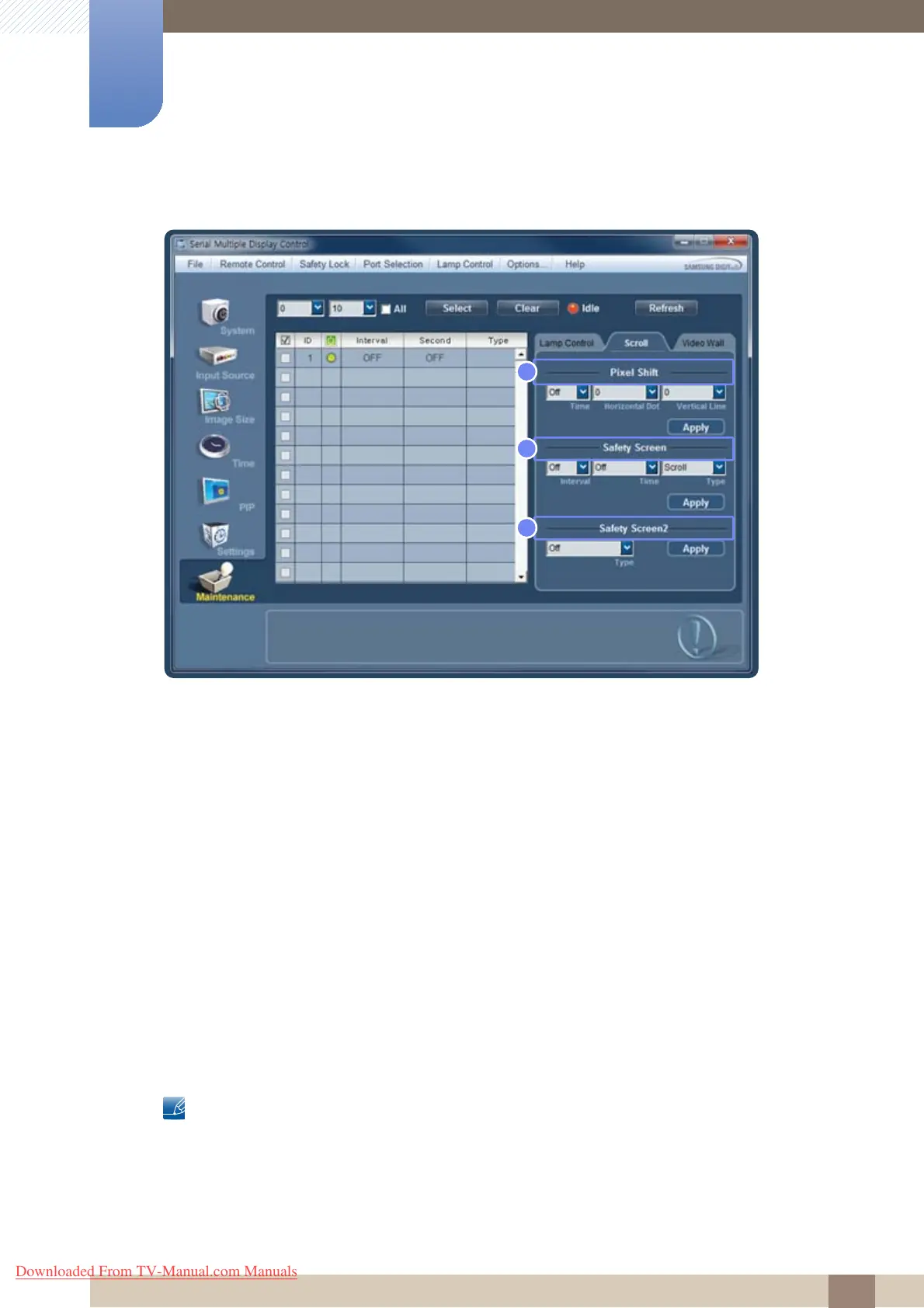
1 Pixel Shift
Setting Time, Horizontal Dot and Vertical Line will prevent afterimage burn-in by moving the screen
slightly at specified intervals.
2 Safety Screen
Safety Screen prevents afterimage burn-in when the screen displays a stationary image for an
extended period of time.
a. Interval : Specify the interval to activate Safety Screen.
b. Setting Time by Type
z Bar : 10, 20, 30, 40, 50
z Eraser : 10, 20, 30, 40, 50
3 Safety Screen2
Select the type of safety screen you want for the selected display from Type. The selected type of
safety screen will automatically display regardless of the preset intervals or time of activation.
Signal Pattern, All White, Scroll, Bar, Eraser, Pixel
z Changes will only be applied to the displays that are turned on.
z Magicinfo only functions on products that have the MagicInfo function.
z TV mode is only available on products that have the TV function.
Downloaded From TV-Manual.com Manuals







 To Next Page