ENG-35
Advanced
Functions
ADVANCED
FUNCTIONS
Selecting the Audio Language
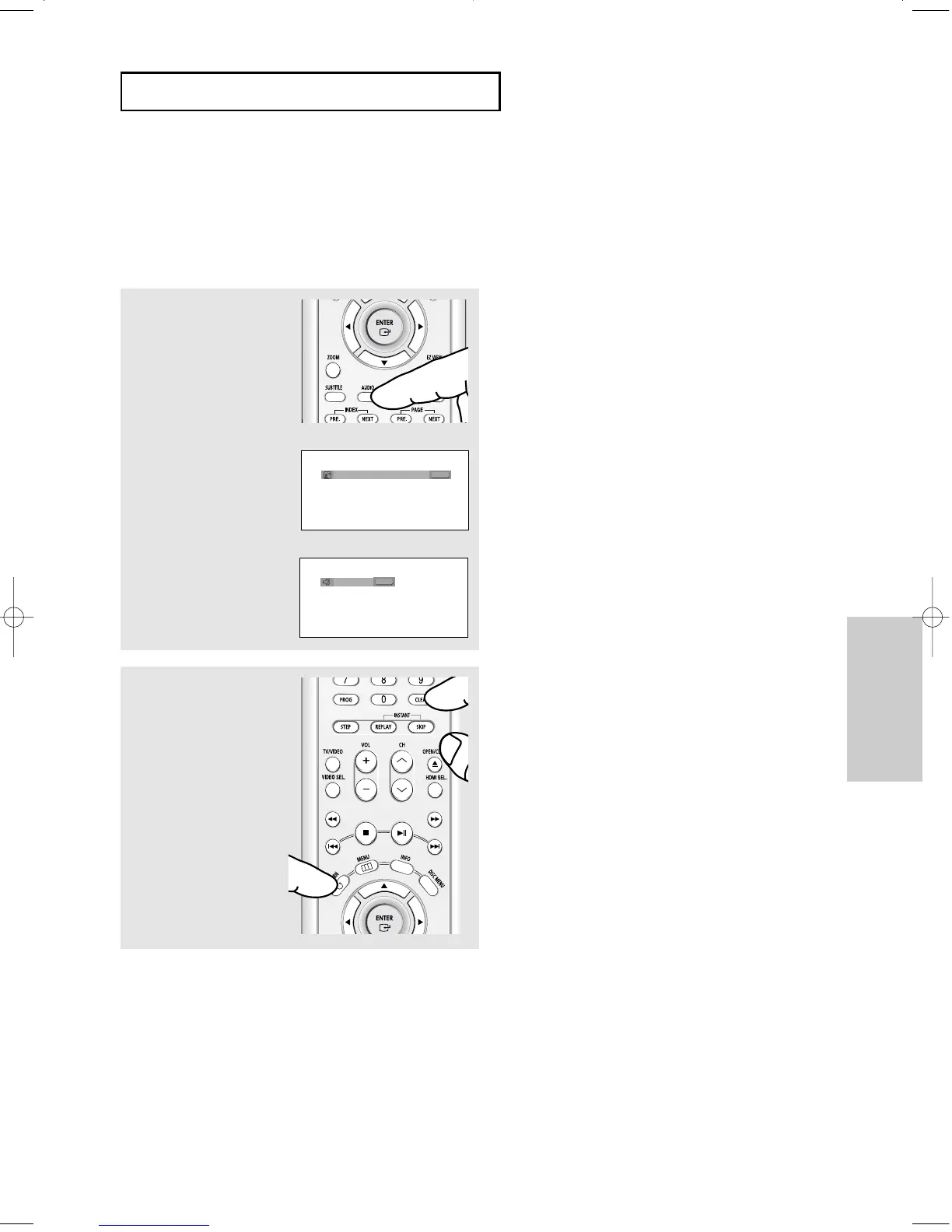
You can select a desired audio language quickly and easily with the AUDIO button.
Using the AUDIO button (DVD/VCD/CD)
1
Press the AUDIO button.
The Audio changes when
the button is pressed
repeatedly.
- The audio languages
are represented by
abbreviations.
2
To remove the AUDIO
icon, press the CLEAR or
RETURN button.
ENG
DOLBY DIGITAL 5.1CH
AUDIO
DVD
When playing a VCD or CD,
you can select among
Stereo, Right or Left.
AUDIO
VCD/CD
Note
- This function depends on audio languages that
are encoded on the disc and may not be
available.
- A DVD disc can contain up to 8 audio
languages.
- To have the same audio language come up
whenever you play a DVD; Refer to “Using the
Audio Language” on page 58.
Stereo
00627B-HD950-XAA-2 5/6/05 3:26 PM Page 35











 To Next Page