ENG-53
Changing
Setup Menu
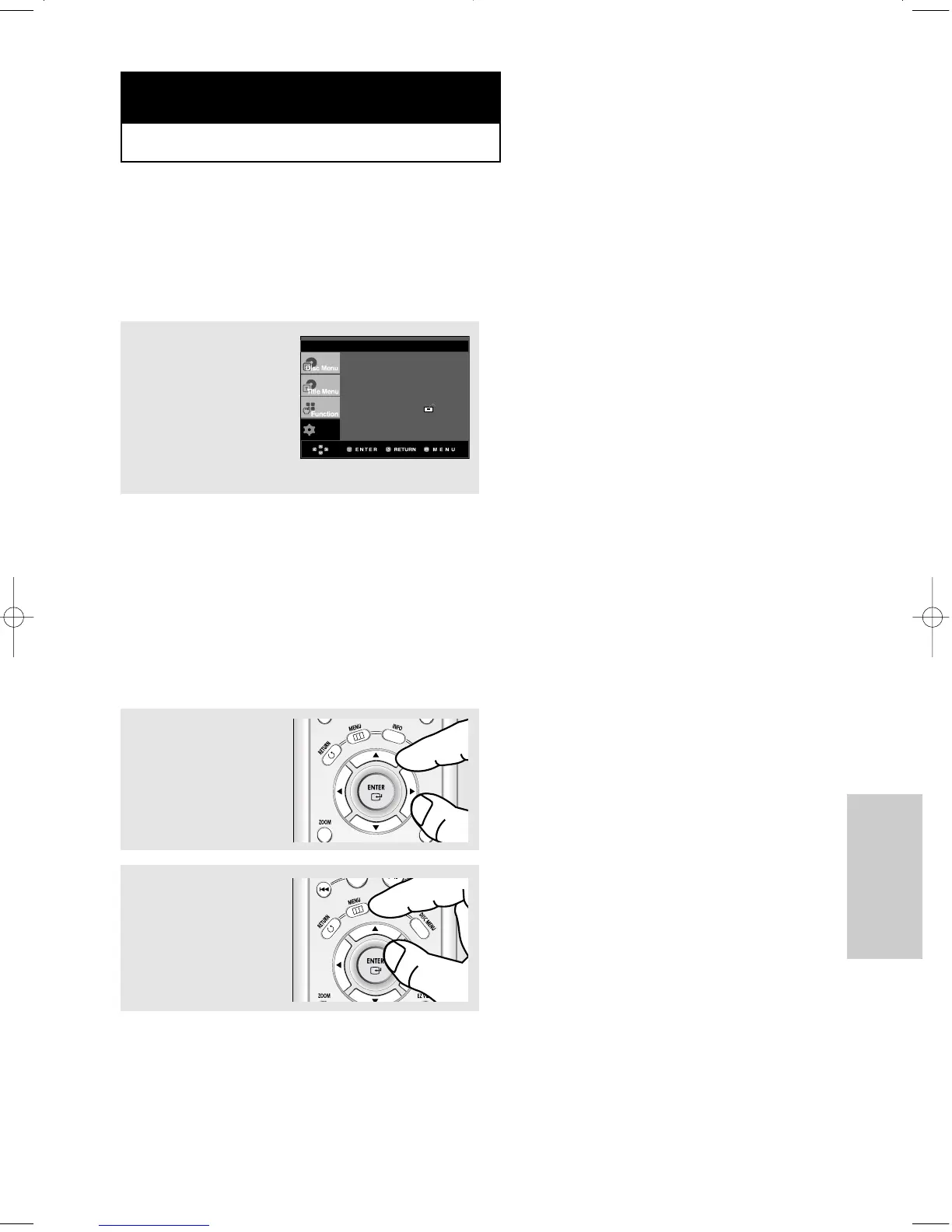
Using the Setup Menu
The Setup menu lets you customize your DVD player by allowing you to select various language
preferences, set up a parental level, even adjust the player to the type of television screen you
have.
Œ
Language Setup : Setup of the Language.
´
Audio Setup : Setup of the Audio Options.
ˇ
Display Setup :Setup of the Display Options. Use to select which type of screen you want to
watch and several display options.
¨
Parental Setup : Setup of the Parental Level. Allows users to set the level necessary to prevent
children from viewing unsuitable movies such as those with violence, adult
subject matter, etc.
ˆ
EZ Setup : Using the EZ Setup, you can setup PLAYER MENU LANGUAGE, TV Aspect, and
PCM Down Sampling in a single menu to suit your preference.
1
With the unit in Stop
mode, press the MENU
button on the remote
control.
Press the
……
/
††
buttons to
select Setup, then press
the
√
or ENTER button.
2
Press the
……
/
††
buttons to
access the different
features. Press the
√
or
ENTER button to access
the sub features.
3
To make the setup screen
disappear after setting up,
press the MENU button
again.
Note
Depending on the disc, some Setup menu
selections may not be available.
Chapter 5
CHANGING SETUP MENU











 To Next Page