ENG-51
Advanced
Functions
ADVANCED
FUNCTIONS
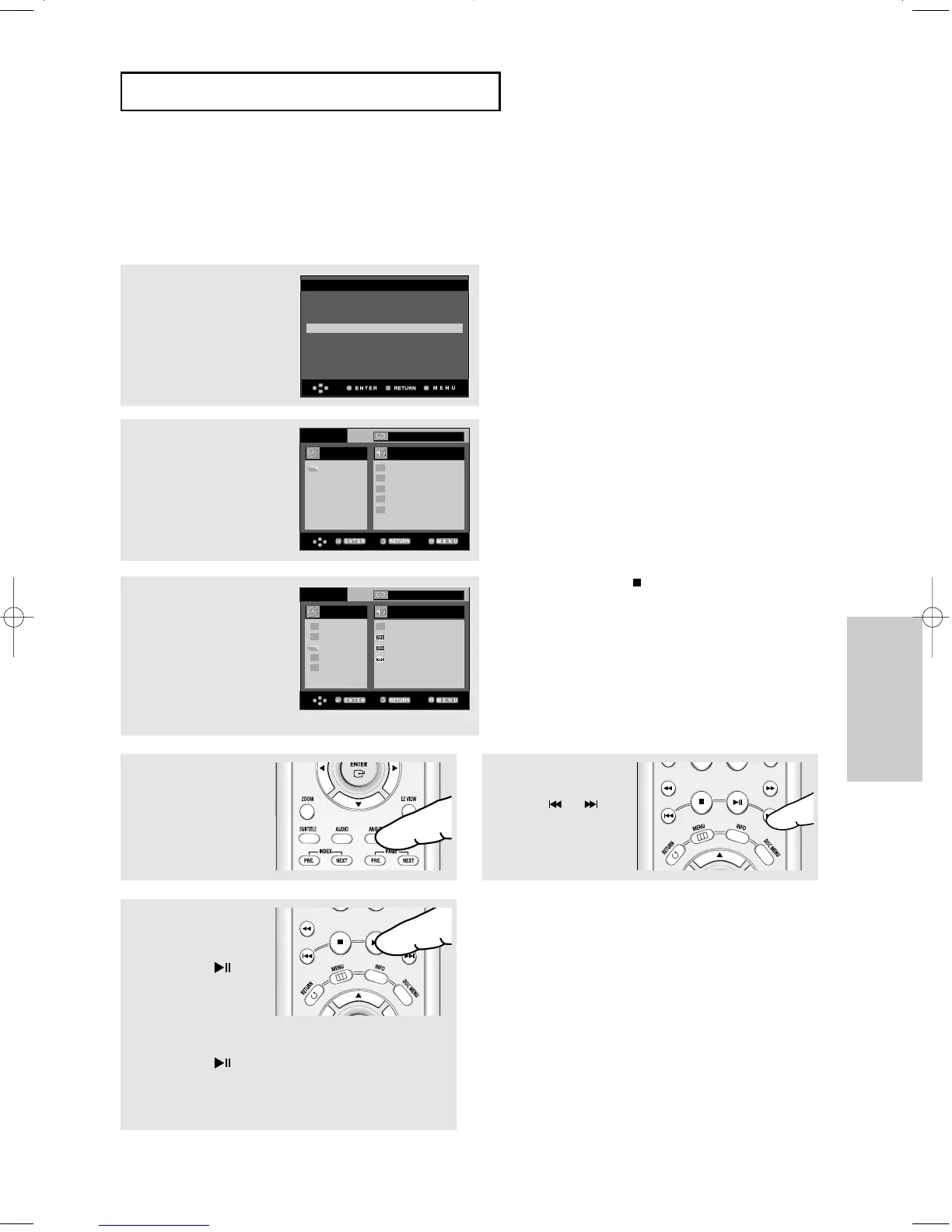
Picture CD Playback for HD-JPEG
Must connect to HDMI or DVI. Resolution should be 720p/768p/1080i, and HD-JPEG
should be in HD mode. (See page 68)
2
Select the desired folder.
1
Set the HD-JPEG to HD from
Setup menu. (See page 68)
3
Press the
……
/
††
buttons to
select a Picture file in the
clips menu and then press
the ENTER button.
ROOT
WMA
JPEG
MP3
MPEG4
ROOT
..
1
2
3
ROOT
WMA
JPEG
MP3
MPEG4
Off
Off
▼
Press the STOP ( ) button to return to the
clips menu.
When playing a Kodak Picture CD, the unit
displays the Photo directly, not the clips menu.
Note
- Depending on a file size, the amount of time
between each picture may be different from the set
interval time.
- Album Screen, Zoom, and Info functions are not
available when displaying images in HD-JPEG
mode.
- OSD (On Screen Display) messages are not
displayed when displaying images in HD-JPEG
mode.
- The image may be displayed at a smaller size
depending on the picture size when displaying
images in HD-JPEG mode.
Note
- Only available in HDMI/COMPONENT(P-SCAN)
output.
HDMI
Resolution : 1080i
Format : RGB-Normal
HD-JPEG : HD
▼
- To exit the setup menu, press the MENU
button.
Rotation
Press the ANGLE button
to rotate the screen 90
degrees clockwise.
Slide Show
Press the the
PLAY/PAUSE()
button to start SLIDE
function.
Press the the
PLAY/PAUSE()
button again at this time
to stop SLIDE function.
Skip Picture
Press the or
button to select previous
or next picture.
00627B-HD950-XAA-2 5/6/05 3:26 PM Page 51











 To Next Page