ENG-43
Advanced
Functions
ADVANCED
FUNCTIONS
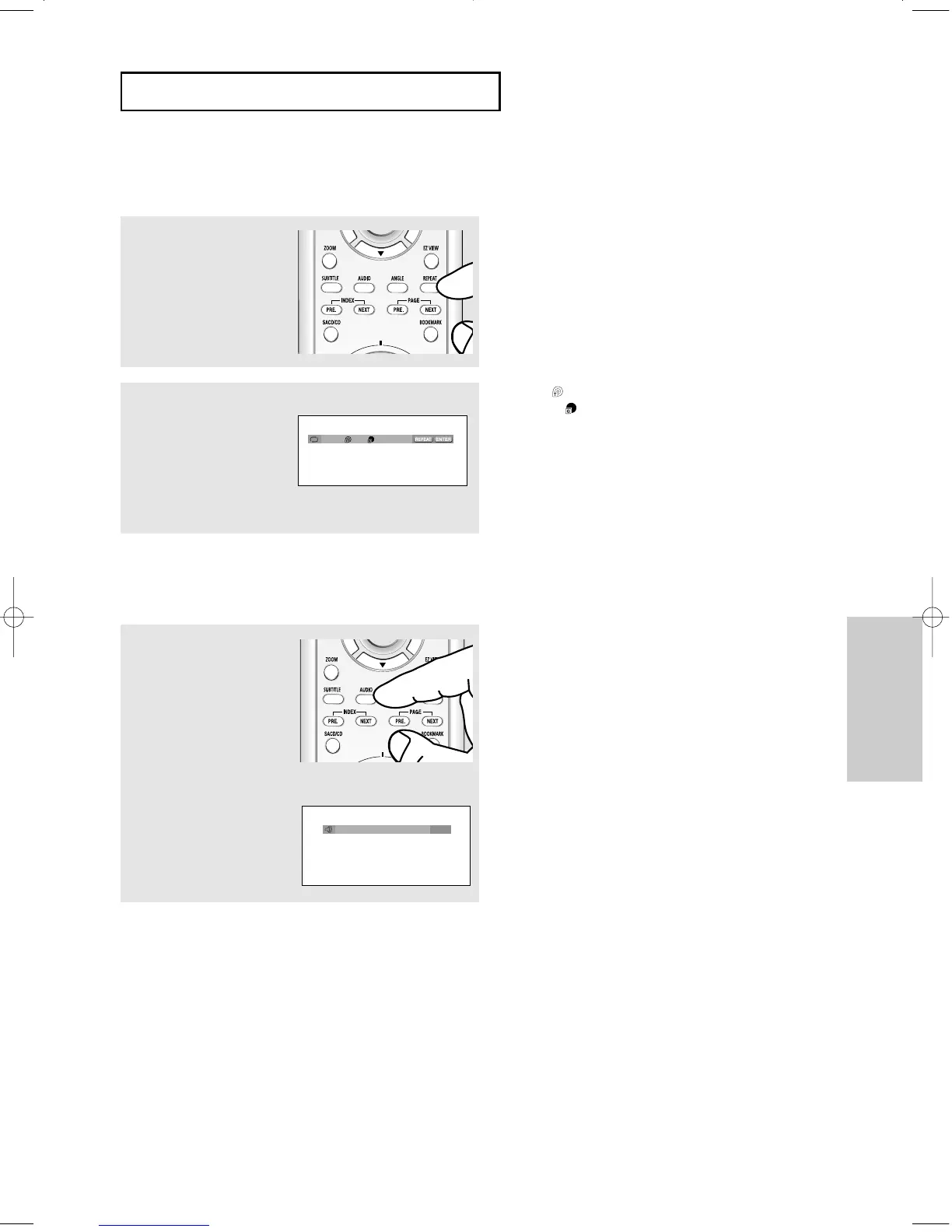
REPEAT Play
1
Press the REPEAT button
on the remote control.
Repeat screen appears.
2
Press the œ/√ buttons to
select Title, Group, then
press the ENTER button.
▼
Title ( ): repeats the title that is playing.
Group ( ): repeats the group that is playing.
DVD-AUDIO
Off 01 01
AUDIO Format Display
1
During DVD AUDIO
playback, press the AUDIO
button to see AUDIO Format
information.
- LPCM : Linear Pulse Code Modulation.
Not compressed Audio data format.
- PPCM : Packet Pulse Code Modulation.
Lossless compressed Audio data
format.
▼
Note
Some DVD-AUDIO discs don’t allow audio
down-mixing.
DVD-AUDIO
PPCM 5.1CH
00627B-HD950-XAA-2 5/6/05 3:26 PM Page 43











 To Next Page