ENG-9
Setup
SETUP
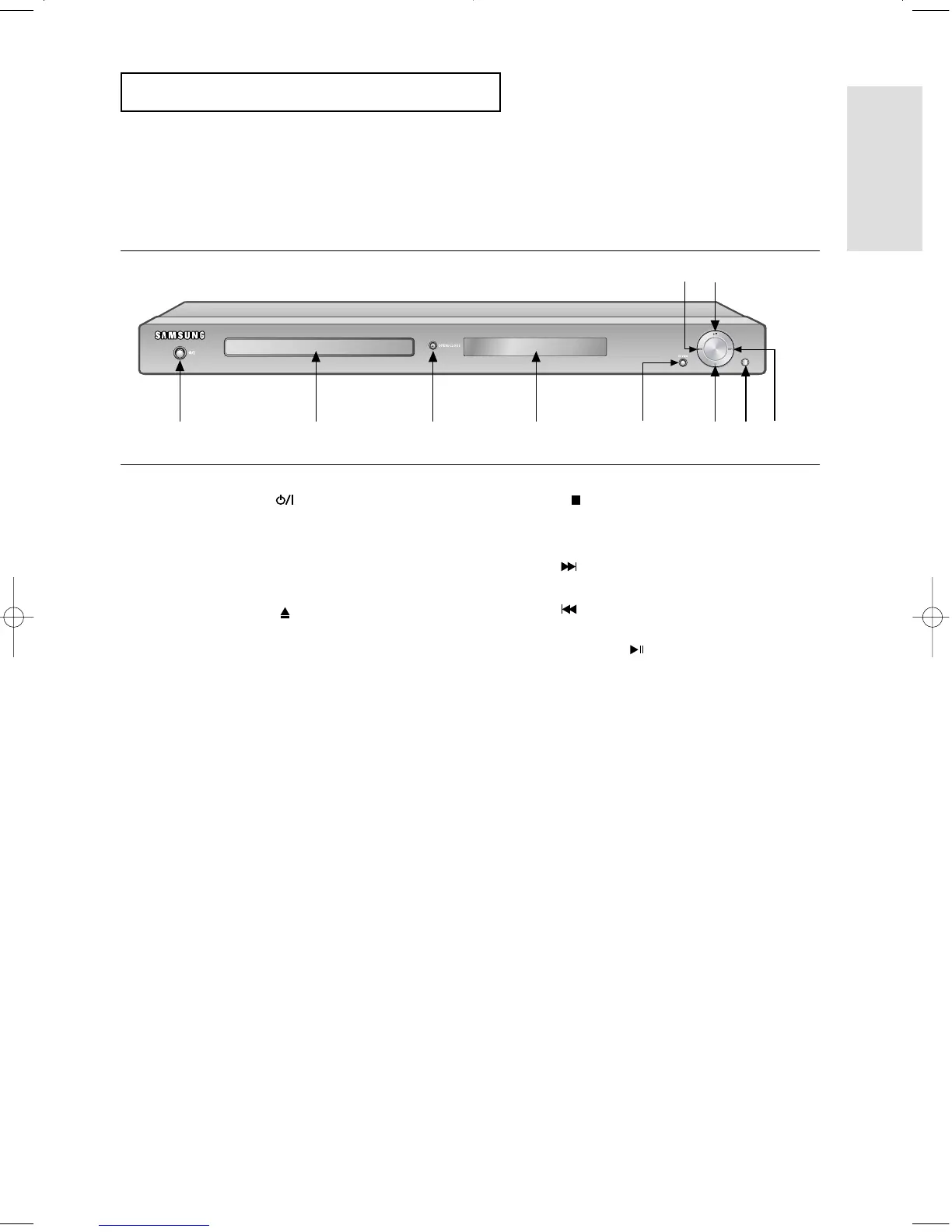
Description
Front Panel Controls
1. STANDBY/ON ( )
When the unit is first plugged in, this indicator lights.
When STANDBY/ON is pressed on, the indicator goes out
and the player is turned on.
2. DISC TRAY
Place the disc here.
3. OPEN/CLOSE ( )
Press to open and close the disc tray.
4. DISPLAY
Operation indicators are displayed here.
5. EZ VIEW
The aspect ratio of a picture can easily be adjusted to
your TV's screen size (16:9 or 4:3).
6. STOP ( )
Stops disc play.
7. REMOTE CONTROL RECEIVER
8. SKIP ( ) / SEARCH
Use to forward skip a scene or music.
9. SKIP ( ) / SEARCH
Use to reverse skip a scene or music.
10. PLAY/PAUSE ( )
Begin or pause disc play.
1 87
9
10
23456
00627B-HD950-XAA-1 5/6/05 3:21 PM Page 9











 To Next Page