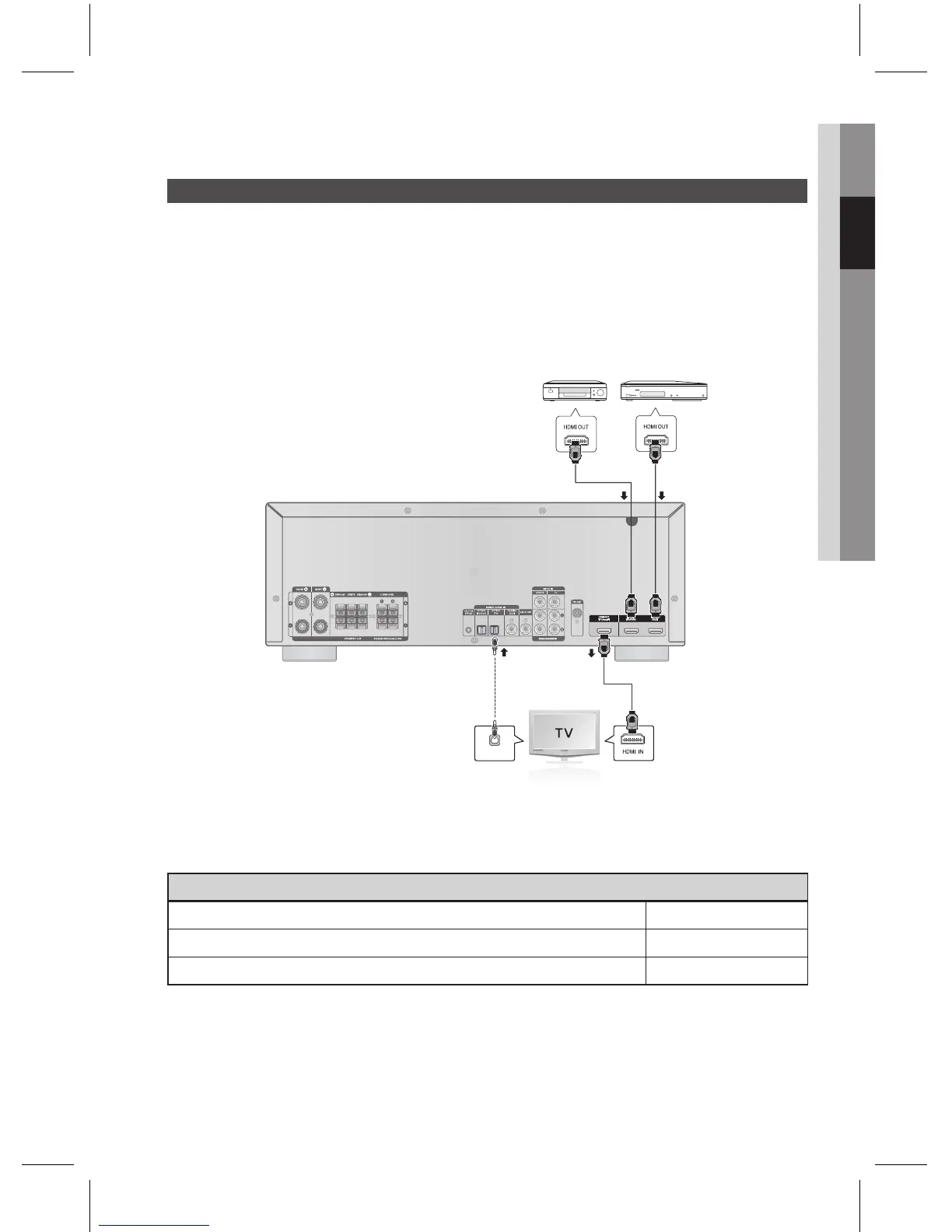
HDMI is a digital standard interface for connection to such devices as a TV, projector, DVD player, Blu-ray
player, set-top box and more.
HDMI removes any loss of signal from analog conversion, enabling you to enjoy video and audio sound
quality as it was originally created in the digital source.
By connecting through the HDMI (High-De nition Multimedia Interface) interface, you can play back digital
video and audio.
To play digital contents through the HDMI connection, both the connected external device and TV must
support High-bandwidth Digital Content Protection System (HDCP). This product supports HDCP.
A TV with an HDMI jack. Video/Audio
A TV with a DVI-D jack (TV supporting HDCP) Video
A TV with a DVI-D jack (TV not supporting HDCP) -
Audio from SACD discs will not be heard with this connection. To play a DVD disc whose copyright is protected
by CPPM, use a player supporting CPPM.
The quality of the audio output through the HDMI jack (sampling frequency and bit rate) may be limited by the
performance of the connected device.
Since HDMI connection supports both video and audio, you don’t have to connect an additional audio cable.
✎
`
`
`



 To Next Page