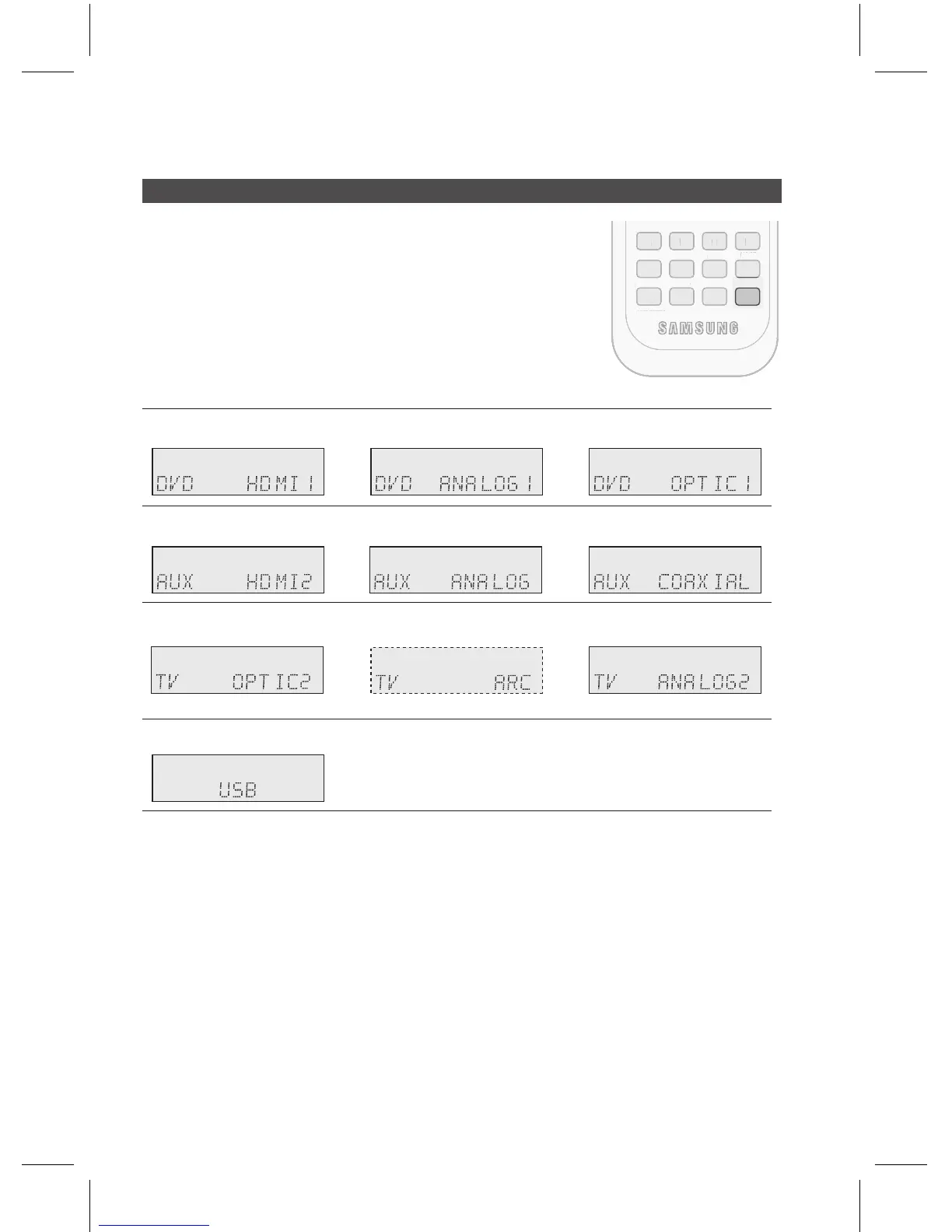
You can listen to sound of analog, HDMI, optical input using this unit.
Press the button on the remote control to select a
desired function (DVD, AUX, TV). See page 10.
Press the button on the remote control to select the
audio input source of the external device you have connected.
Each time you press this button, the input mode changes as
follows:
~
~
~
~
You can also change the input mode by turning the button on the front of your
AV Receiver.
You can enjoy Dolby Digital or DTS if you connect the digital audio output jack of an external
audio component to the optical or coaxial digital audio input jack on the main unit.
For the TV function, the TV ARC menu will be displayed only if an ARC-compliant TV is
connected.
1.
2.
•
✎
`
`
`



 To Next Page