English - 82
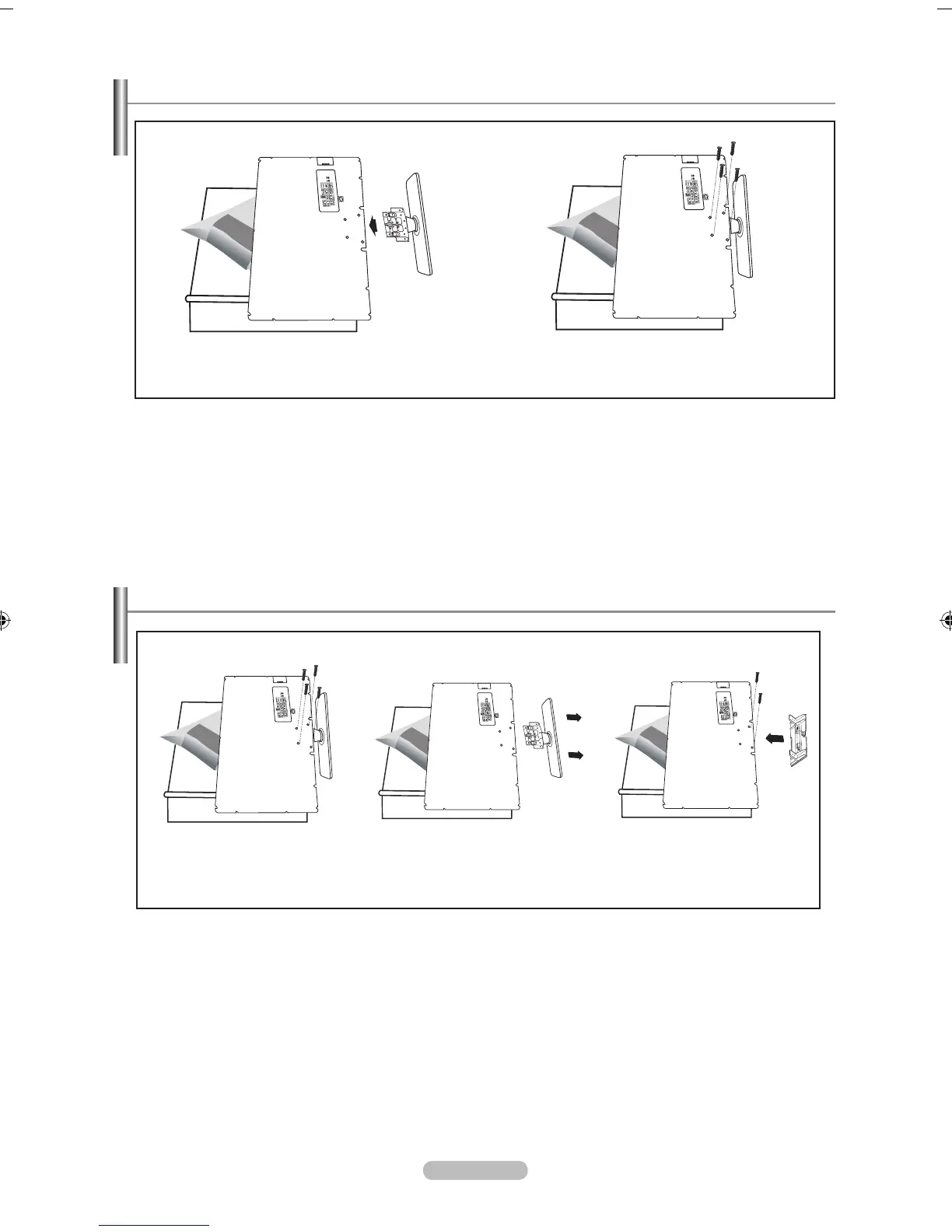
Installing the Stand
< 2 > < 3 >
1. Place the TV face down on a soft cloth or cushion on a table.
2. Put the stand into the hole at the bottom of the TV.
3. Insert screw into the hole indicated and tighten.
Disconnecting the Stand
< 2 > < 3 > < 4 >
1. Place the TV face down on a soft cloth or cushion on a table.
2. Remove four screws from the back of the TV.
3. Separate the stand from the TV.
4. Cover the bottom hole with a cap.



 To Next Page