ENGLISH-11
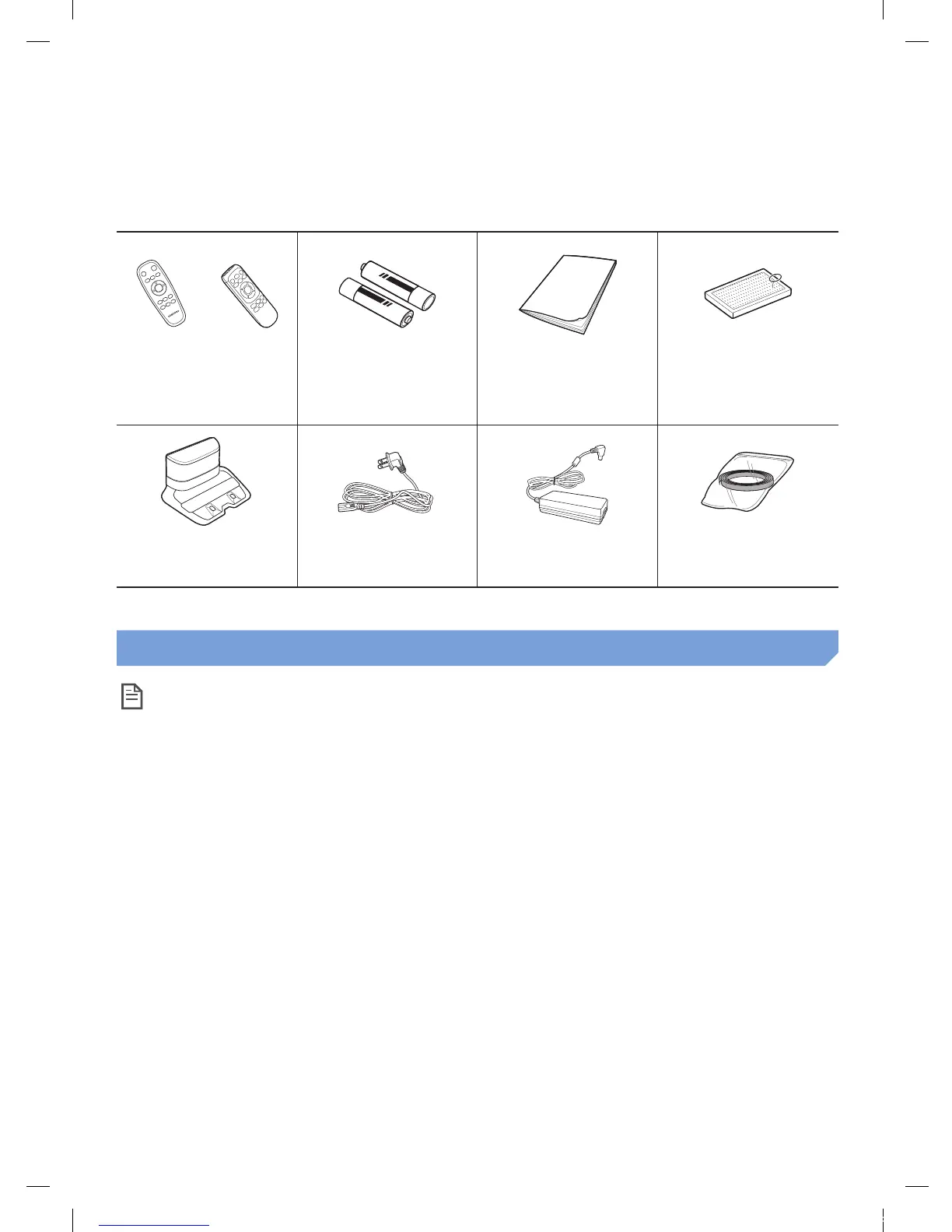
Accessories
or
Remote control
(Not included with
SR1AM7010UW Series )
Batteries (AAA type) User manual Spare lter
(Option)
Docking station Power cord Battery charger
Boundary markers
(Option)
Refer to page 15 for the installation of boundary markers.
Installation note
Note
f Install the docking station in a place where the oor and wall are level.
f It is best to install the docking station along the grain of wooden oors.
f If the emergency switch is off, the POWERbot will not charge even if it is docked on the
docking station.
f Always turn on the power of the docking station.
– If power is not supplied to the docking station, the POWERbot cannot nd it and cannot
automatically recharge.
– If the POWERbot is left detached from the docking station, the battery will drain naturally.
f If the POWERbot is in sleep mode, power will not come on even if the emergency switch is
turned off and then on. Press and hold the [Start/Stop] button on the POWERbot to turn the
sleep mode off.
1_VR7000_EN_DJ68-00763C-02_USA.indd 11 2017-02-23 오전 12:26:52






 To Next Page