ENGLISH-10
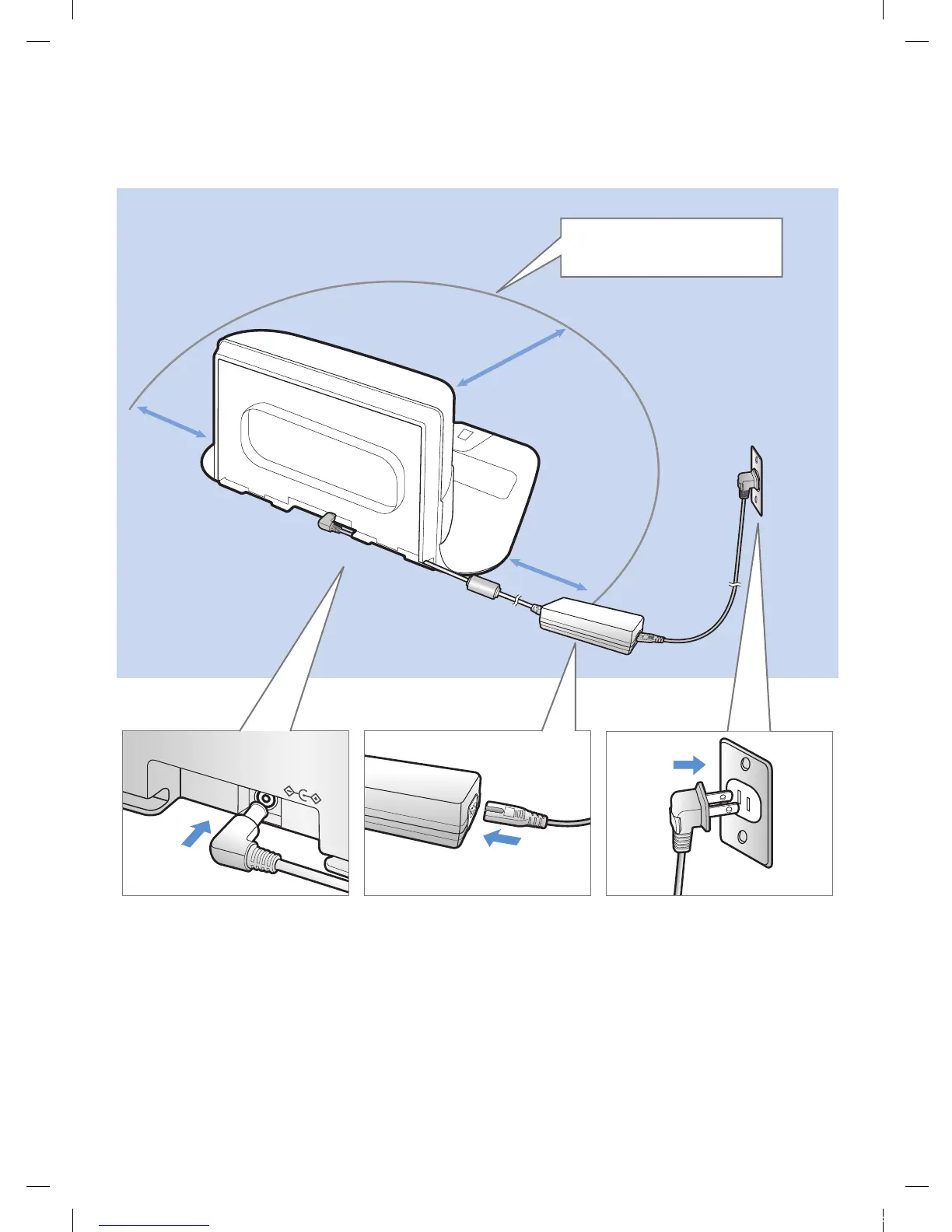
1
Connect the
battery charger
jack to the
docking station
2
Connect the
power cord
to the battery
charger
When using the battery
charger, the side with the
sticker attached must face
down.
3
Connect the
power plug to
the outlet
Installation
The docking station must be plugged in and turned on at all times.
DC-IN
About 4 ft
(1 m)
About
2 ft
(0.5 m)
About
2 ft
(0.5 m)
Install the docking station in
a place without obstacles and
danger of falling.
1_VR7000_EN_DJ68-00763C-02_USA.indd 10 2017-02-23 오전 12:26:52








 To Next Page