35
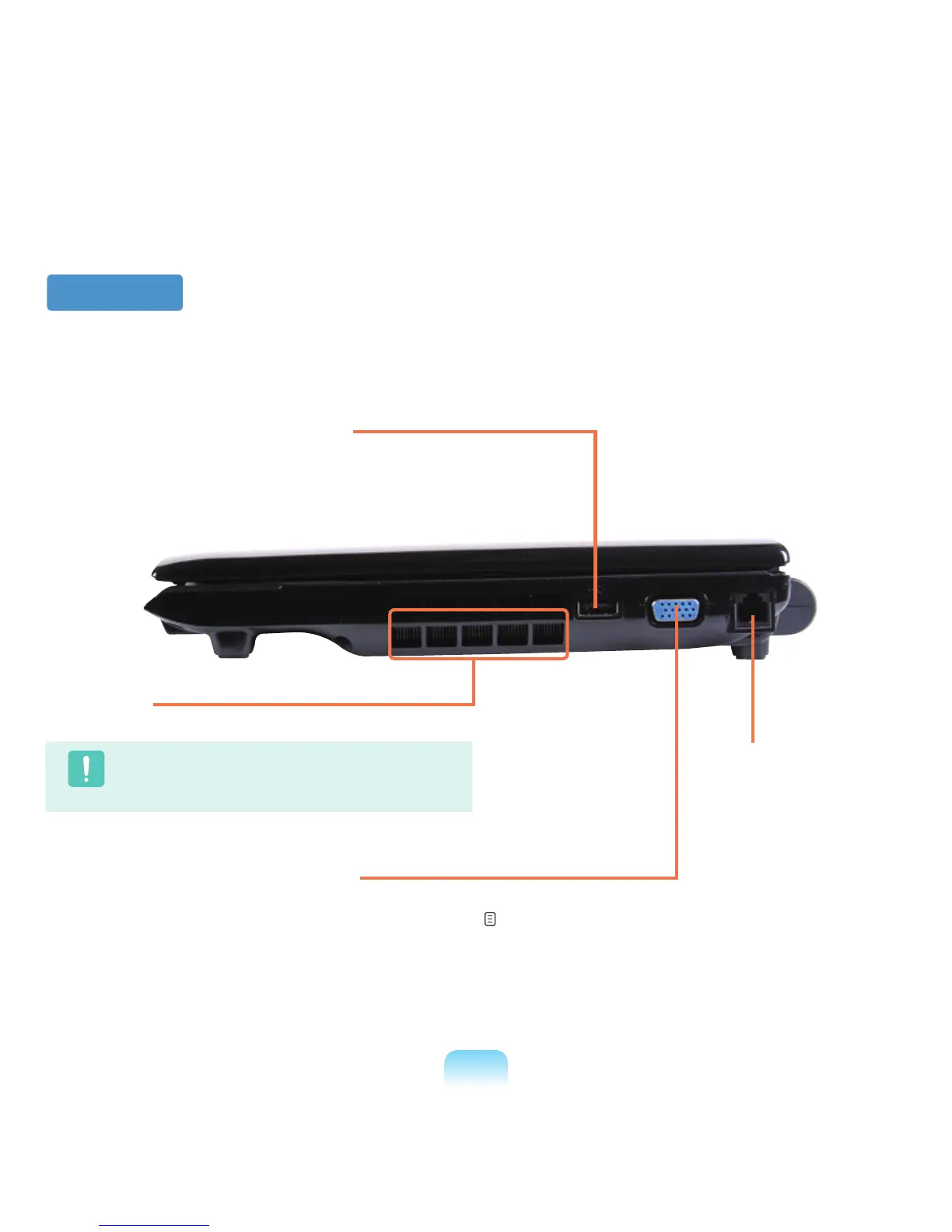
Right View
1
Fan Vents
Theinternalheatofthecomputerisemittedthroughtheseholes.
Caution
Iftheventsareblockedthecomputermayoverheat.
Avoidblockingtheventsasthismaybedangerous.
4
Modem Port
*
Aporttowhichatelephone
cableisconnectedtoinorder
todialuptotheInternet.
3
Monitor Port
Aportusedtoconnectamonitor,TVorprojector
supportinga15pinD-SUBinterface.
p. 57
2
USB Port
You can connect USB devices to the USB port
suchasakeyboard/mouse,digitalcamera,etc.



 To Next Page