92
Checking Network Status
Ifthenetworkconnectionisnotavailable,youcaneasily
ndthecausesbycheckingthenetworkstatus.
1
Run Samsung Network Manager.
2
ClickCheck Auto Diagnosis on the Manage menu.
3
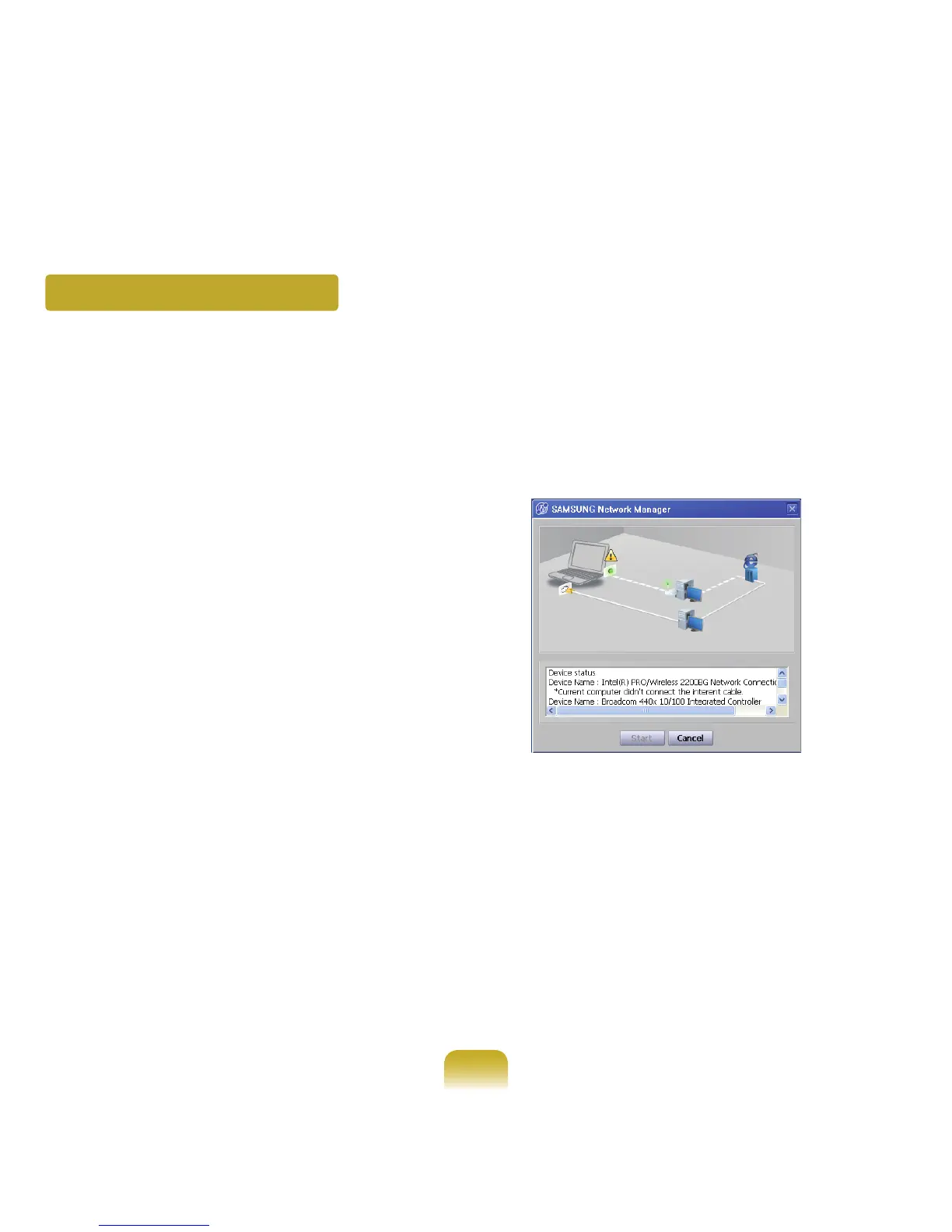
TheNetworkConnectionPicturewindowappears.
IfyouclickStart,checkingthenetworkwillstart.
4
Whenthediagnosisiscomplete,outoforderdevices
aremarkedbytheexclamationmarkicon.For
detaileddevicestatus,readthedescriptioninthe
lowerpartofthewindow.
Reconnect and set up the device according to the
diagnosisresult.



 To Next Page