36
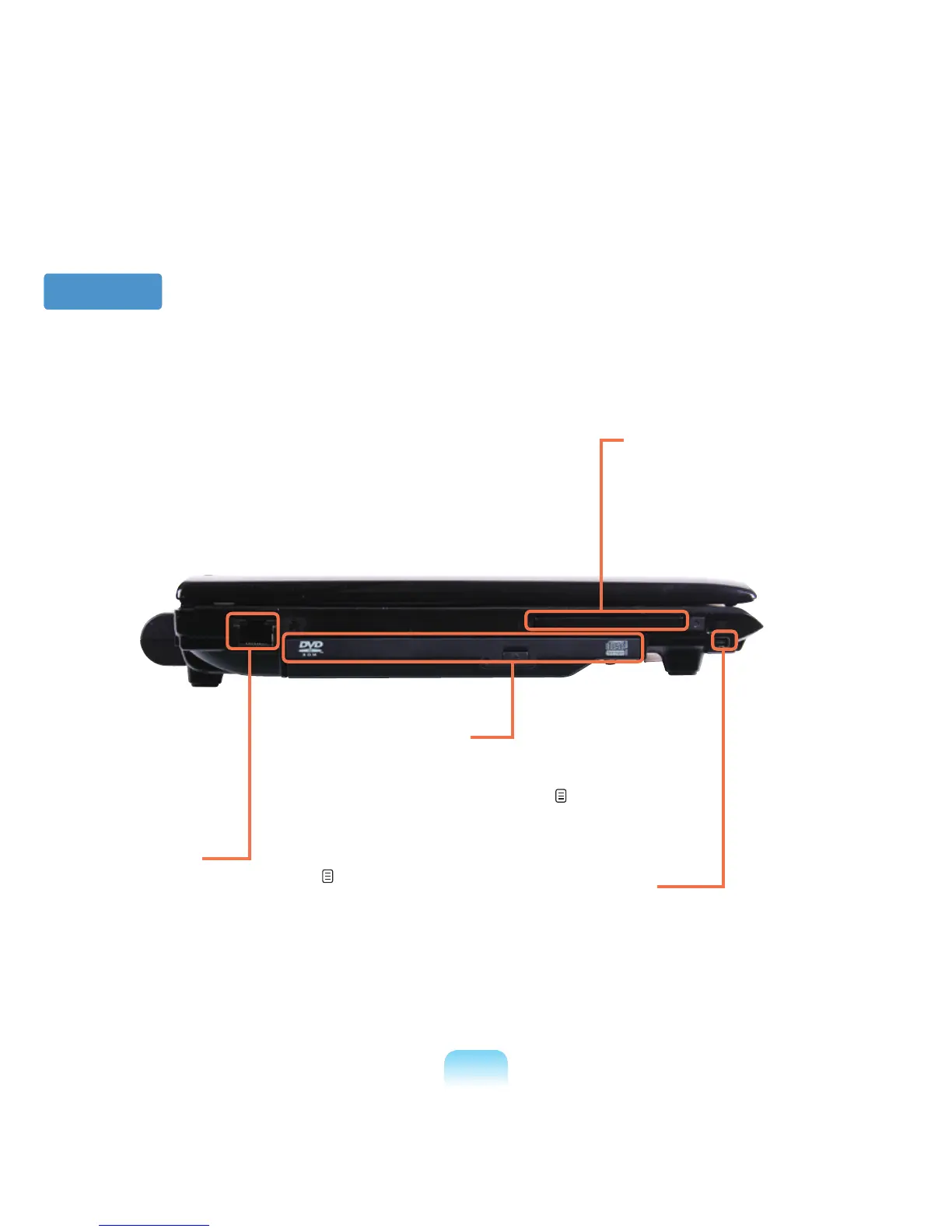
Left View
1
Wired LAN Port
*
ConnecttheEthernetcabletothisport. p. 75
3
PC Card Slot
*
InstallthePCcardintothisslot.
2
CD Drive(ODD)
*
PlaysCDorDVDtitles.
SinceanODDdriveisoptional,theinstalleddrive
dependsonthecomputermodel.
p. 47
4
IEEE 1394 Port
Aport used to connect IEEE 1394 devices
suchasadigitalcamcorder.(4-pinSupport)



 To Next Page