47
CD Drive
Anopticaldiskdriveisoptionalandmaydifferdependingonyourcomputermodel.Fordetailedspecications,refer
tothecatalog.
Before You Start!
Oneofthefollowingopticaldiskdrivesisinstalledonthiscomputer.
DriveType Function
DVD-ROM ReadsCD/DVD.
RW-Combo YoucanreadCDsandDVDs,andburnaCD.
DVDSuperMulti
YoucanreadCDsandDVDs,andburnCDsandDVDs.
SupportedDVDrecordingtypesincludeDVD±R,DVD±RW,DVD-RAM.
HD-DVD(Optional)
YoucanreadHDDVD-ROM,HDDVD-RandHDDVD-RWdisksandburndatatoHDDVD-Rand
HDDVD-RWdisks.
Blu-Ray(Optional) YoucanreadBD-ROM,BD-RandBD-REdisksandburndatatoBD-RandBD-REdisks.
Caution
■
DonotinsertacrackedorscratchedCD.
Otherwise,theCDmaybreakanddamagetheopticaldiskdrivewhentheCDrotatesatahighspeed.
■
WhenyoucleanaCDorDVDtitle,wipewithasoftclothfrominsidetooutside.
■
DonotejectaCDwhentheCDoperatingLEDison.
■
HD-DVDandBlu-Raydrivesareprovidedforsomemodelsonly.
1
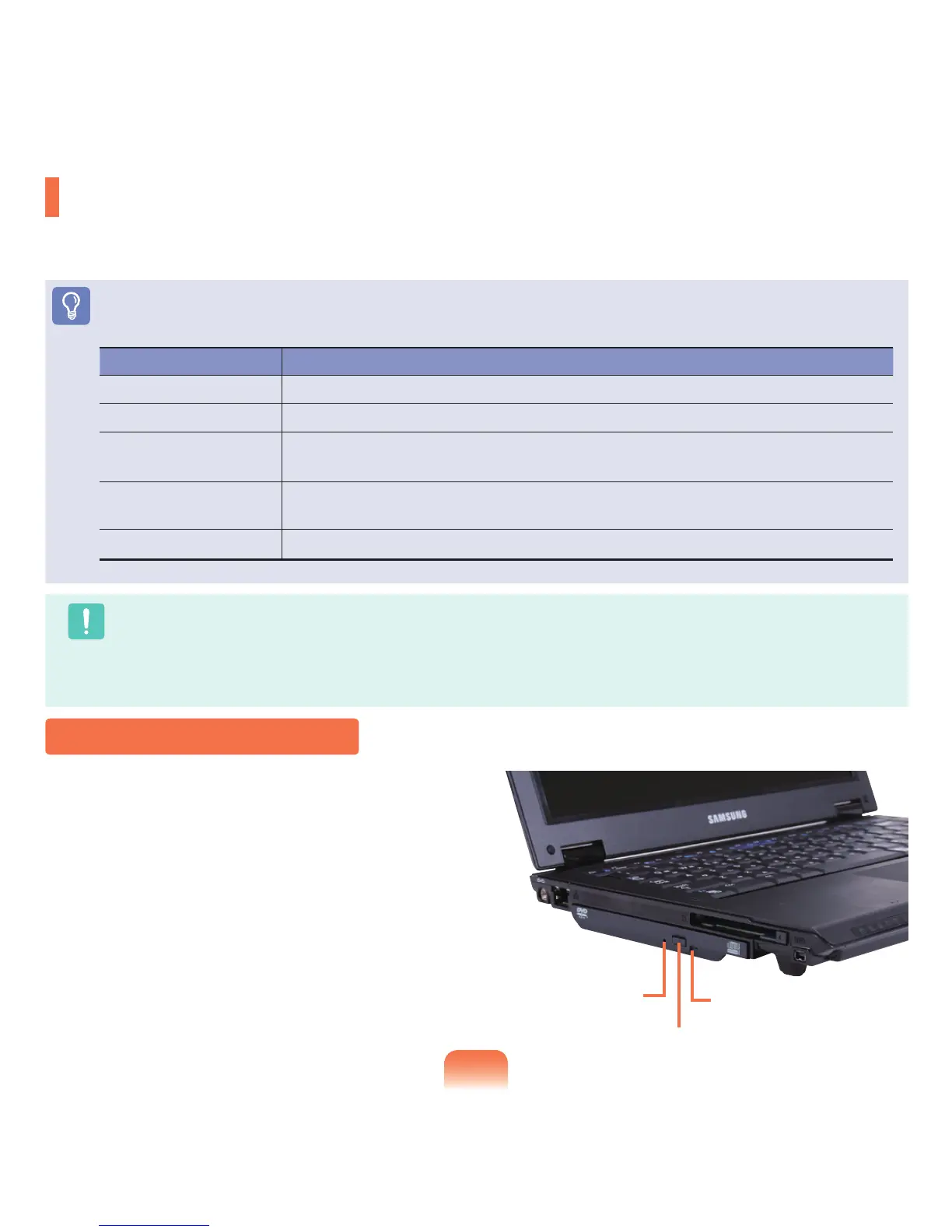
ClicktheEjectbuttonoftheopticaldiskdriveatthe
side of the computer.
Inserting and Ejecting a CD
Status Indicator
Eject Button
Emergency Hole



 To Next Page