46
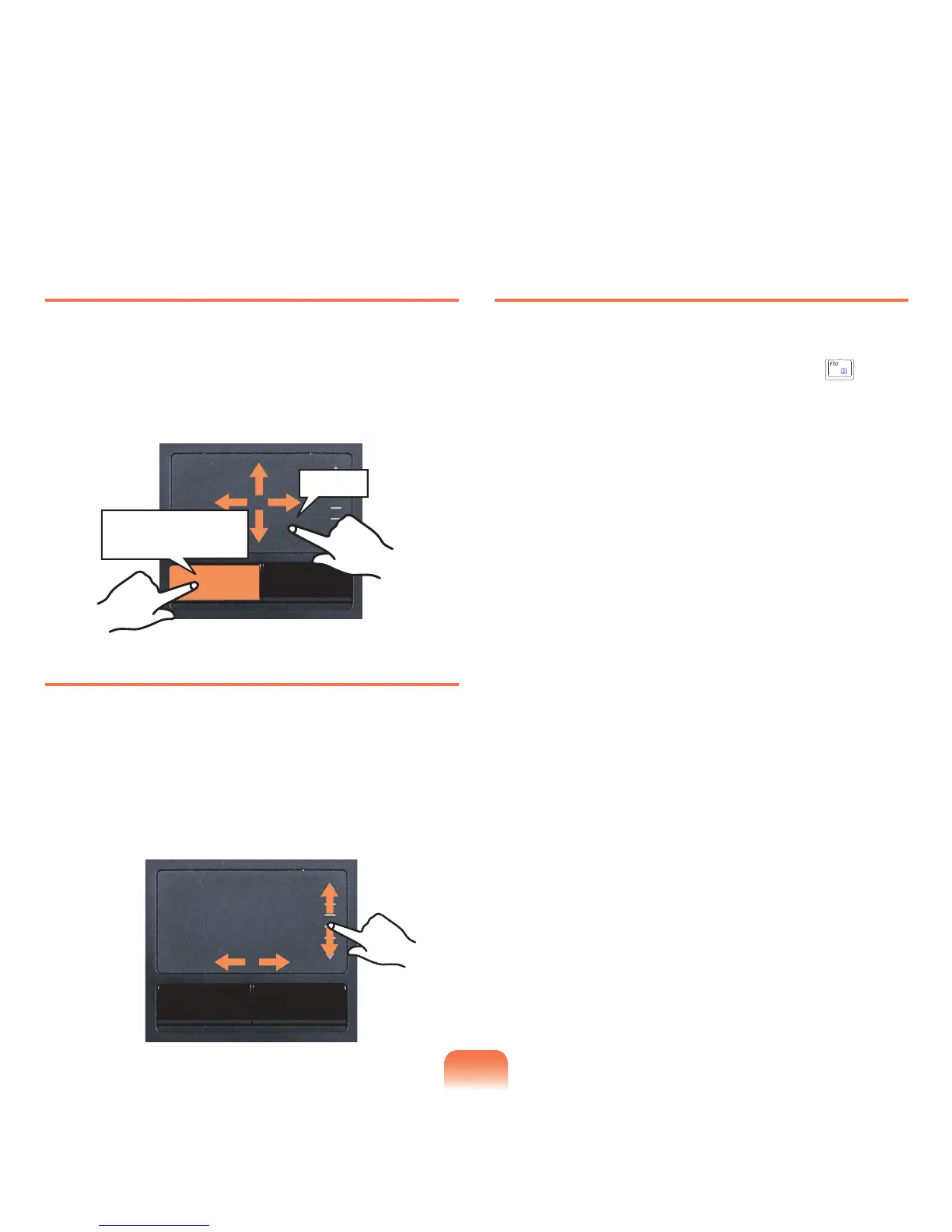
Drag Function
Draggingreferstomovinganitemtoanotherplaceafter
selectingit.
Pressandholddownthelefttouchpadbuttonoveran
itemyouwanttodragandmovetheitemtothenew
location.
Touchpad Scroll Function
Thetouchpadscrollareaprovidesthemousewheel
function(scrollfunction).
Placeyourngeronthetouchpad’srightedgeforvertical
scrollingorthebottomedgeforhorizontalscrollingand
thenmoveyourngeralongtheedgetoscrollthescreen
verticallyorhorizontally.
Touchpad On/Off Function
Ifyouwanttousethemouseonlywithoutusingthe
touchpad,youcanturnthetouchpadoff.
Tolockthetouchpadfunction,presstheFn+( )keys.
Holding down the left
touchpad button
Move



 To Next Page