97
Using Bluetooth
Describeshowtoexchangelesbetweencomputers
supportingBluetoothandhowtouseotherBluetooth
devices.
Bluetooth Help
BluetoothHelpprovidesdetailedproceduresonusing
Bluetoothfunctions.
Double-clickMy Bluetooth Settings on the Desktop and
press the <F1>key(Help).
SelectStart > Help and Support > Networking and
the Web > Networking > Wireless networking >
Bluetooth devices (wireless) toviewWindowsHelp.
Exchanging Files between Bluetooth
computers
Theprocedurestoexchangelesandfoldersbetween
Bluetoothcomputersaredescribedbelow.
1
Onthecomputerthatissendingale(hereafter
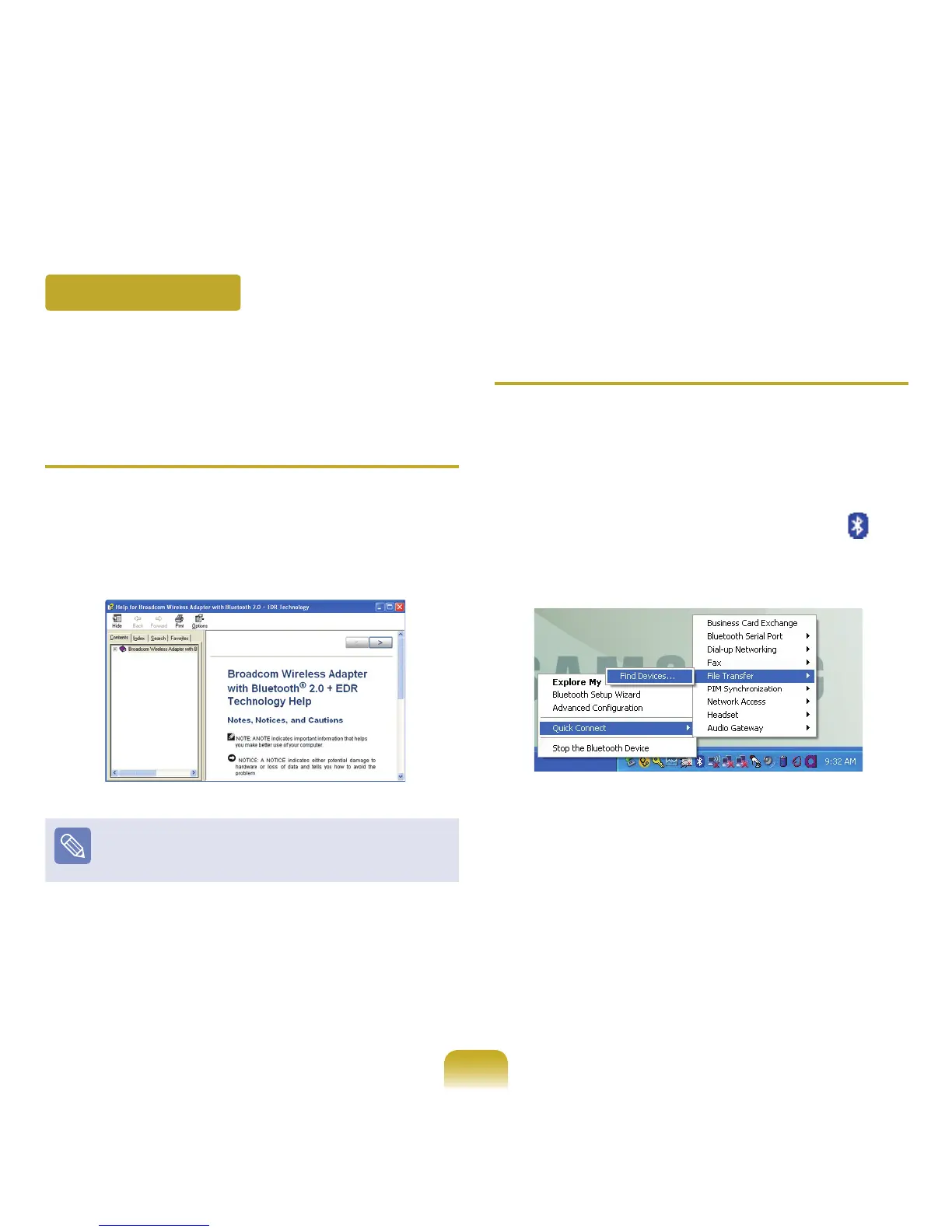
ComputerA),right-clicktheBluetoothicon( )in
thenoticationareaandselectQuick Connection >
File Transmission > Search for Device.



 To Next Page