98
2
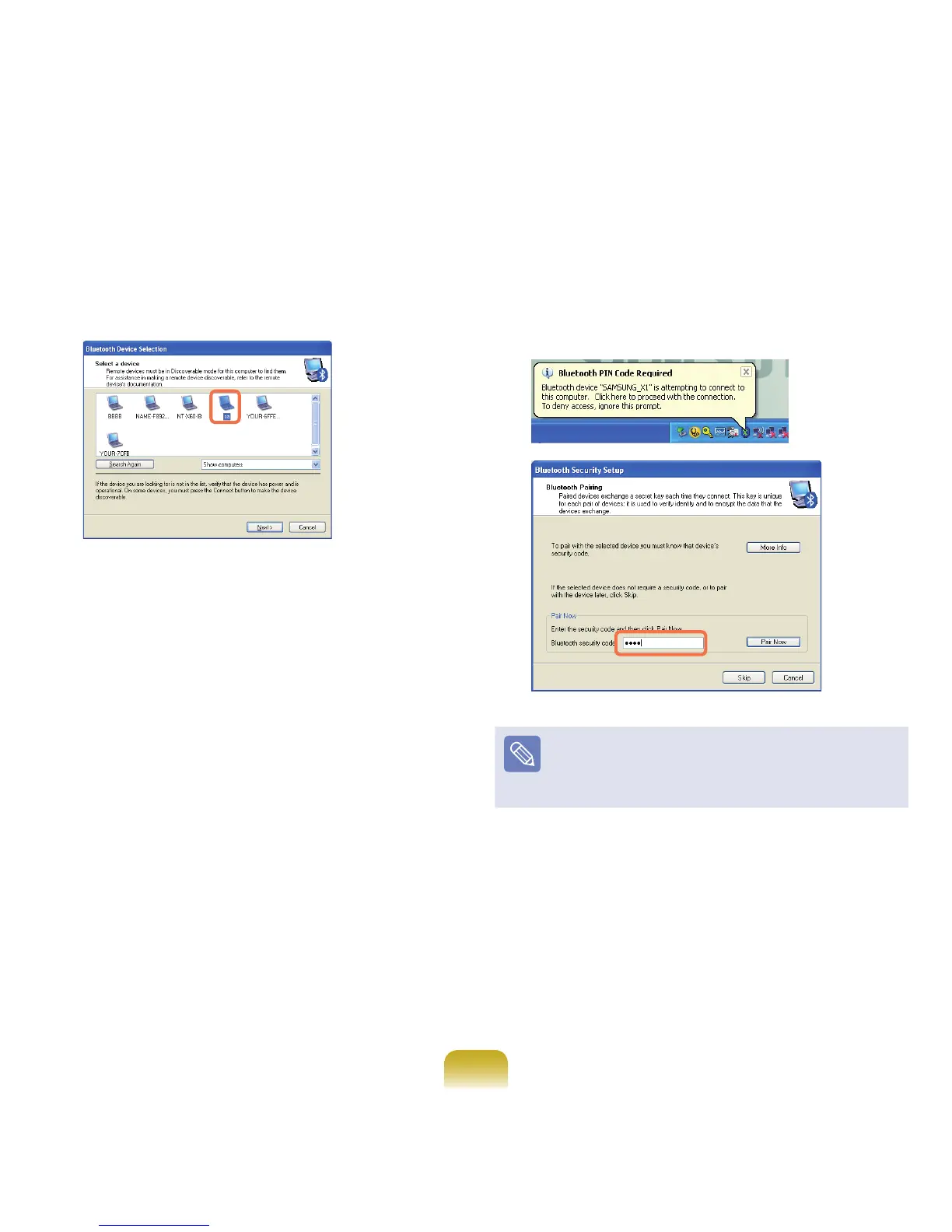
In the Select Devicewindow,clickacomputertobe
connected(hereafterComputerB). 3
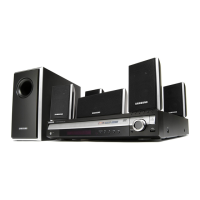
WhentheBluetoothSecuritySettingwindow
appears,entertheBluetoothsecuritycode(or
BluetoothPIN)andclickStart Pairing.
TheBluetoothPINCodeisapasswordusedforthe
connectionbetweentwoBluetoothdevices,theuserjust
enterthesamePINCode(forexample,samenumbers)
onbothBluetoothdevicestomakeaconnection.
4
Afterashortwhile,theBluetoothPINCoderequired
dialogboxappearsonComputer B, enter the code
thatyouhaveinputinStep3above.



 To Next Page