English
5-14
2
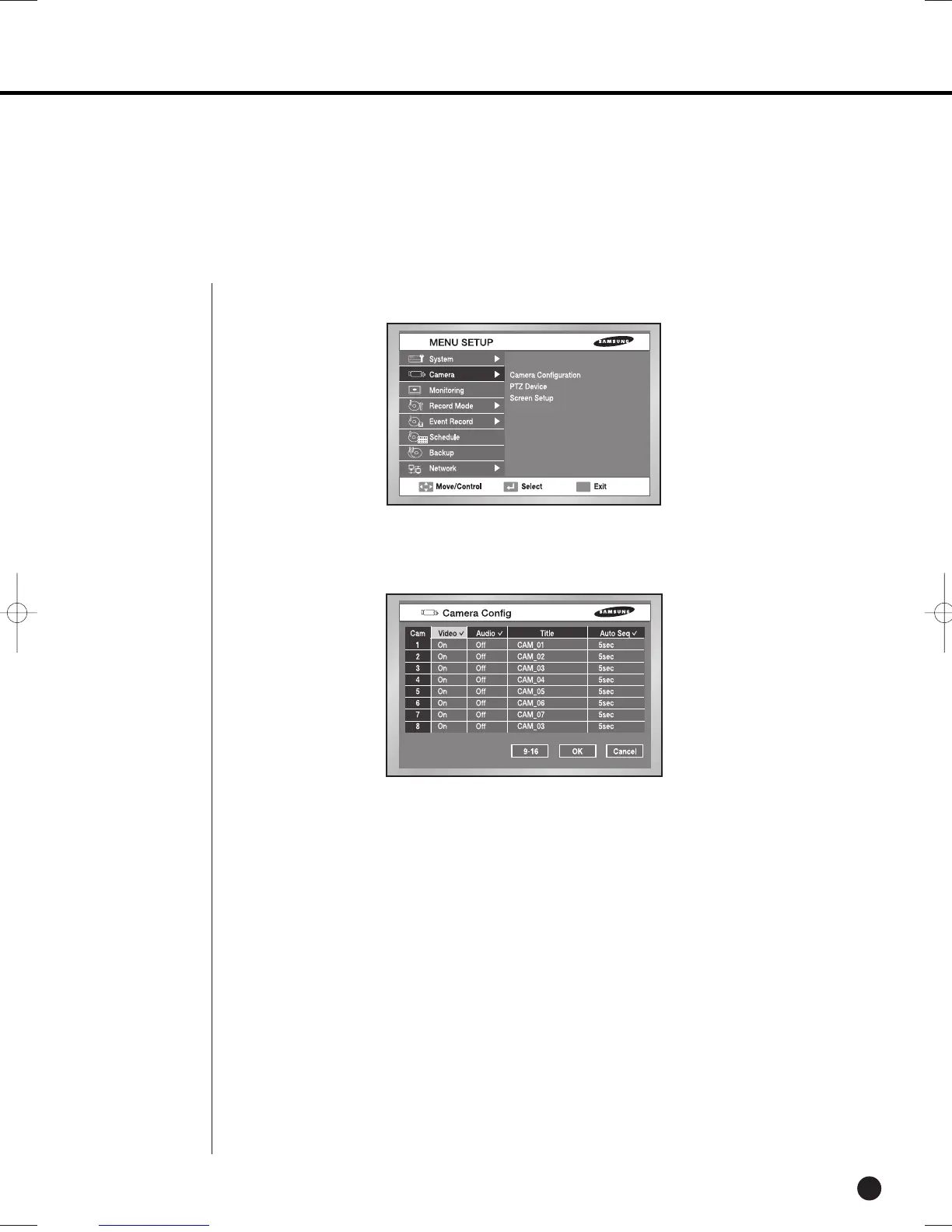
Camera
● The detailed Camera Menu items are as follows.
● Image
On : Camera images from a selected channel appear.
Off : Camera images from a selected channel disappear.
Covert1 : Displays the information except for the Video information of selected channel.
Covert2 : Does not display the any information.
Audio/Cam name/Auto sequence setup are impossible in the Off channel.
● Sound
On : Makes the sound of selected channel on.
Off : Makes the sound of selected channel off.
You can only select 4 channels for the sound.
● In the case of the 2080/2082, 8-channel information comes up.
Camera Config.
SHR-2160/2162/2080/2082-E-1 10/19/07 9:36 AM Page 5-14





 To Next Page