48_ Samsung Smart Home App
Samsung Smart Robot Vacuum App Download
You can use more diverse functions through the Samsung Smart Robot Vacuum App, which is exclusively
for the vaccum Robot Vacuum.
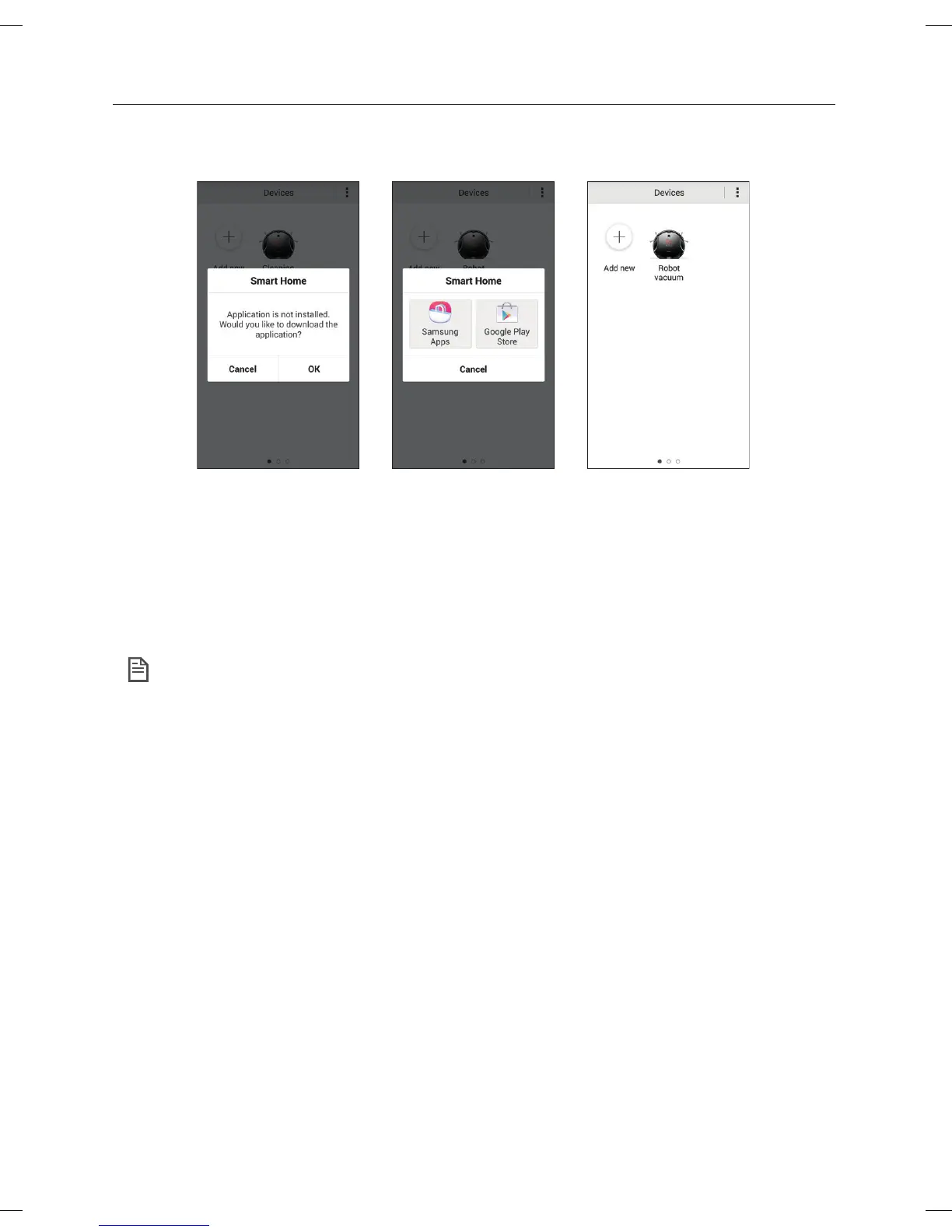
1. Select the Robot Cleaner icon on the DeviceList screen of the Samsung Smart Home App.
If the Samsung Smart Robot Vacuum App is not installed, you will be moved to the Google Play Store
automatically.
2. Install the Samsung Smart Robot Vacuum App.
3. If the installation is complete, select the Robot Cleaner icon again on the Device List screen of the
Samsung Smart Home App.
• In case of the failure, please refer to the popup message and retry the registraion procedure.
NOTE
DJ68-00630D (EN)-00.indd 48 2014. 7. 23. �� 6:14



 To Next Page