Samsung Smart Home App _49
05 SAMSUNG SMART HOME APP
Screen Description and Major Functions
■
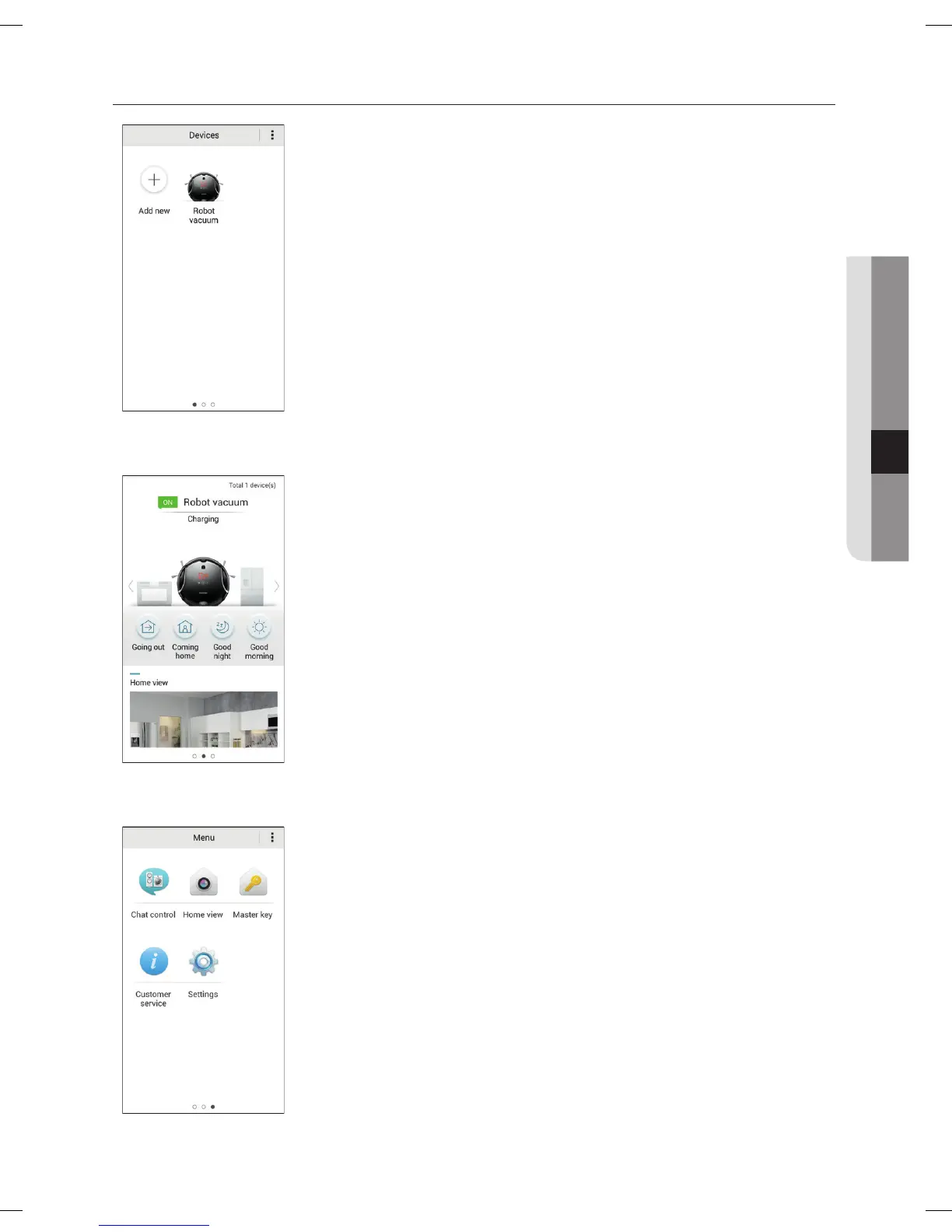
Device screen
• You can register smart home appliances made by Samsung Electronics
on the Smart Home Service to control them altogether remotely.
■
Main Screen
• Select the Robot Vacuum icon on the Main Screen, and you can move to
the Robot Vacuum Control Screen.
• You can control your smart home appliances made by Samsung
Electronics by dividing the status into going out, returning home, sleeping,
and rising.
• You can look up the image of the indoors through the Home View
function.
■
Menu Screen
• You can control the smart home appliances made by Samsung
Electronics with five menus.
DJ68-00630D (EN)-00.indd 49 2014. 7. 23. �� 6:14



 To Next Page