SAMWONTECH
2nd Edition of TEMP2000_Series IM : July. 16. 2010 Page 29 / 87
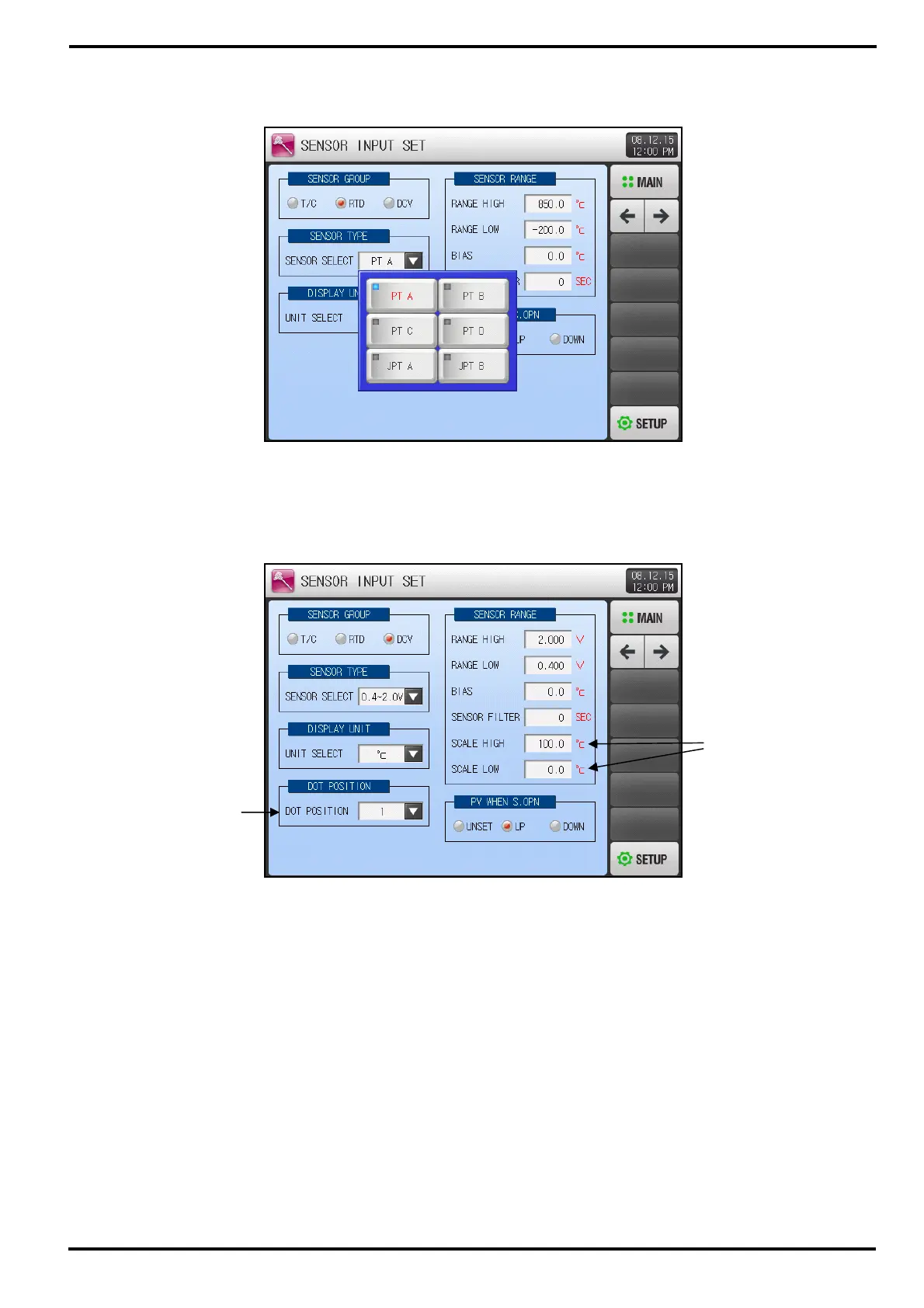
▶ Can select one from 6 types.
▶ Following screen is displayed when temperature sensor is set to DCV.
① Set floating point number.
② SCALE High/Low: Set Temperature Range.
Figure 3-6] Sensor Input Set Screen-1(DCV)
①
②
[Figure 3-5] Sensor Type Selection Screen(RTD)



 To Next Page