EasyManua.ls Logo

Sanyo PLC-XU116 - User Manual

Sanyo PLC-XU116
399 pages
Print Icon
To Next Page IconTo Next Page
Loading...
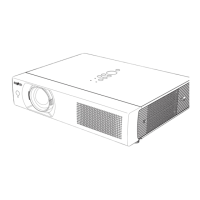
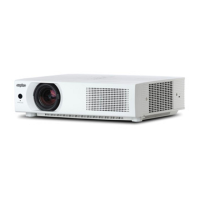
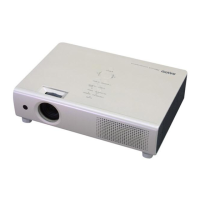
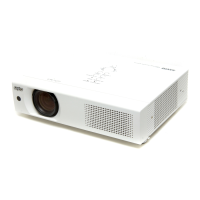
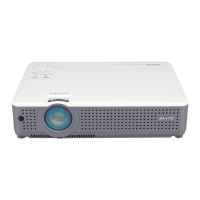
Multimedia Projector
MODEL PLC-XU116
Owners Manual
Network Supported
Ƒ:LUHOHVV/$1
,(((EJQ
Ƒ:LUHG/$1
%DVH7;%DVH7
Memory Viewer
Ƒ 86%0HPRU\9LHZHU

5HIHUWRWKHRZQHU¶VPDQXDOVEHORZIRU
GHWDLOVDERXWQHWZRUNDQGPHPRU\YLHZHU
IXQFWLRQ
Ŷ1HWZRUN6HWXSDQG2SHUDWLRQ
Ŷ0HPRU\YLHZHUIXQFWLRQ

Table of Contents

Other manuals for Sanyo PLC-XU116

Questions and Answers

  • M
    Michael ChapmanAug 9, 2025
    What to do if the LAMP REPLACE indicator lights yellow on Sanyo Projector?
    • R
      rkramerAug 9, 2025
      If the LAMP REPLACE indicator on your Sanyo Projector lights yellow, it means the projection lamp is nearing the end of its life. You should replace the projection lamp with a new one as soon as possible.
  • T
    tkimAug 14, 2025
    Why my Sanyo PLC-XU116 cannot be turned on due to high temperature?
    • J
      Jason TerryAug 14, 2025
      If your Sanyo Projector cannot be turned on due to high temperature, it indicates that the temperature inside the projector is abnormally high. You should wait until the projector cools down enough and the temperature returns to normal before attempting to turn it on again.
  • E
    Erik SteeleAug 18, 2025
    What to do if Sanyo PLC-XU116 Projector detects an abnormal condition and cannot be turned on?
    • J
      Jeffrey PetersonAug 18, 2025
      If your Sanyo Projector detects an abnormal condition and cannot be turned on, unplug the AC power cord and then plug it back in to attempt to turn on the projector.
  • T
    Tyler HerreraAug 25, 2025
    How to turn on Sanyo Projector?
    • B
      brooke56Aug 25, 2025
      If your Sanyo Projector is off, press the POWER ON/STAND BY button to turn it on.
  • N
    Nicole HamiltonAug 28, 2025
    How to turn on Sanyo PLC-XU116 Projector from stand-by mode?
    • M
      Mary BentonAug 28, 2025
      If your Sanyo Projector is in stand-by mode, press the POWER ON/STAND BY button to turn on the projector.
  • O
    ortizjessicaSep 2, 2025
    Why Sanyo Projector cannot be turned on until cooling is completed?
    • D
      Dawn WebbSep 2, 2025
      If your Sanyo Projector cannot be turned on until cooling is completed, it is because the projection lamp is being cooled down. Wait until the cooling is completed and the POWER indicator stops blinking before attempting to turn it on.

Sanyo PLC-XU116 Specifications

General IconGeneral
Resolution1024 x 768 (XGA)
Lamp Life2000 hours (Normal mode), 3000 hours (Eco mode)
Input PortsS-Video
Aspect Ratio4:3
Zoom Lens1.2x
Projection Size30" to 300"
Lamp TypeUHP
Power Consumption350W (Normal mode), 280W (Eco mode)

Related product manuals