7. EXPLANATION OF PARAMETERS
7-56
Mode Page
Abbre-
viation
Name and description
Standard
value
Unit
Setting
range
Remarks
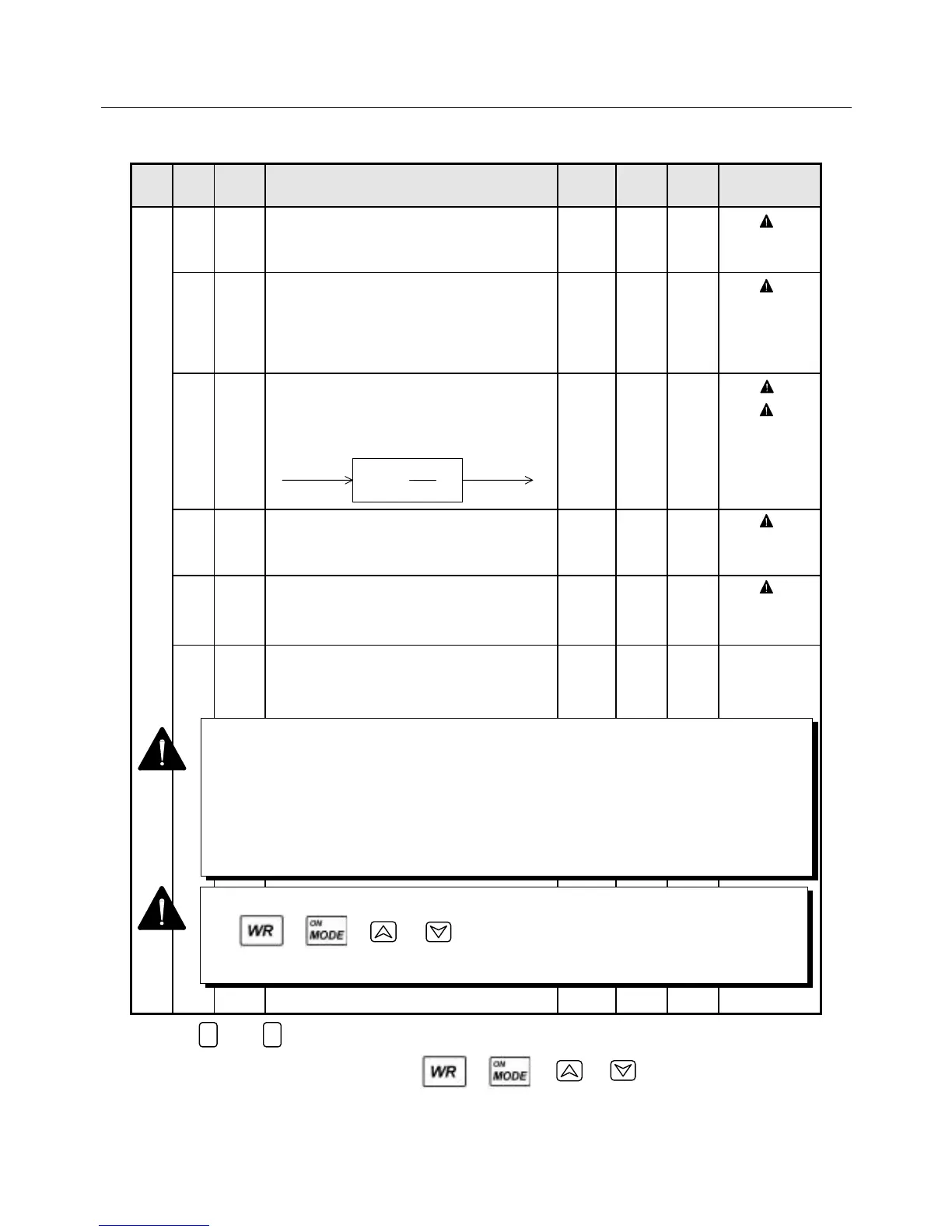
3 0 Kp Position loop gain
• Proportional gain of the position controller.
45 (30) rad/S 1 to
1000
( 1)
1 Kvp Velocity loop proportional gain
• Proportional gain of the velocity controller
(proportional integral controller).
Setting unit represents the value when the
load inertia is 0.
100 (70) Hz 10 to
3000
( 2)
2 Tvi Velocity loop integral time constant
• Integral time constant of the velocity controller
(proportional integral controller).
15 (20) mSec 1 to
1000
( 3)
( 4)
3 Vzero Velocity command zero adjustment
(offset adjustment)
• Offset of the velocity command is adjusted.
$$$$
±16383
( 5)
4 Tzero
Torque command zero adjustment
(offset adjustment)
• Offset of the torque command is adjusted.
$$$$
±16383
( 5)
5 Tn_Lv Real time automatic tuning level
• Setting real time automatic tuning level.
For higher set value, estimated proper
gain become higher.
0 ±5
* The 1 and 0 keys increase and decrease a value, respectively.
* After changing a value, press either the , , or key to store it.
* Values in parentheses apply to motors not belonging to the P3 or P5 series.
Kvp(1+∫ dt)
1
Tvi
Velocity
loop output
Velocity
deviation
When changing the value, store your setting in the non-volatile memory using either
the , , or key.
If turning off the control power without this key operation, the setting will not be stored.
1 0
1 It can also be specified from Mode 0 Page 0.
2 It can also be specified from Mode 0 Page 2.
3 It can also be set from Mode 0 Page 3.
4 If you specify 1000 msec, proportional control is selected.
5 The value varies according to the adjustment done at shipment.
You can change the setting by executing offset adjustment of the test mode
(Pages 2 and 3).



 To Next Page