18 ETHM-1 Plus SATEL
controlled by using macro commands or the status of partitions which are armed by
a macro command.
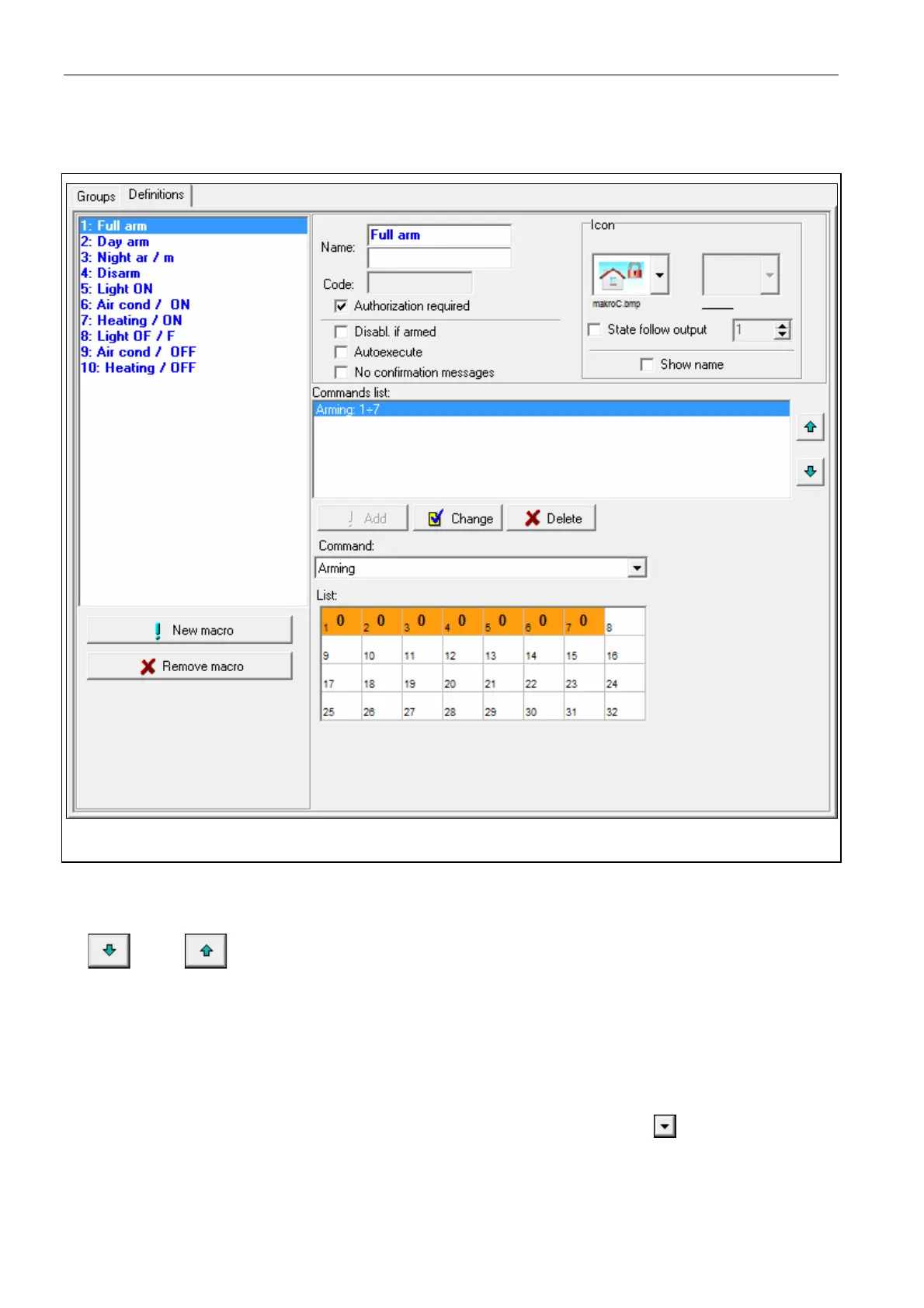
Show name – if this option is enabled, the macro command name will be displayed.
Fig. 11. DLOADX program: “Definitions” tab.
Commands
Commands list – commands assigned to the currently highlighted macro command. The
and buttons allow you to change the order of commands (moving the
highlighted command up and down).
Add – click to add to the list a new command, selected in the “Command” field.
Change – click to save the changes to the command parameters which were made after
adding the command to the list (otherwise, the changes made will not be saved).
Delete – click to remove the highlighted command from the list.
Command – function executed by the control panel, which can be assigned to the macro
command. To display the list of all available functions, click on the
button. Depending
on which function you have selected:
Arming – highlight the partitions which are to be armed (double-click on the field
designated by the partition number) and define the arming mode (next clicks on the field
designated by the partition number; the digit inside the field has the following meaning:



 To Next Page