24 ETHM-1 Plus SATEL
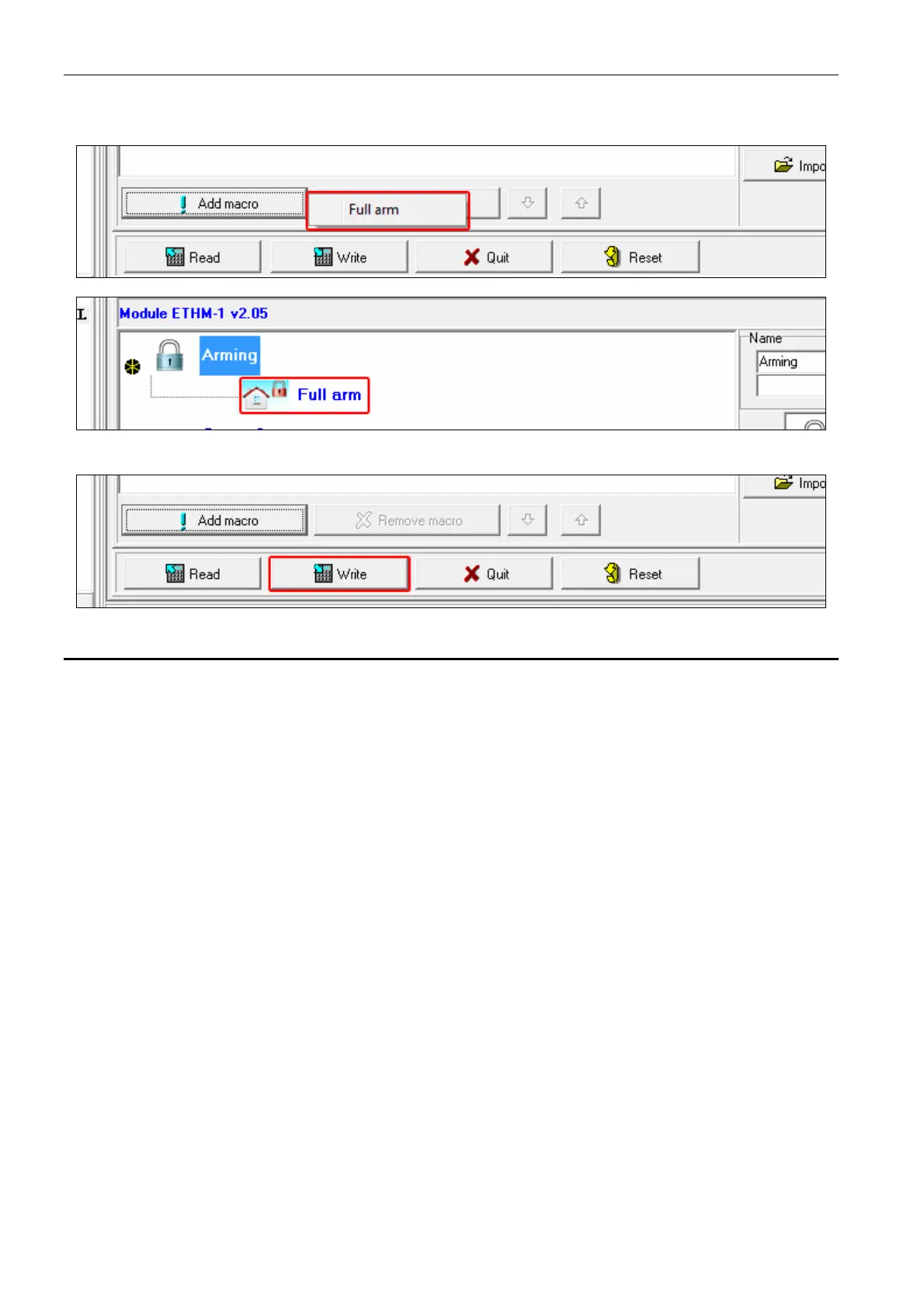
21. Click on a macro command to add it to the group. The macro command will be put in the
tree under the group.
22. Click the “Write” button to write the macro command related data to the module.
6.2 Module connected to VERSA control panel
You can configure parameters and options of the module using:
LCD keypad: SERVICE MODE 2. HARDWARE 1. KPDS. & EXPS. 2. SETTINGS [module
name],
DLOADX program: “Versa – Structure” window “Hardware” tab “Expansion
modules” branch [module name] (Fig. 12).
Name – individual name of the device (up to 16 characters).
Tamper signaled in part. [Tamper in p.] – partition where alarm will be triggered in the event
of module tamper.
DLOADX->ETHM-1 connection [DLOADXETHM-1] – if this option is enabled, connection
can be established between the DLOADX program and the alarm control panel via the
module.
DLOADX
DLOADX server [DLOADX] – address of the computer running the DLOADX program. If the
computer is not in the same local network, it must be a public address. You can enter
either the IP address or the domain name.
Port [DLOADX port] – number of the TCP port used during communication between control
panel and a computer with DLOADX program via Ethernet. You can enter values from 1 to
65535. The value must be different from that entered for the other ports. Default value:
7090.
DLOADX key – a string of up to 12 alphanumeric characters (digits, letters and special
characters) which is used for data encryption during communication with the DLOADX
program via module.



 To Next Page