SATEL ETHM-1 Plus 27
Tries no. before trouble [PING tries] – the number of failed communication tests (the
module received no answer to the ping command sent), after which the trouble will be
reported. If value 0 is programmed, the communication test is disabled.
6.2.2 Messaging
E-MAIL
Before making any changes, click the “Read” button, and after making the changes –
the “Write” button (the data relating to the e-mail messaging are not read after clicking
on the button or saved after clicking on the button in the DLOADX
program main menu).
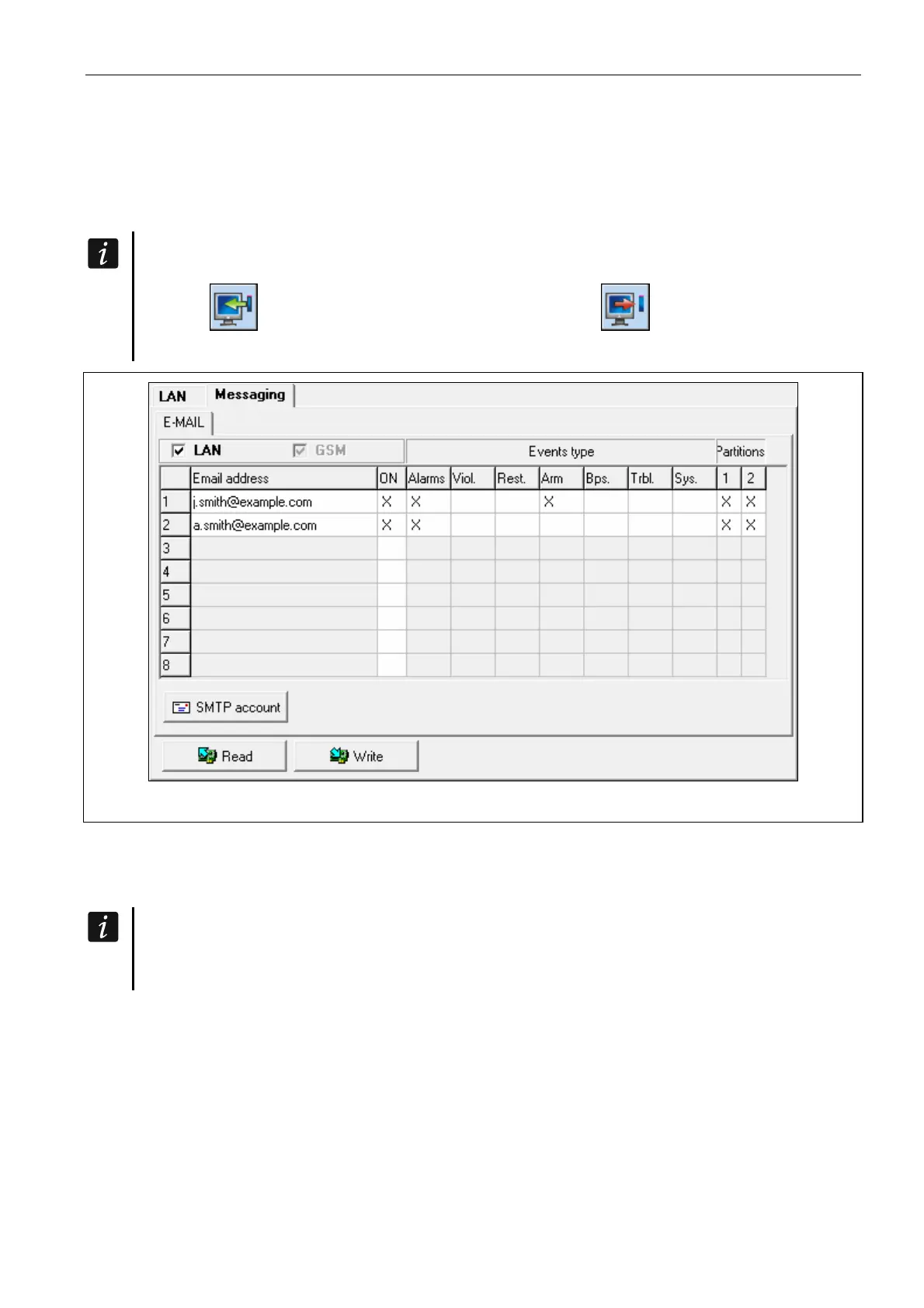
Fig. 13. DLOADX program: configuring the e-mail messaging.
LAN – if the option is enabled, the control panel can notify of occurrence of specified events
by means of e-mail messages.
Email address – e-mail address to which messages are to be sent for notification of events.
Because the message is sent to many recipients, the addressees are hidden. If you
want the addressee to be shown, place @ before the email address (e.g.
@j.smith@example.com).
ON – with this option enabled, it will be possible to send messages to the given e-mail
address for notification of events.
Events type – define of which events the given e-mail address is to be notified.
Part. – define the partitions, about the events from which the given e-mail address is to be
notified.
SMTP account – click to open “SMTP account” window.
Read – click to read the data related to e-mail messaging.
Write – click to write the data related to e-mail messaging.



 To Next Page