SATEL ETHM-1 Plus 21
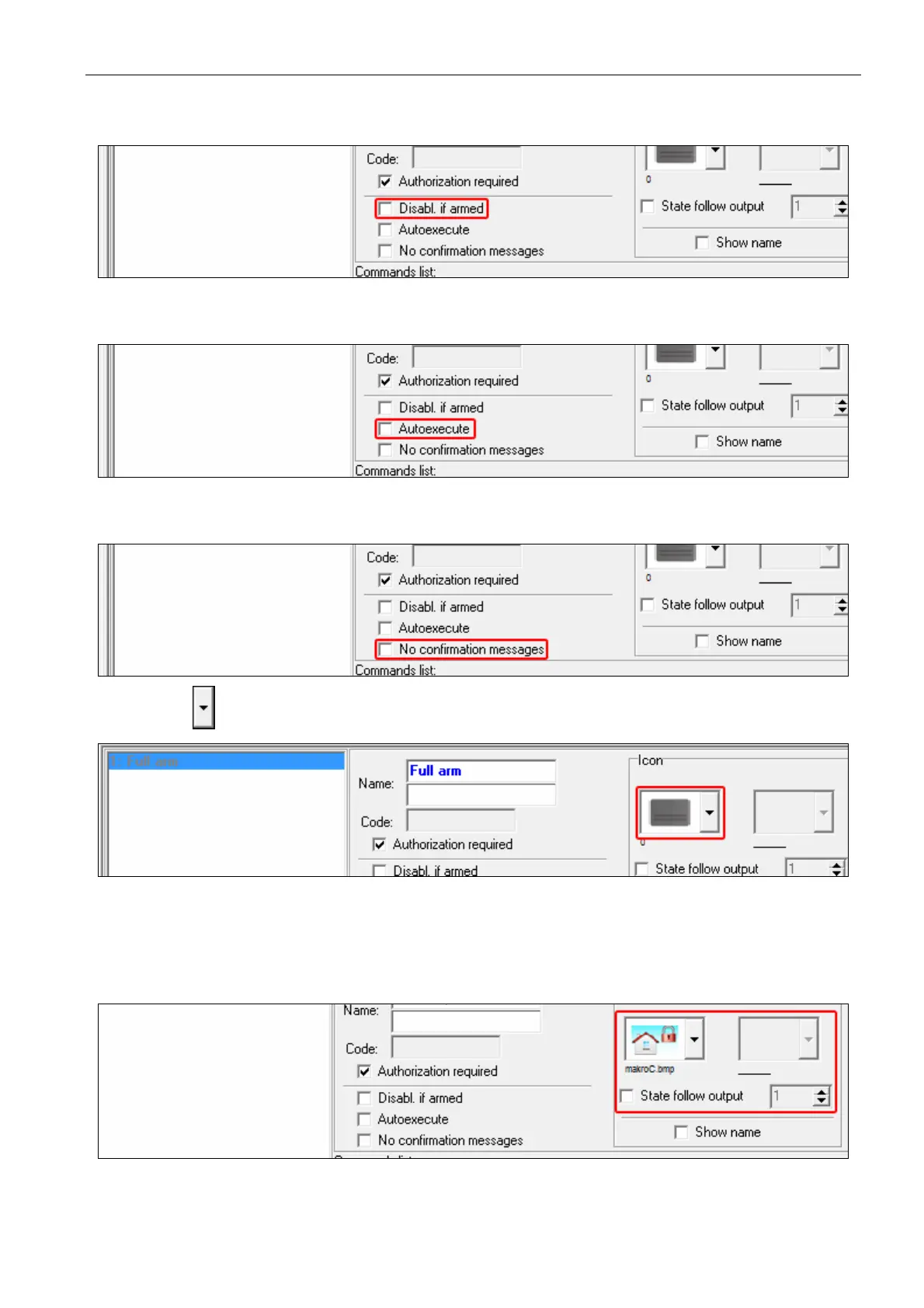
6. If the macro command is to be unavailable when any of the partitions managed by the
keypad is armed, enable the DISABL. IF ARMED option.
7. If the macro command is to be available without entering the group, enable the
AUTOEXECUTE option.
8. If the confirmation messages are not to be displayed after running the macro command,
enable the NO CONFIRMATION MESSAGES option.
9. Click the button and select the icon for the macro command.
10. If the icon is to change depending on the selected output state:
enable the STATE FOLLOW OUTPUT option;
indicate the output number;
select the icons.



 To Next Page