22 ETHM-1 Plus SATEL
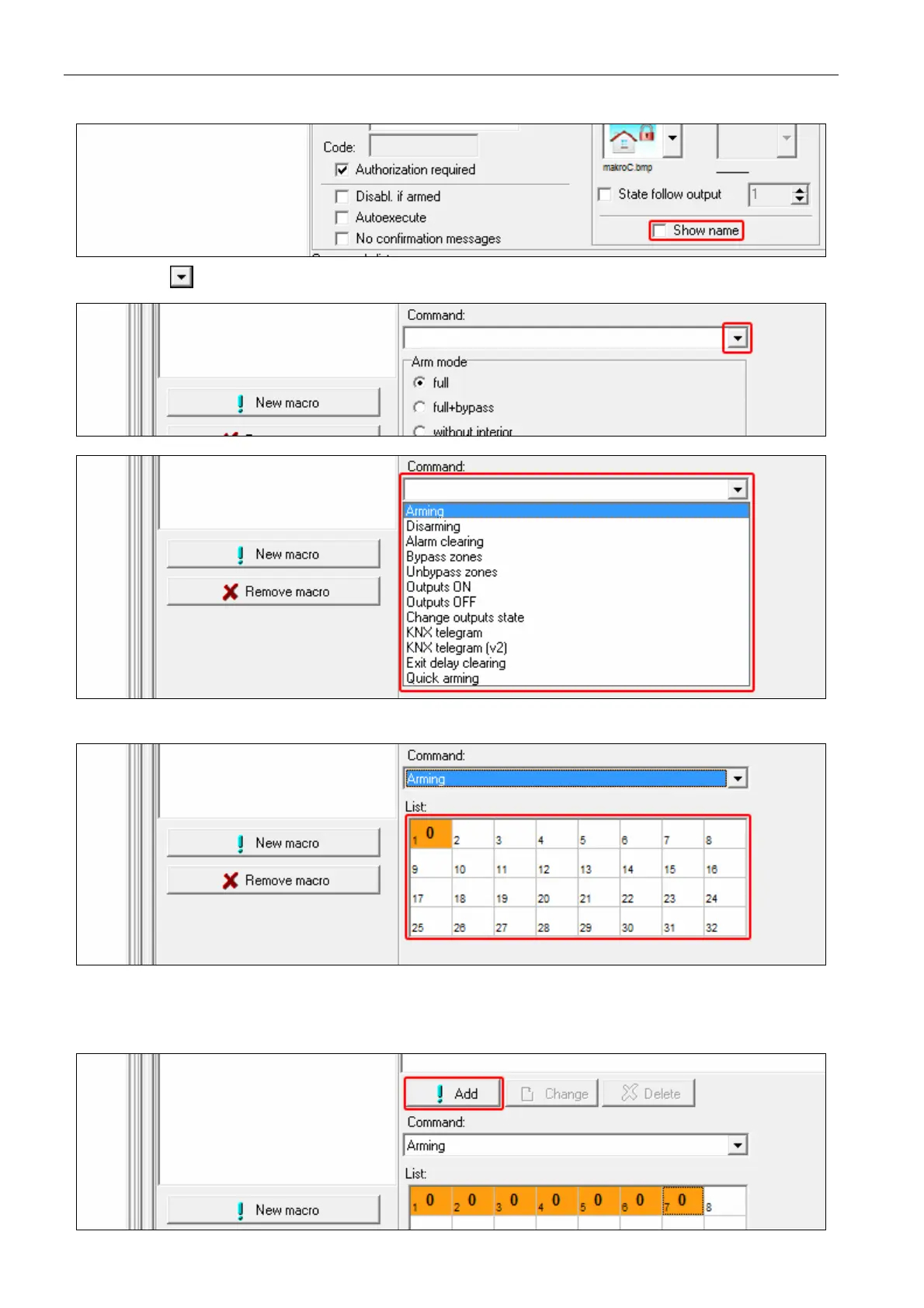
11. If the macro command name is to be displayed, enable the SHOW NAME option.
12. Click the button and select the function the new macro command is to execute.
13. Configure the command parameters.
14. Click the “Add” button. A new command will appear on the list of commands assigned to
the macro command. You can still modify parameters of the command after clicking on it
(having made the changes, click on the “Change” button).



 To Next Page