Press the main function key.
Next press the Menu key and select “AUX" among VAC, VDC, VAC+DC, AUX
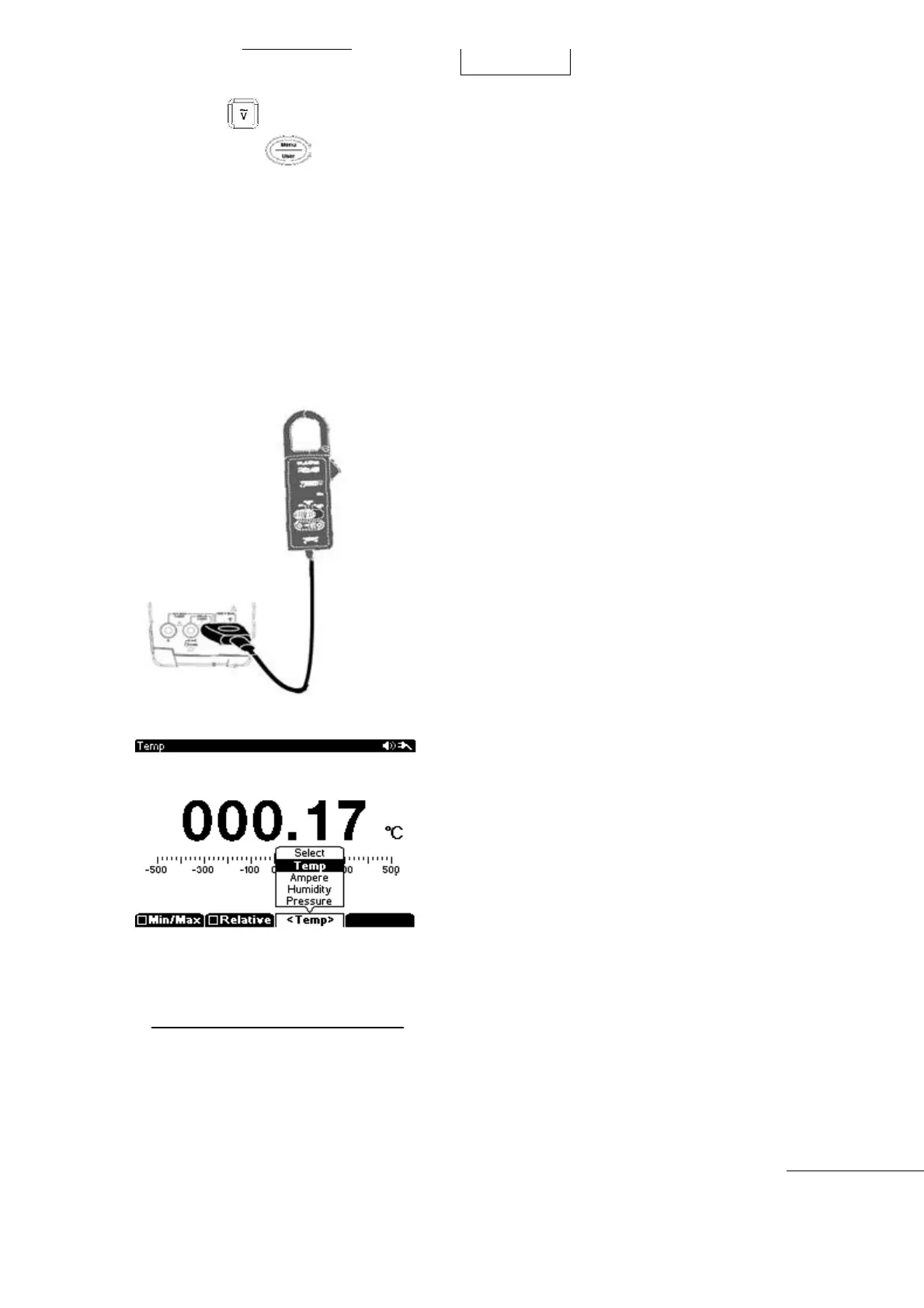
Press the Sub-Menu “F3” key to select “Temp, Ampere, Humidity, or Pressure
Insert (-) Plug of Adapter to COM input terminal and insert (+) plug of Adapter into AUX input
terminal.
Start measurement
Measurement Display rate: 1㎷ = 1℃
, 1%, 1A, 1Pa.
Temperature: Main display ℃
and Sub display ℉ displayed simultaneously.
The Accessories Output Value Unit should be checked before using the Device.
[F
or example]
If 10㎷ = 1℃ or 0.1㎷
= 1℃, should apply ÷10, ×10 on the displayed value.
Power Efficiency Measurement
Convenient DC to DC converter efficiency can be measured and displayed without any
manual calculations. Power Efficiency is most important on DC to DC Converter,
Set measurement function and measure. Simply Input Primary and Secondary
measurements in order. You can use the Directional Keys to shift measurement locations.



 To Next Page