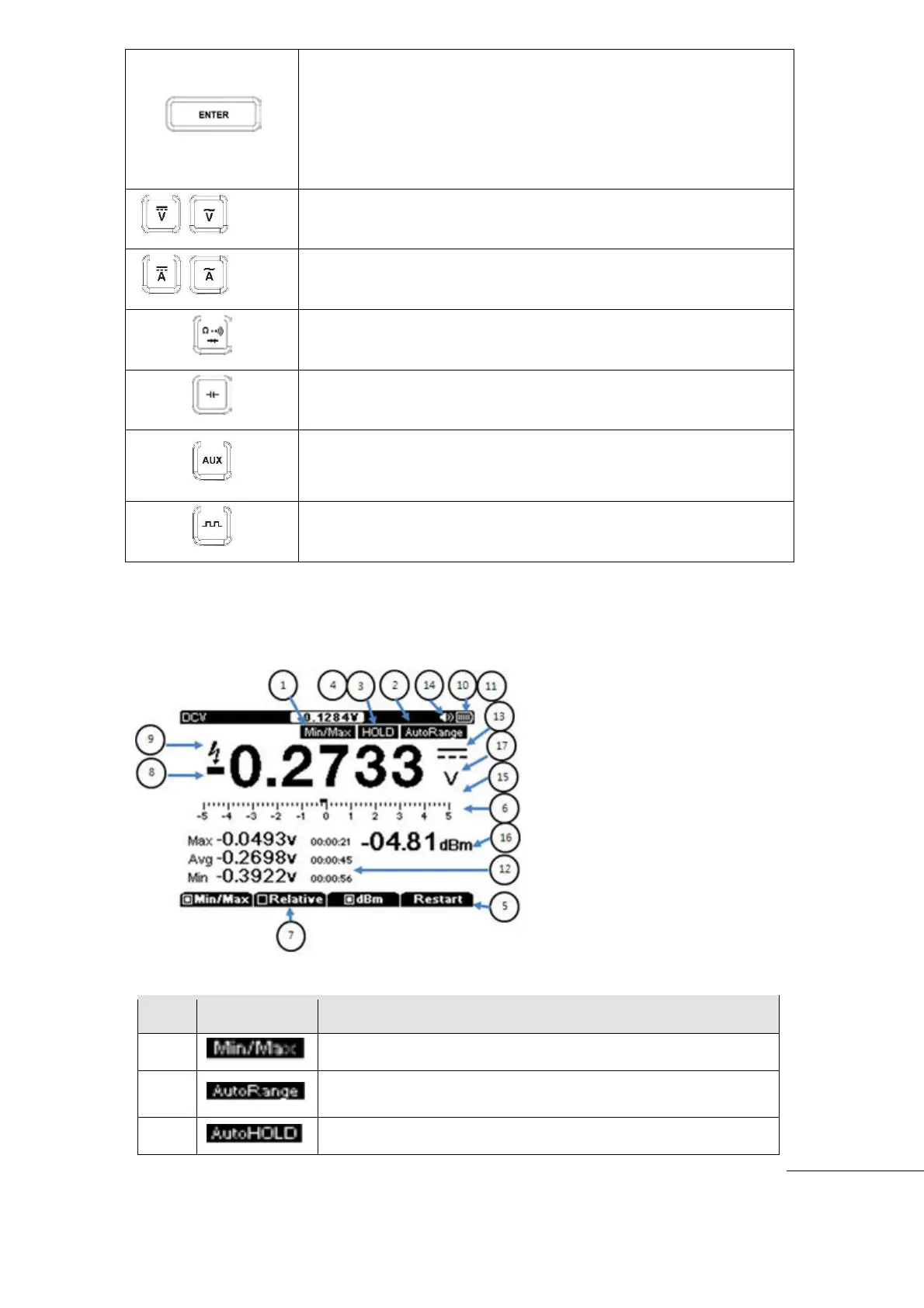
LCD Display
Minimum. Maximum, Average measurement
Can select Measuring Range in Automatic mode or Manual
mode
Freeze the present reading in display.
All functions and menus on the rubber keys will be set automatically
after 2 seconds after selection of functions or menu.
Press ENTER key to set immediately after select of Functions or
Menu to avoid the 2 second wait time.
Volts measurement keys : AC+DC, DC, AC
Currents measurement keys : AC+DC, DC, AC
Resistance, Continuity, Diode key
Capacitance measurement key
Auxiliary measurements (Temperature, Relative Humidity,
Hi-Currents. Pressure can be measured through external adapter)
Square wave signal out put



 To Next Page