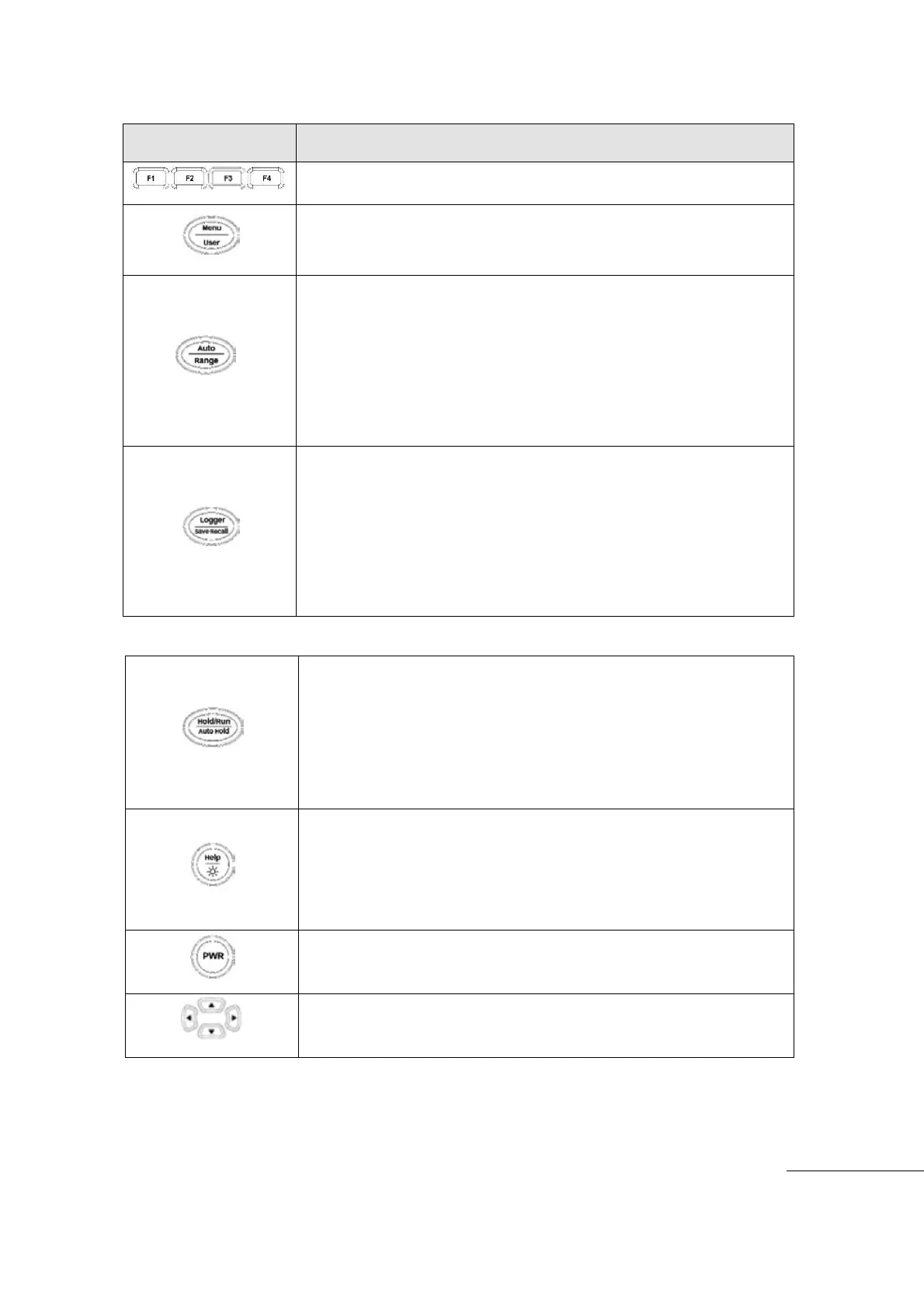
[Key Function Description ]
Selects Sub Menu functions and modes, for each Main Menu Mode.
Upper Line: (Short Key) One Touch press Enter Menu (Main Menu)
functions and modes. Lower Line: (Long key) Hold longer than 2
seconds to enter USER. Press Exit key to return to Main Menu.
Upper Line : Meter setup Auto Ranging mode
Lower Line : (Long key) Hold longer than 2 seconds to enter Manual
measurement mode (Range)
- In Manual Range, range up/down can be done with Short key (One
touch) press.
- To return to Auto measurement mode, Hold key longer than 2
seconds
Upper Line: (Short Key) One Touch press enter Data Logger mode.
Lower Line: (Long key) Hold longer than 2 seconds to enter Save
(Data) and Recall (Data) mode. Save or Recall mode selection is
available in sub-menu.
- Press Short Key to change Logger Mode.
- Press F4 Exit to leave Logger mode.
Upper Line (Manual Hold): (Short Key) One touch press to enter
Hold/Run mode. Holds the present measurement value on Display
and can save the value. Changing from Hold to Run can be done
(Short Key) One Touch press.
Lower Line (Automatic Hold): (Long key) Hold longer than 2 seconds
to enter Auto Hold mode.
I (Help): (Short Key) One Touch press enter Help mode. Brief
Information on present function is displayed.
Back Light On/Off: Hold longer than 2 seconds to enter Back Light
display mode.
Help: shot key(50ms), Backlight: long key(2s)
Turn the meter power ON/OFF
HOLD Longer than 2 seconds to power ON / OFF
Cursor buttons select an item in Menu. Adjust Display Ratio. Scroll the
information and Input the Data



 To Next Page