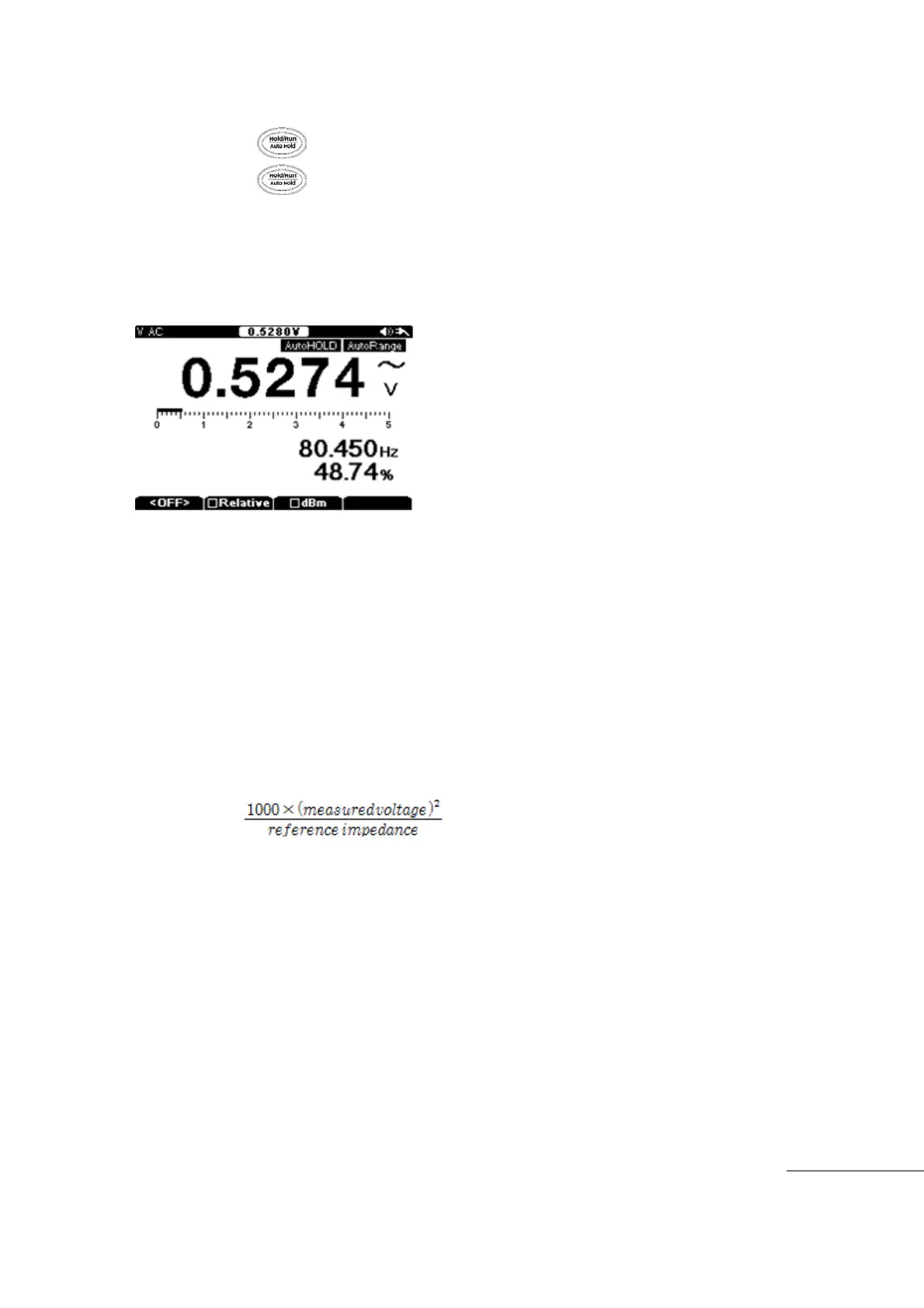
Auto Hold
Auto Hold function is displays and updates values based on changes in value.
Hold the key more than 2 seconds to enter “Auto HOLD” mode.
Hold the key more than 2 seconds to release “Auto HOLD” mode.
Auto Hold displayed values change when the Measurement Value deviates by more
than ±5% change from 1st Measurement Value displayed in auto hold mode.
Auto Hold function is very useful to check measurement value shifts and levels during
measurements.
㏈ (decibel)
Voltage can be displayed as ㏈m, relative to a value of 1㎽.
To
change the Measurement Value to ㏈m, select ㏈m in Voltage measurement mode
of(
VDC, VAC, or VAC+DC).
㏈m m
easurement is differentiated with a Reference Impedance. Therefore, you must set
the reference impedance value depending on the application.
Impedance value can be set up between 1Ω ~ 1000Ω range in User mode.
Default value is 600Ω
㏈m unit means Wattage to deliver to Reference Resistance based on 1㎽
unit.
Voltage measurement value can be converted using the following formula.
㏈m =
10log
Pres
s “F3” key to activate the ㏈m function while measuring Voltages and press “F3”
key a
gain to release the ㏈m function.
㏈m value is displayed in the sub display area: lower right area of screen.
Wh
en ㏈m function is activated it will display the value where duty is normally
displayed.
The ㏈V calculates the voltage with respect to 1V, as in the formula shown below.
㏈V = 20log(measured voltage)
Test Equipment Depot - 800.517.8431 - 99 Washington Street Melrose, MA 02176 - TestEquipmentDepot.com



 To Next Page