28
SBS-6500 User Manual
Storage Battery Systems, LLC.
4. Limit (Comparator)
4.1. Limit judgment function
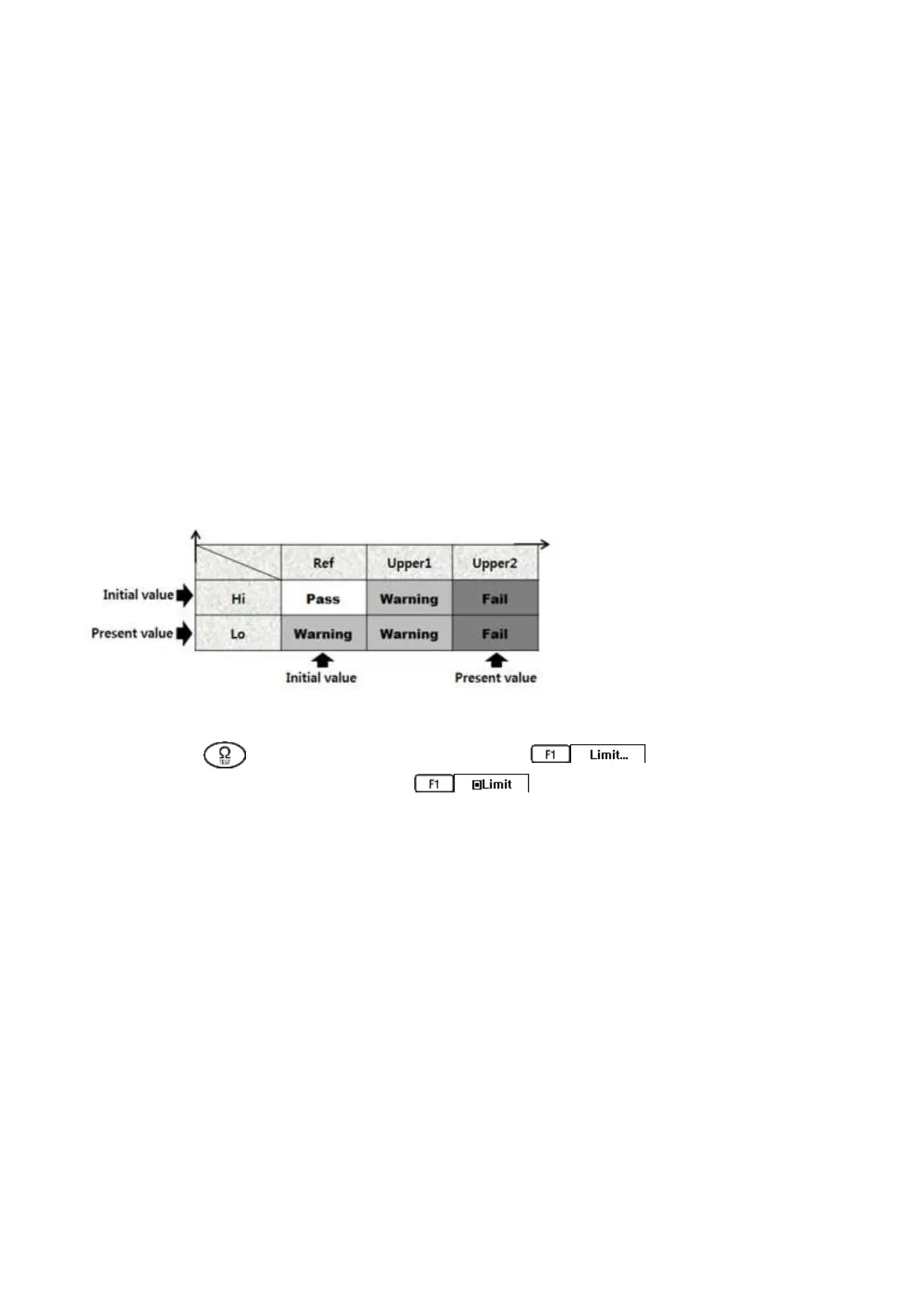
Compare initial set-up data of the battery when installed and new against the present
measurement data of the battery. A three rank rating can be found from the comparison
PASS, WARNING, FAIL status.
There is an audible alert sounds for a WARNING or FAIL status. Also PASS, WARNING or
FAIL is displayed on the screen as test results are saved to the memory.
□ Impedance: warning level max limit (WARNING).
failure level max limit (FAIL).
□ Voltage: minimum limit (WARNING).
Press the key (impedance) and press the key. The current limit
set-up values are displayed. Select to enable alarms. Press F4 back to
return to measuring screen. The limit values will appear on the right of the LCD
screen.
When limits are active the battery measurement results will be identified as pass,
warning or fail when stored in the memory table, by audible alert and results displayed
on the screen at test end.
Limit set-up can be accomplished by one of two methods available.
Direct setting method by editing the limit values on the SBS-6500.
Recall an existing reference value set from the Reference DB.
When there is no present measurement, the main display shows 「 --.--」 and the
condition result (pass, warning, fail) is not displayed.



 To Next Page