48
SBS-6500 User Manual
Storage Battery Systems, LLC.
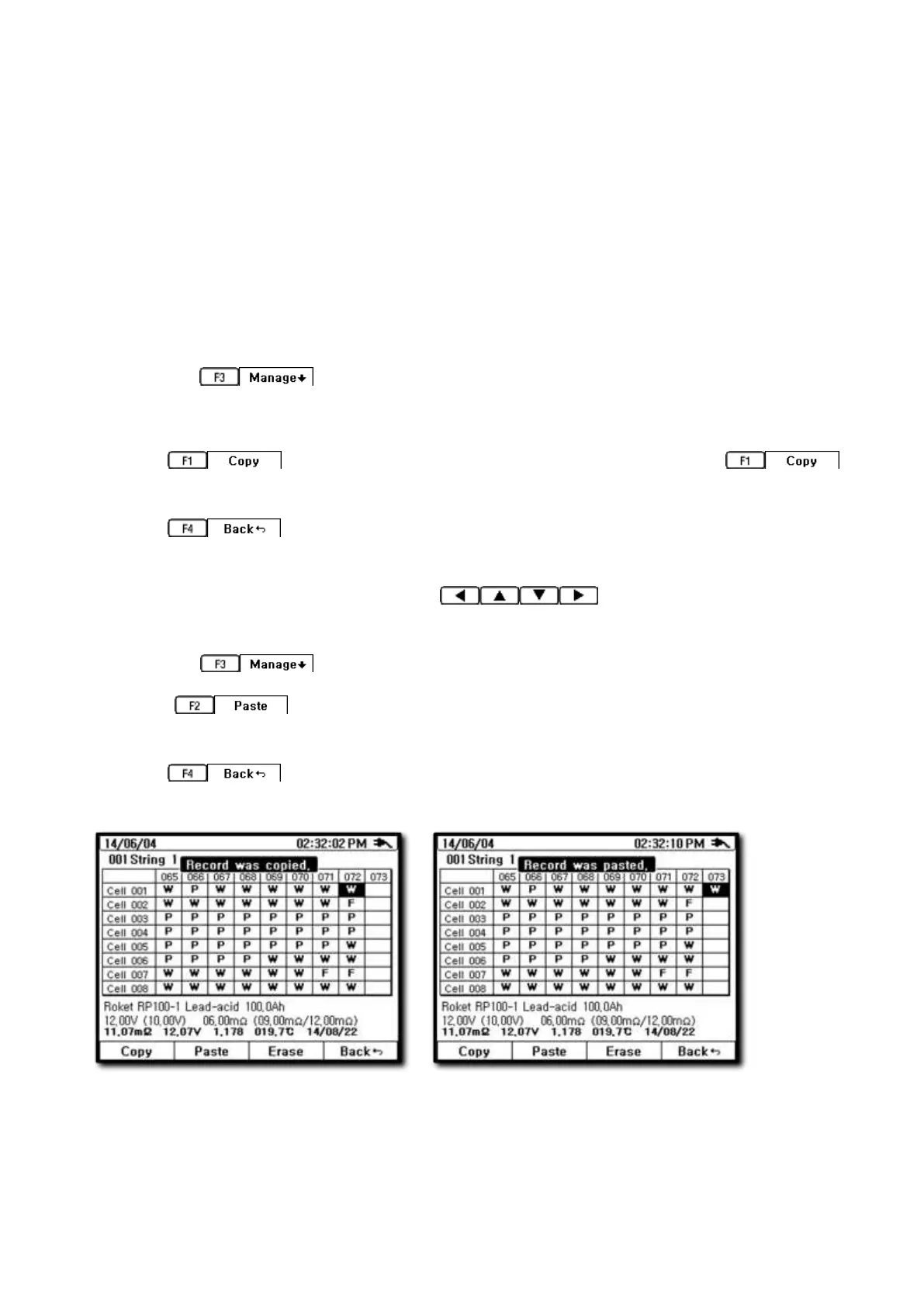
7.10. Copy and Paste of Recorded Data
Move a single reading or string of readings from the auto record location (000) to a
specific string location in the memory for permanent storage.
[Copy and Paste Procedure]
① Press the DATA key and select record. Highlight the auto record line and press the F1
SELECT key to enter the data chart for auto record.
② Press the key to bring up the complete data table for auto record.
③ Move the cursor to the position of the data that you want to move to another location.
④ Press key to select a single data entry or hold down the
key to select the entire string of data.
⑤ Press key to return to previous screen string list and select the string
where you want to copy the data to.
⑥ Select the save address by using the keys to highlight the block
where you want the paste operation to begin inserting the data.
⑦ Press the key to open the copy paste sub menu.
⑧ Select key to move data to its new location. A status bar will appear as
the data is moved to the data blocks.
⑨ Press key to return to previous display or press any major function key
to return to that measurement mode.
Test Equipment Depot - 800.517.8431 - 99 Washington Street Melrose, MA 02176
TestEquipmentDepot.com



 To Next Page