Safety device unit
OPM 520 en-GB 28
© Scania CV AB 2018, Sweden
Safety device unit
The safety device unit has its own monitors and
sensors. An alarm which has been generated via
the safety device unit must also be acknowl-
edged on the main display.
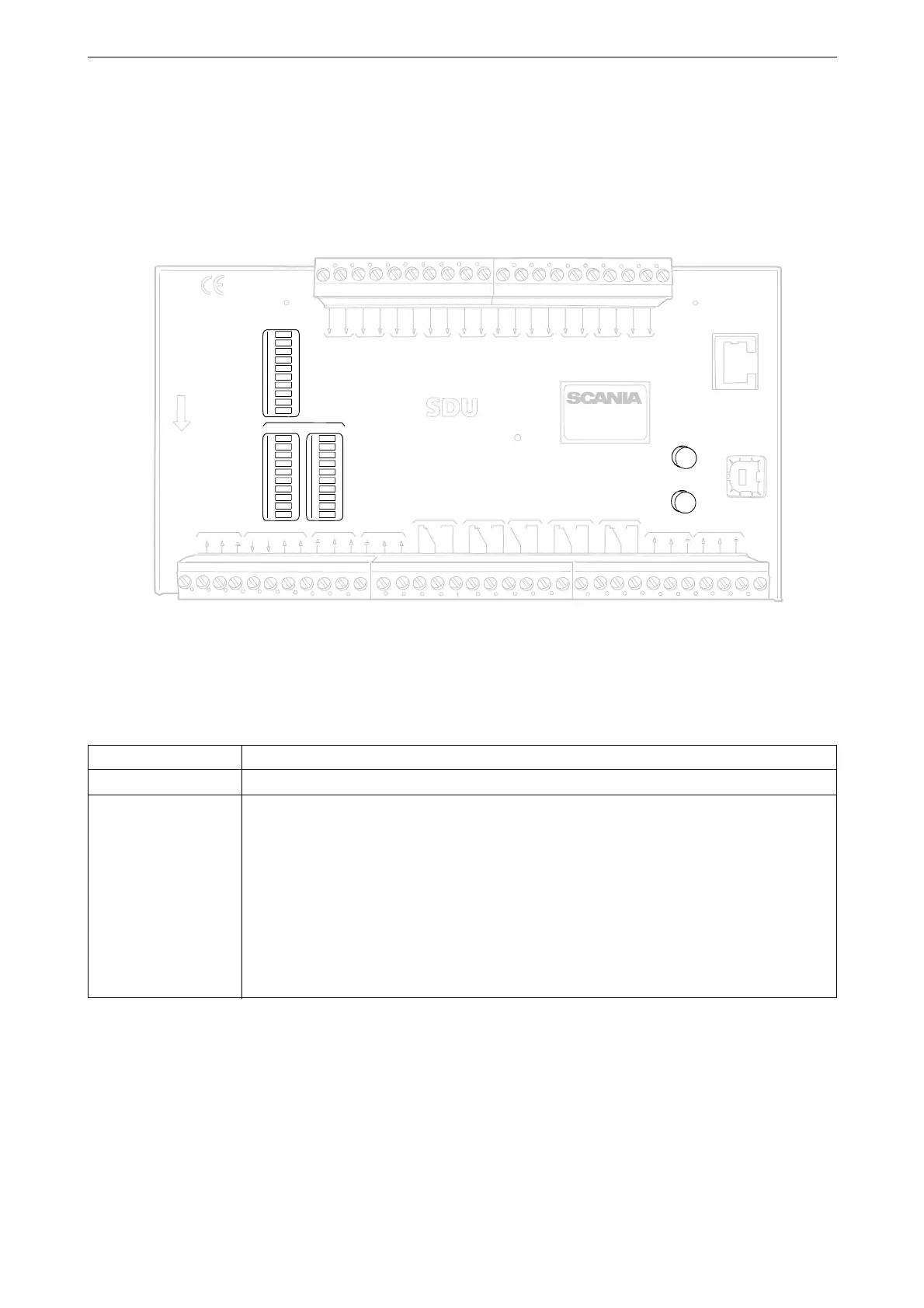
Buttons
Button Description
Acknowledge With the Acknowledge button all faults and engine shutdowns are acknowledged.
Overspeed Test How to carry out an overspeed test: When the engine is switched off, keep the Over-
speed Test button depressed until the Overspeed LED starts flashing quickly. The safe-
ty device unit is now in test mode, and the limit value for engine overspeed is reduced
to 95% of the set overspeed limit value. Then start the engine.
The overspeed test can be deactivated in 3 different ways:
• The test is completed and is finished with an engine shutdown due to overspeed at
95% of the set overspeed limit value.
• Press the Overspeed Test button.
• Automatic deactivation after 5 minutes.
SWITCH 1
SWITCH 2
SWITCH 3
SWITCH 4
SWITCH 5
SWITCH 6
SWITCH 7
SWITCH 8
SWITCH 1
SWITCH 2
SWITCH 3
SWITCH 4
SWITCH 5
SWITCH 6
SWITCH 7
SWITCH 8
SHUTDO
WN
F
AU
LT
SWITCH 1 SWITCH 2 SWITCH 3 SWITCH 4 SWITCH 5 SWITCH 6 SWITCH 7 SWITCH 8
ST
A
TUS
PO
WER
CRANK CUT
OFF
R
UNNING
T
A
CHO 1
T
A
CHO 2
SHUTDO
WN O
VERRIDE
B
UZZER
COM 1
COM 2
COM 3
SHUTDO
WN
O
VERRIDE
A
CKNO
WLEDGE
COM 3
CONFIGURA
TION
ETHERNET
shutdo wn unit
RELEASE
SHUTDO
WN
O
VERSPEED
SHUTDO WN COIL
SHUTDO
WN O
VERIDE
SHUTDO
WN
CRANK
CUT OFF
B
UZZLER
F
AU
LT
R
UNNING
COM 1
DCU LINK
COM 2
RS 485
MODB
US R
TU
A
CKNO
WLEDGE
O
VERSPEED
TEST
COM 4
USB
T
A
CHO 2
T
A
CHO 1
S
H
U
T
D
O
W
N
C
O
I
L
S
U
P
P
L
Y
1 24V
4 24V
6 24V
20V
70V
50V
3
8
9
10
11
12
13
14
15
16
17
18
19
20
21
22
23
24
25
26
27
28
29
30
31
32
33
H
L
H
L
348 580
Safety device unit.



 To Next Page