Using the displays
OPM 520 en-GB 9
© Scania CV AB 2018, Sweden
Using the displays
The way the displays function depends on how
the main display is configured. Configuration of
the main display is not described in this Opera-
tor's manual. Contact an authorised Scania work-
shop if this needs to be carried out.
Password
If the control system does not have a control pan-
el, a 4-digit password is used instead of a starter
key. The password is provided by the installer.
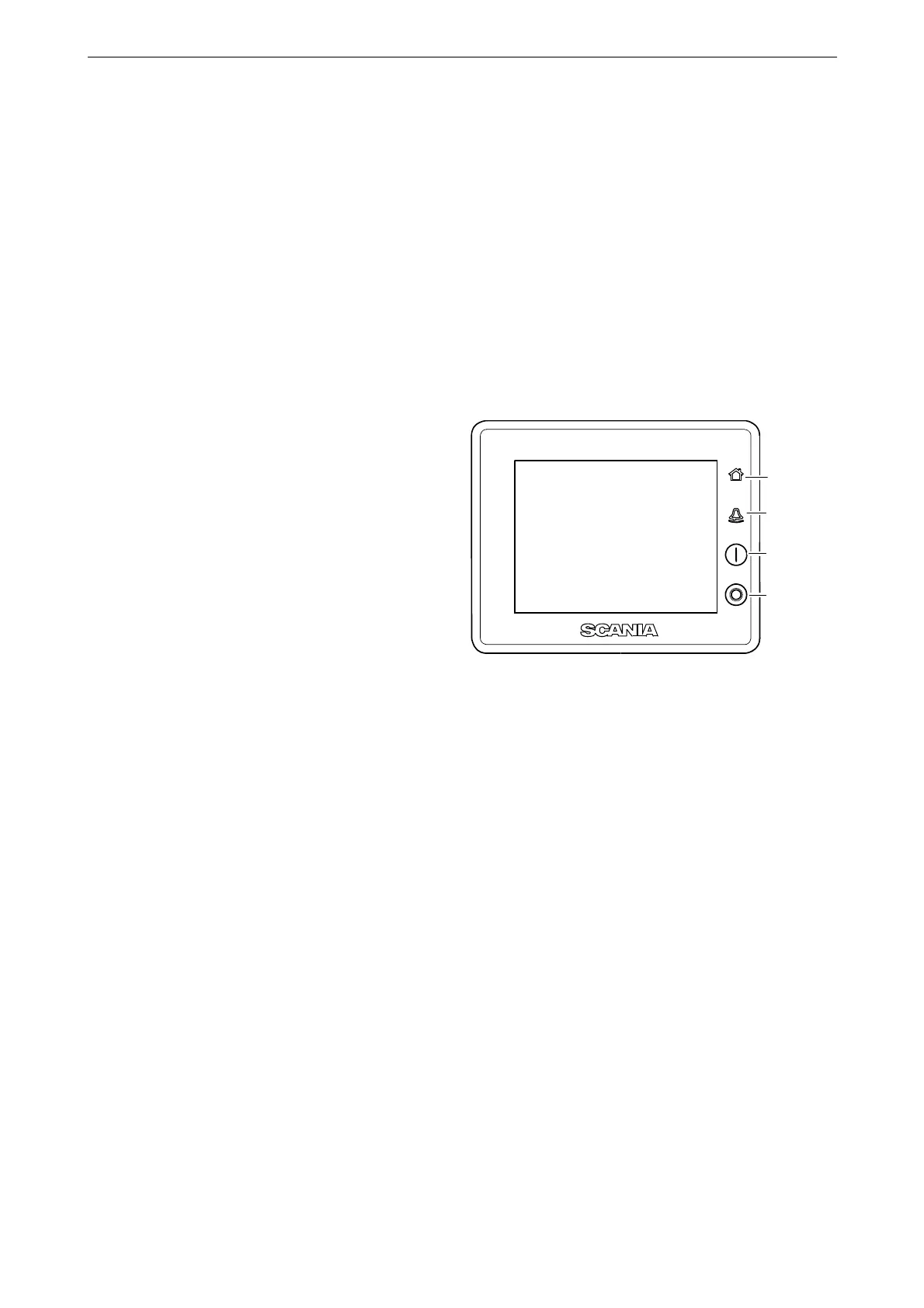
Buttons on the displays
On the right-hand side of the displays, there are
four buttons for direct access to the following
features:
1. First instruments page and Menu
2. Alarm list
3. Starting the engine
4. Engine shutdown
Functions and display modes
The displays are touch screens where you carry
out every command by pressing directly on the
display. Different touch areas on the display
have different functions. For example, if you
touch the left-hand side of the display on an in-
strument page, you get to the previous instru-
ment page.
The displays have four different display modes:
• Instrument pages
•Alarm list
• Select Page
• Menu
1
2
3
4
381 113
Display buttons.
1. Home button.
2. Alarm list.
3. Starting the engine.
4. Engine shutdown.



 To Next Page