Part No. SCAZ037980 v6.0.2 38 E&OE
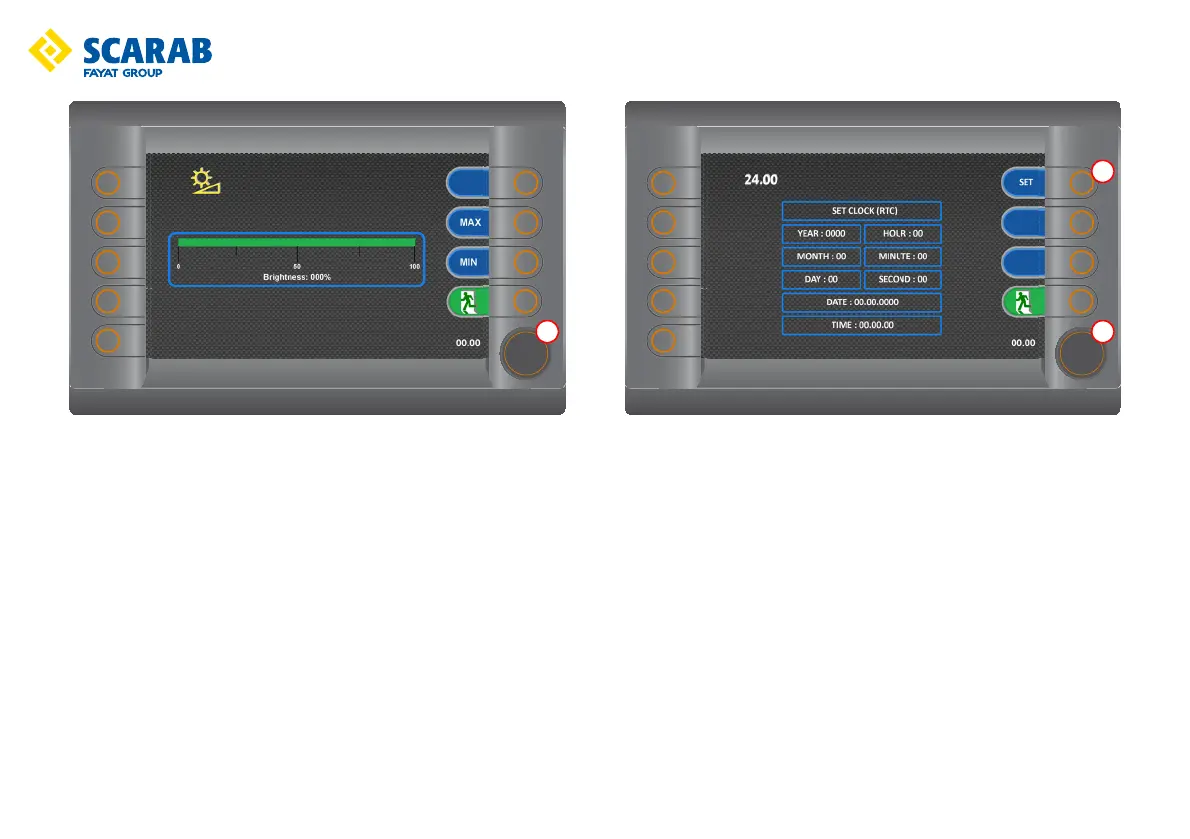
Screen brightness setting
Rotate the encoder t to adjust the screen brightness (2% increments).
Pressing the MIN button adjusts the brightness to 10%.
Pressing the MAX button adjusts the brightness to 100%.
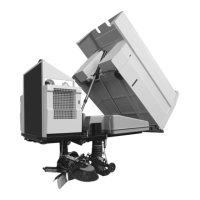
Time and date setting
Rotate the encoder t to the desired panel and then press the encoder t to
select.
Rotate the encoder t to the correct, Year, Month, Day, Hour, etc. when it is the
correct value press the SET button q.
Repeat above steps as required.



 To Next Page