32
BA 68
Schaeffler Technologies
Schaeffler OPTIME
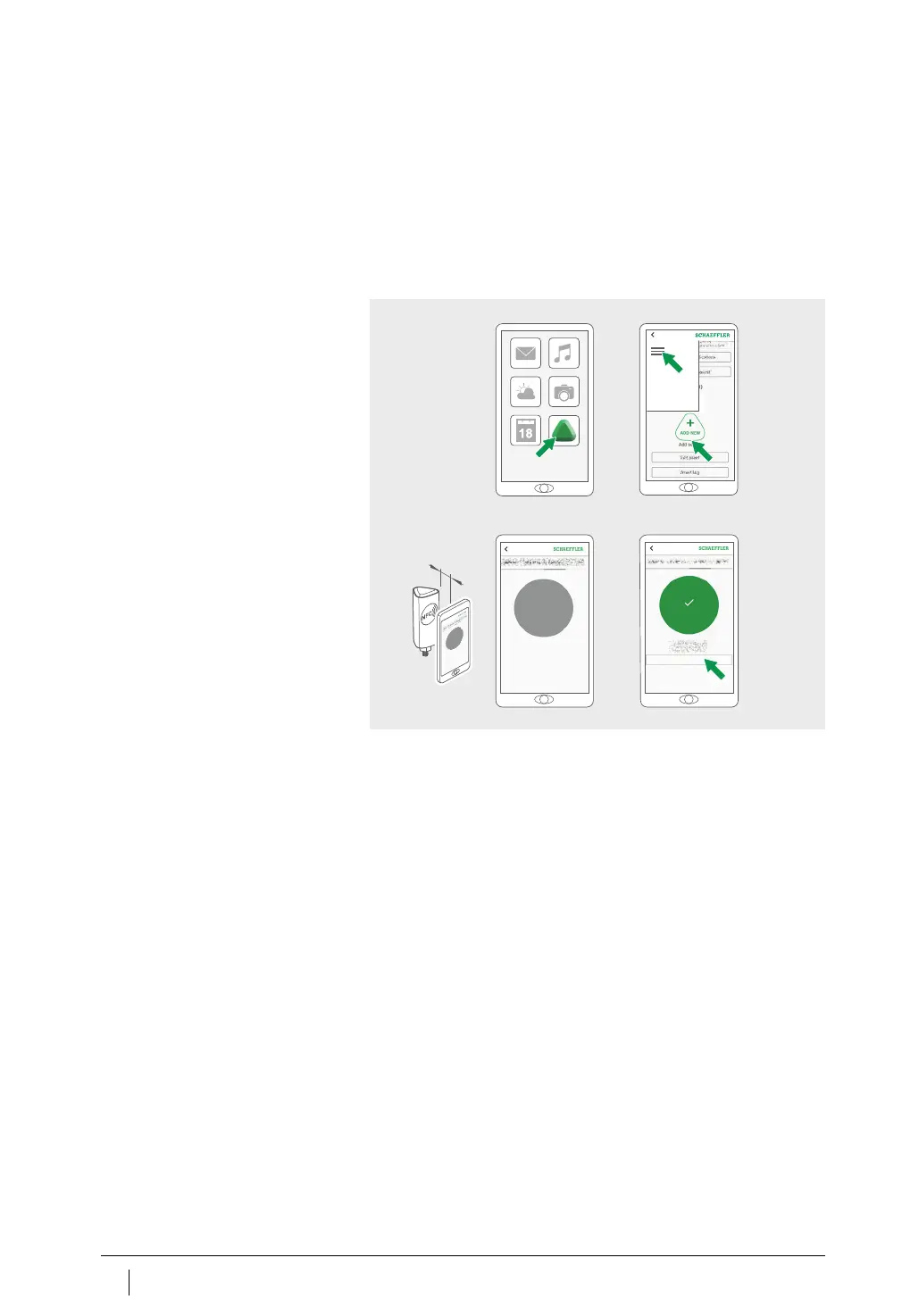
Activate sensor
You should activate the sensor before mounting to rule out any
possible defect in advance,
Figure 19
.
Open the OPTIME app.
Tap the [
Login
] button.
Enter your login data.
Go to the [
Menu
] symbol and tap on the [
Add sensor
]button.
Follow the instructions in the OPTIME app to activate the sensor
via NFC.
The activation is done in two steps. Firstly, the sensor is switched
on. Then the network parameters are transferred. For final
confirmation the user is requested to save the settings. Depend-
ing on the mobile device used, each separate NFC contact is
acknowledged, e.g. through vibration.
The sensor is activated.
Figure 19
Activate sensor
4.
⬉ 100 mm
3.
2.1.



 To Next Page