46
BA 68
Schaeffler Technologies
Schaeffler OPTIME
Display information on groups
To obtain detailed information:
Tap on a group field.
The machines assigned to the group are displayed.
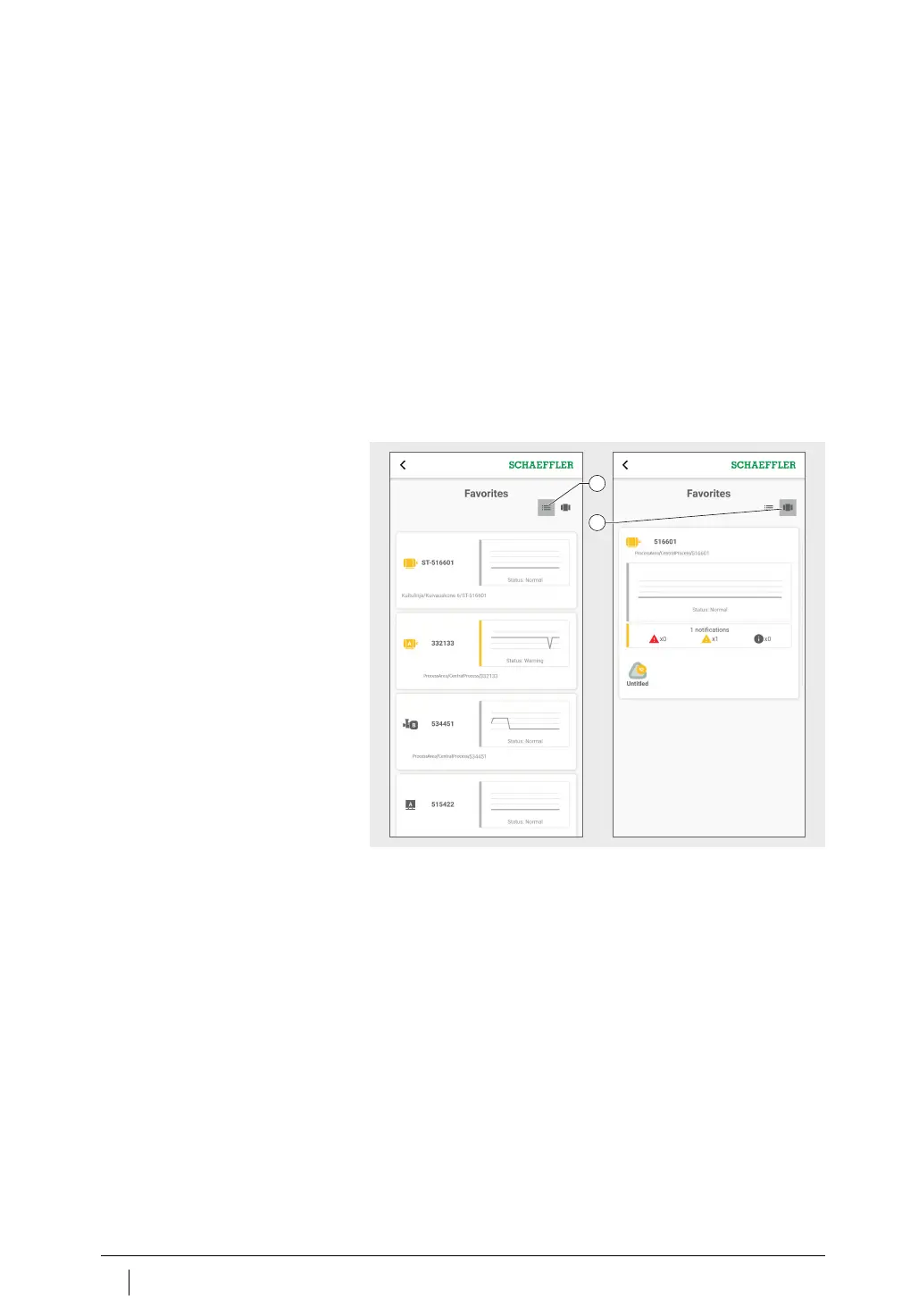
Two different views Two different views are available
■
List view:
– Displays the colour-coded alarm status of the machine,
the state diagram with alarm level and any outstanding alarm
messages.
■
Tiled view:
– As well as the information in the list view, an extended over-
view of alarm messages and the status of the machine sensors
is displayed. The tiled view allows rapid scrolling through
the machines.
Manage favourites
You can add any machine to your [
Favorites
] group, using machine
management, see page 48.
List view
Tiled view
Figure 29
Access to information
about groups in various views
1
2



 To Next Page