Operation
32 01.00 | FPS-F5 | Assembly and Operating Manual | en | 15959911
6.3.5 Recording function
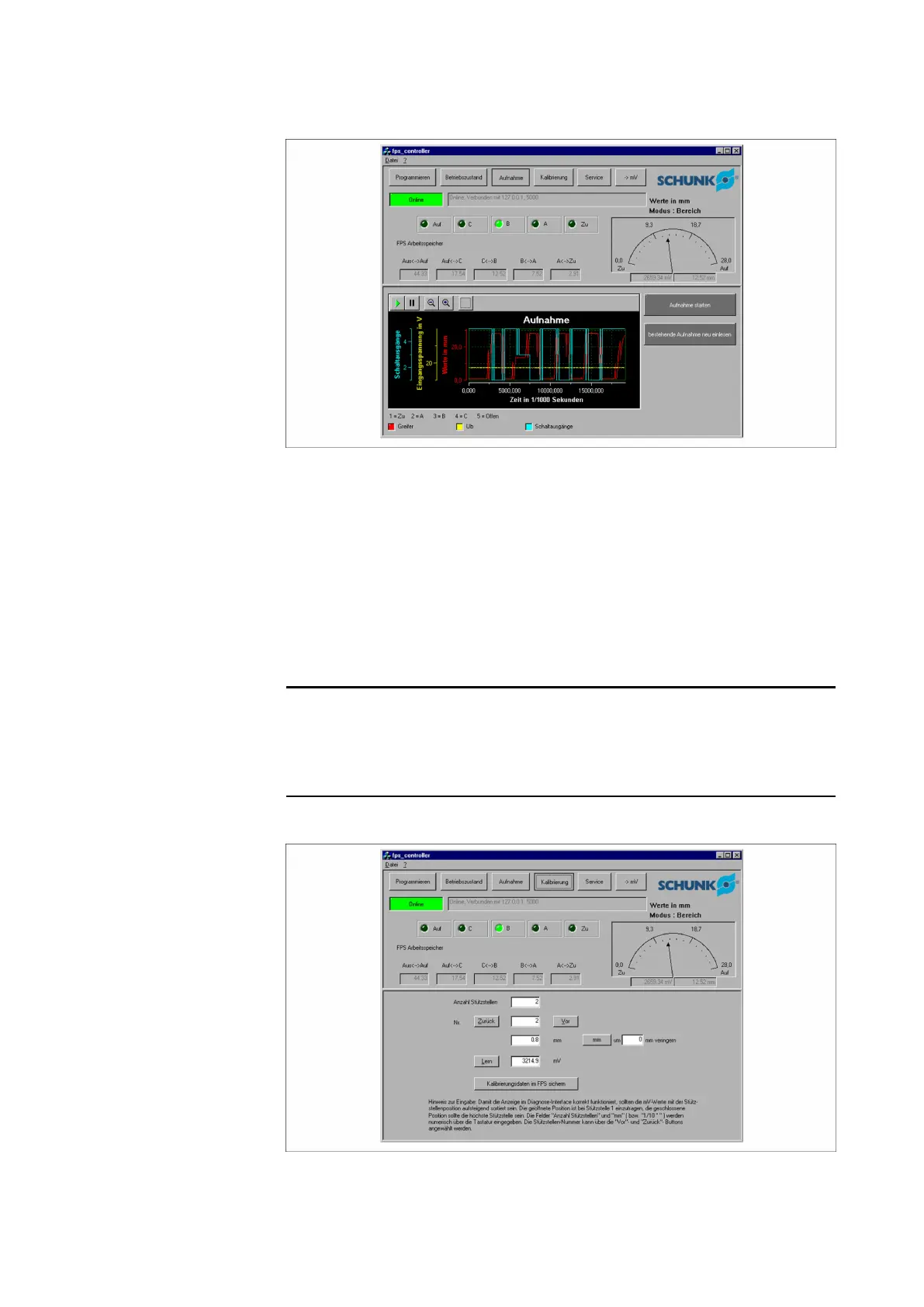
Recording function
This window displays the most recently recorded values of the
switching outputs, the input voltage and the position values
saved in the electronic processor.
If a new recording is to be made, the Start recording button must
be pressed. The electronic processor then save the states of the
next 15 seconds at a rate of one millisecond, compresses this
data and then transfers it to the connected computer. The
transfer can take up to several minutes.
NOTE
Recording can also be carried out without a connected computer.
Here, the Save button must be pressed on the electronic
processor during normal operation.
6.3.6 Calibrate function
Calibrate function


 To Next Page